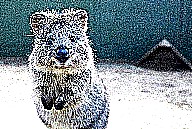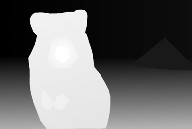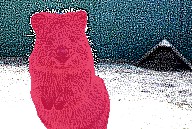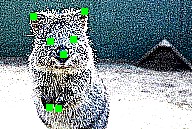
# imgaug **Repository Path**: tutu96177/imgaug ## Basic Information - **Project Name**: imgaug - **Description**: Image augmentation for machine learning experiments. - **Primary Language**: Unknown - **License**: MIT - **Default Branch**: master - **Homepage**: None - **GVP Project**: No ## Statistics - **Stars**: 0 - **Forks**: 0 - **Created**: 2020-05-24 - **Last Updated**: 2020-12-19 ## Categories & Tags **Categories**: Uncategorized **Tags**: None ## README # imgaug This python library helps you with augmenting images for your machine learning projects. It converts a set of input images into a new, much larger set of slightly altered images. [![Build Status](https://travis-ci.org/aleju/imgaug.svg?branch=master)](https://travis-ci.org/aleju/imgaug) [![codecov](https://codecov.io/gh/aleju/imgaug/branch/master/graph/badge.svg)](https://codecov.io/gh/aleju/imgaug) [![Codacy Badge](https://api.codacy.com/project/badge/Grade/1370ce38e99e40af842d47a8dd721444)](https://www.codacy.com/app/aleju/imgaug?utm_source=github.com&utm_medium=referral&utm_content=aleju/imgaug&utm_campaign=Badge_Grade)
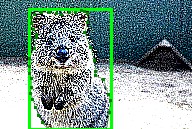
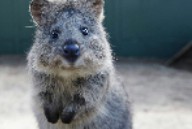
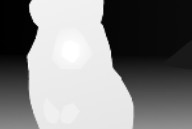
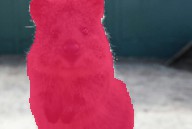
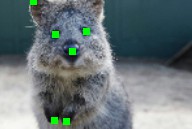
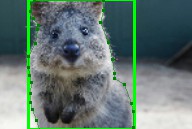
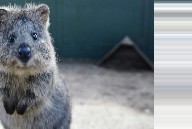
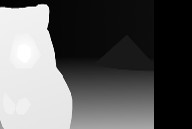
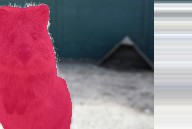
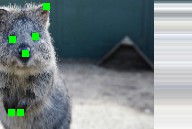
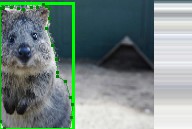
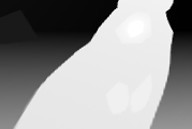
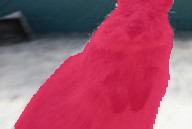
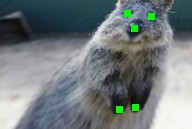
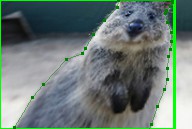
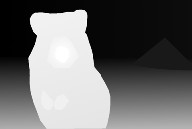
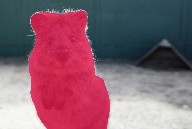
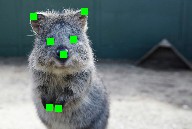
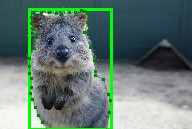
  Image Heatmaps Seg. Maps Keypoints Bounding Boxes,
Polygons
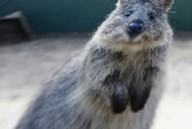
Original Input input images input heatmaps input segmentation maps input keypoints input bounding boxes
Gauss. Noise
+ Contrast
+ Sharpen
non geometric augmentations, applied to images non geometric augmentations, applied to heatmaps non geometric augmentations, applied to segmentation maps non geometric augmentations, applied to keypoints non geometric augmentations, applied to bounding boxes
Affine affine augmentations, applied to images affine augmentations, applied to heatmaps affine augmentations, applied to segmentation maps affine augmentations, applied to keypoints affine augmentations, applied to bounding boxes
Crop
+ Pad
crop and pad augmentations, applied to images crop and pad augmentations, applied to heatmaps crop and pad augmentations, applied to segmentation maps crop and pad augmentations, applied to keypoints crop and pad augmentations, applied to bounding boxes
Fliplr
+ Perspective
Horizontal flip and perspective transform augmentations, applied to images Horizontal flip and perspective transform augmentations, applied to heatmaps Horizontal flip and perspective transform augmentations, applied to segmentation maps Horizontal flip and perspective transform augmentations, applied to keypoints Horizontal flip and perspective transform augmentations, applied to bounding boxes
**More (strong) example augmentations of one input image:** ![64 quokkas](https://raw.githubusercontent.com/aleju/imgaug-doc/master/readme_images/examples_grid.jpg?raw=true "64 quokkas") ## Table of Contents 1. [Features](#features) 2. [Installation](#installation) 3. [Documentation](#documentation) 4. [Recent Changes](#recent_changes) 5. [Example Images](#example_images) 6. [Code Examples](#code_examples) 7. [List of augmenters](#list_of_augmenters) 8. [Citation](#citation) ## Features * Many augmentation techniques * E.g. affine transformations, perspective transformations, contrast changes, gaussian noise, dropout of regions, hue/saturation changes, cropping/padding, blurring, ... * Optimized for high performance * Easy to apply augmentations only to some images * Easy to apply augmentations in random order * Support for * Images (full support for uint8, for other dtypes see [documentation](https://imgaug.readthedocs.io/en/latest/source/dtype_support.html)) * Heatmaps (float32), Segmentation Maps (int), Masks (bool) * May be smaller/larger than their corresponding images. *No* extra lines of code needed for e.g. crop. * Keypoints/Landmarks (int/float coordinates) * Bounding Boxes (int/float coordinates) * Polygons (int/float coordinates) (Beta) * Line Strings (int/float coordinates) (Beta) * Automatic alignment of sampled random values * Example: Rotate image and segmentation map on it by the same value sampled from `uniform(-10°, 45°)`. (0 extra lines of code.) * Probability distributions as parameters * Example: Rotate images by values sampled from `uniform(-10°, 45°)`. * Example: Rotate images by values sampled from `ABS(N(0, 20.0))*(1+B(1.0, 1.0))`", where `ABS(.)` is the absolute function, `N(.)` the gaussian distribution and `B(.)` the beta distribution. * Many helper functions * Example: Draw heatmaps, segmentation maps, keypoints, bounding boxes, ... * Example: Scale segmentation maps, average/max pool of images/maps, pad images to aspect ratios (e.g. to square them) * Example: Convert keypoints to distance maps, extract pixels within bounding boxes from images, clip polygon to the image plane, ... * Support for augmentation on multiple CPU cores ## Installation The library supports python 2.7 and 3.4+. ### Installation: Anaconda To install the library in anaconda, perform the following commands: ```bash conda config --add channels conda-forge conda install imgaug ``` You can deinstall the library again via `conda remove imgaug`. ### Installation: pip To install the library via pip, first install all requirements: ```bash pip install six numpy scipy Pillow matplotlib scikit-image opencv-python imageio Shapely ``` Then install imgaug either via pypi (can lag behind the github version): ```bash pip install imgaug ``` or install the latest version directly from github: ```bash pip install git+https://github.com/aleju/imgaug.git ``` In rare cases, `Shapely` can cause issues to install. You can skip the package in these cases -- but note that at least polygon and line string augmentation will crash without it. To deinstall the library, just execute `pip uninstall imgaug`. ### Installation: From Source Alternatively, you can download the repository via `git clone https://github.com/aleju/imgaug` and install manually via `cd imgaug && python setup.py install`. ## Documentation Example jupyter notebooks: * [Load and Augment an Image](https://nbviewer.jupyter.org/github/aleju/imgaug-doc/blob/master/notebooks/A01%20-%20Load%20and%20Augment%20an%20Image.ipynb) * [Multicore Augmentation](https://nbviewer.jupyter.org/github/aleju/imgaug-doc/blob/master/notebooks/A03%20-%20Multicore%20Augmentation.ipynb) * Augment and work with: [Keypoints/Landmarks](https://nbviewer.jupyter.org/github/aleju/imgaug-doc/blob/master/notebooks/B01%20-%20Augment%20Keypoints.ipynb), [Bounding Boxes](https://nbviewer.jupyter.org/github/aleju/imgaug-doc/blob/master/notebooks/B02%20-%20Augment%20Bounding%20Boxes.ipynb), [Polygons](https://nbviewer.jupyter.org/github/aleju/imgaug-doc/blob/master/notebooks/B03%20-%20Augment%20Polygons.ipynb), [Line Strings](https://nbviewer.jupyter.org/github/aleju/imgaug-doc/blob/master/notebooks/B06%20-%20Augment%20Line%20Strings.ipynb), [Heatmaps](https://nbviewer.jupyter.org/github/aleju/imgaug-doc/blob/master/notebooks/B04%20-%20Augment%20Heatmaps.ipynb), [Segmentation Maps](https://nbviewer.jupyter.org/github/aleju/imgaug-doc/blob/master/notebooks/B05%20-%20Augment%20Segmentation%20Maps.ipynb) More notebooks: [imgaug-doc/notebooks](https://github.com/aleju/imgaug-doc/tree/master/notebooks). Example ReadTheDocs pages (usually less up to date than the notebooks): * [Quick example code on how to use the library](http://imgaug.readthedocs.io/en/latest/source/examples_basics.html) * [Examples for some of the supported augmentation techniques](http://imgaug.readthedocs.io/en/latest/source/augmenters.html) * [API](http://imgaug.readthedocs.io/en/latest/source/api.html) More RTD documentation: [imgaug.readthedocs.io](http://imgaug.readthedocs.io/en/latest/source/examples_basics.html). All documentation related files of this project are hosted in the repository [imgaug-doc](https://github.com/aleju/imgaug-doc). ## Recent Changes * **0.3.0**: Reworked segmentation map augmentation, adapted to numpy 1.17+ random number sampling API, several new augmenters. * **0.2.9**: Added polygon augmentation, added line string augmentation, simplified augmentation interface. * **0.2.8**: Improved performance, dtype support and multicore augmentation. See [changelogs/](changelogs/) for more details. ## Example Images The images below show examples for most augmentation techniques. Values written in the form `(a, b)` denote a uniform distribution, i.e. the value is randomly picked from the interval `[a, b]`. Line strings are supported by all augmenters, but are not explicitly visualized here.
meta
Noop ChannelShuffle      
Noop ChannelShuffle      
arithmetic
Add Add
(per_channel=True)
AdditiveGaussianNoise AdditiveGaussianNoise
(per_channel=True)
AdditiveLaplaceNoise
Add Add per_channel=True AdditiveGaussianNoise AdditiveGaussianNoise per_channel=True AdditiveLaplaceNoise
AdditiveLaplaceNoise
(per_channel=True)
AdditivePoissonNoise AdditivePoissonNoise
(per_channel=True)
Multiply Multiply
(per_channel=True)
AdditiveLaplaceNoise per_channel=True AdditivePoissonNoise AdditivePoissonNoise per_channel=True Multiply Multiply per_channel=True
Dropout Dropout
(per_channel=True)
CoarseDropout
(p=0.2)
CoarseDropout
(p=0.2, per_channel=True)
ImpulseNoise
Dropout Dropout per_channel=True CoarseDropout p=0.2 CoarseDropout p=0.2, per_channel=True ImpulseNoise
SaltAndPepper Salt Pepper CoarseSaltAndPepper
(p=0.2)
CoarseSalt
(p=0.2)
SaltAndPepper Salt Pepper CoarseSaltAndPepper p=0.2 CoarseSalt p=0.2
CoarsePepper
(p=0.2)
Invert Invert
(per_channel=True)
JpegCompression  
CoarsePepper p=0.2 Invert Invert per_channel=True JpegCompression  
blend
Alpha
with EdgeDetect(1.0)
Alpha
with EdgeDetect(1.0)
(per_channel=True)
SimplexNoiseAlpha
with EdgeDetect(1.0)
FrequencyNoiseAlpha
with EdgeDetect(1.0)
 
Alpha with EdgeDetect1.0 Alpha with EdgeDetect1.0 per_channel=True SimplexNoiseAlpha with EdgeDetect1.0 FrequencyNoiseAlpha with EdgeDetect1.0  
blur
GaussianBlur AverageBlur MedianBlur BilateralBlur
(sigma_color=250,
sigma_space=250)
MotionBlur
(angle=0)
GaussianBlur AverageBlur MedianBlur BilateralBlur sigma_color=250, sigma_space=250 MotionBlur angle=0
MotionBlur
(k=5)
       
MotionBlur k=5        
color
MultiplyHueAndSaturation MultiplyHue MultiplySaturation AddToHueAndSaturation AddToHue
AddToSaturation Grayscale KMeansColorQuantization
(to_colorspace=RGB)
UniformColorQuantization
(to_colorspace=RGB)
 
AddToSaturation Grayscale KMeansColorQuantization to_colorspace=RGB UniformColorQuantization to_colorspace=RGB  
contrast
GammaContrast GammaContrast
(per_channel=True)
SigmoidContrast
(cutoff=0.5)
SigmoidContrast
(gain=10)
SigmoidContrast
(per_channel=True)
GammaContrast GammaContrast per_channel=True SigmoidContrast cutoff=0.5 SigmoidContrast gain=10 SigmoidContrast per_channel=True
LogContrast LogContrast
(per_channel=True)
LinearContrast LinearContrast
(per_channel=True)
AllChannels-
HistogramEqualization
LogContrast LogContrast per_channel=True LinearContrast LinearContrast per_channel=True AllChannels- HistogramEqualization
HistogramEqualization AllChannelsCLAHE AllChannelsCLAHE
(per_channel=True)
CLAHE  
HistogramEqualization AllChannelsCLAHE AllChannelsCLAHE per_channel=True CLAHE  
convolutional
Sharpen
(alpha=1)
Emboss
(alpha=1)
EdgeDetect DirectedEdgeDetect
(alpha=1)
 
Sharpen alpha=1 Emboss alpha=1 EdgeDetect DirectedEdgeDetect alpha=1  
edges
Canny        
Canny        
flip
Fliplr Flipud  
Fliplr Flipud  
geometric
Affine Affine: Modes  
Affine: cval PiecewiseAffine  
PerspectiveTransform ElasticTransformation
(sigma=0.2)
 
PerspectiveTransform ElasticTransformation sigma=0.2  
ElasticTransformation
(sigma=5.0)
Rot90  
ElasticTransformation sigma=5.0 Rot90  
pooling
AveragePooling MaxPooling MinPooling MedianPooling  
segmentation
Superpixels
(p_replace=1)
Superpixels
(n_segments=100)
UniformVoronoi RegularGridVoronoi: rows/cols
(p_drop_points=0)
RegularGridVoronoi: p_drop_points
(n_rows=n_cols=30)
Superpixels p_replace=1 Superpixels n_segments=100 UniformVoronoi RegularGridVoronoi: rows/cols p_drop_points=0 RegularGridVoronoi: p_drop_points n_rows=n_cols=30
RegularGridVoronoi: p_replace
(n_rows=n_cols=16)
       
RegularGridVoronoi: p_replace n_rows=n_cols=16        
size
CropAndPad Crop  
CropAndPad Crop  
Pad PadToFixedSize
(height'=height+32,
width'=width+32)
 
Pad PadToFixedSize height'=height+32, width'=width+32  
CropToFixedSize
(height'=height-32,
width'=width-32)
     
CropToFixedSize height'=height-32, width'=width-32      
weather
FastSnowyLandscape
(lightness_multiplier=2.0)
Clouds Fog Snowflakes  
FastSnowyLandscape lightness_multiplier=2.0 Clouds Fog Snowflakes  
## Code Examples ### Example: Simple Training Setting A standard machine learning situation. Train on batches of images and augment each batch via crop, horizontal flip ("Fliplr") and gaussian blur: ```python import numpy as np import imgaug.augmenters as iaa def load_batch(batch_idx): # dummy function, implement this # Return a numpy array of shape (N, height, width, #channels) # or a list of (height, width, #channels) arrays (may have different image # sizes). # Images should be in RGB for colorspace augmentations. # (cv2.imread() returns BGR!) # Images should usually be in uint8 with values from 0-255. return np.zeros((128, 32, 32, 3), dtype=np.uint8) + (batch_idx % 255) def train_on_images(images): # dummy function, implement this pass # Pipeline: # (1) Crop images from each side by 1-16px, do not resize the results # images back to the input size. Keep them at the cropped size. # (2) Horizontally flip 50% of the images. # (3) Blur images using a gaussian kernel with sigma between 0.0 and 3.0. seq = iaa.Sequential([ iaa.Crop(px=(1, 16), keep_size=False), iaa.Fliplr(0.5), iaa.GaussianBlur(sigma=(0, 3.0)) ]) for batch_idx in range(100): images = load_batch(batch_idx) images_aug = seq(images=images) # done by the library train_on_images(images_aug) ``` ### Example: Very Complex Augmentation Pipeline Apply a very heavy augmentation pipeline to images (used to create the image at the very top of this readme): ```python import numpy as np import imgaug as ia import imgaug.augmenters as iaa # random example images images = np.random.randint(0, 255, (16, 128, 128, 3), dtype=np.uint8) # Sometimes(0.5, ...) applies the given augmenter in 50% of all cases, # e.g. Sometimes(0.5, GaussianBlur(0.3)) would blur roughly every second image. sometimes = lambda aug: iaa.Sometimes(0.5, aug) # Define our sequence of augmentation steps that will be applied to every image # All augmenters with per_channel=0.5 will sample one value _per image_ # in 50% of all cases. In all other cases they will sample new values # _per channel_. seq = iaa.Sequential( [ # apply the following augmenters to most images iaa.Fliplr(0.5), # horizontally flip 50% of all images iaa.Flipud(0.2), # vertically flip 20% of all images # crop images by -5% to 10% of their height/width sometimes(iaa.CropAndPad( percent=(-0.05, 0.1), pad_mode=ia.ALL, pad_cval=(0, 255) )), sometimes(iaa.Affine( scale={"x": (0.8, 1.2), "y": (0.8, 1.2)}, # scale images to 80-120% of their size, individually per axis translate_percent={"x": (-0.2, 0.2), "y": (-0.2, 0.2)}, # translate by -20 to +20 percent (per axis) rotate=(-45, 45), # rotate by -45 to +45 degrees shear=(-16, 16), # shear by -16 to +16 degrees order=[0, 1], # use nearest neighbour or bilinear interpolation (fast) cval=(0, 255), # if mode is constant, use a cval between 0 and 255 mode=ia.ALL # use any of scikit-image's warping modes (see 2nd image from the top for examples) )), # execute 0 to 5 of the following (less important) augmenters per image # don't execute all of them, as that would often be way too strong iaa.SomeOf((0, 5), [ sometimes(iaa.Superpixels(p_replace=(0, 1.0), n_segments=(20, 200))), # convert images into their superpixel representation iaa.OneOf([ iaa.GaussianBlur((0, 3.0)), # blur images with a sigma between 0 and 3.0 iaa.AverageBlur(k=(2, 7)), # blur image using local means with kernel sizes between 2 and 7 iaa.MedianBlur(k=(3, 11)), # blur image using local medians with kernel sizes between 2 and 7 ]), iaa.Sharpen(alpha=(0, 1.0), lightness=(0.75, 1.5)), # sharpen images iaa.Emboss(alpha=(0, 1.0), strength=(0, 2.0)), # emboss images # search either for all edges or for directed edges, # blend the result with the original image using a blobby mask iaa.SimplexNoiseAlpha(iaa.OneOf([ iaa.EdgeDetect(alpha=(0.5, 1.0)), iaa.DirectedEdgeDetect(alpha=(0.5, 1.0), direction=(0.0, 1.0)), ])), iaa.AdditiveGaussianNoise(loc=0, scale=(0.0, 0.05*255), per_channel=0.5), # add gaussian noise to images iaa.OneOf([ iaa.Dropout((0.01, 0.1), per_channel=0.5), # randomly remove up to 10% of the pixels iaa.CoarseDropout((0.03, 0.15), size_percent=(0.02, 0.05), per_channel=0.2), ]), iaa.Invert(0.05, per_channel=True), # invert color channels iaa.Add((-10, 10), per_channel=0.5), # change brightness of images (by -10 to 10 of original value) iaa.AddToHueAndSaturation((-20, 20)), # change hue and saturation # either change the brightness of the whole image (sometimes # per channel) or change the brightness of subareas iaa.OneOf([ iaa.Multiply((0.5, 1.5), per_channel=0.5), iaa.FrequencyNoiseAlpha( exponent=(-4, 0), first=iaa.Multiply((0.5, 1.5), per_channel=True), second=iaa.LinearContrast((0.5, 2.0)) ) ]), iaa.LinearContrast((0.5, 2.0), per_channel=0.5), # improve or worsen the contrast iaa.Grayscale(alpha=(0.0, 1.0)), sometimes(iaa.ElasticTransformation(alpha=(0.5, 3.5), sigma=0.25)), # move pixels locally around (with random strengths) sometimes(iaa.PiecewiseAffine(scale=(0.01, 0.05))), # sometimes move parts of the image around sometimes(iaa.PerspectiveTransform(scale=(0.01, 0.1))) ], random_order=True ) ], random_order=True ) images_aug = seq(images=images) ``` ### Example: Augment Images and Keypoints Augment images and keypoints/landmarks on the same images: ```python import numpy as np import imgaug.augmenters as iaa images = np.zeros((2, 128, 128, 3), dtype=np.uint8) # two example images images[:, 64, 64, :] = 255 points = [ [(10.5, 20.5)], # points on first image [(50.5, 50.5), (60.5, 60.5), (70.5, 70.5)] # points on second image ] seq = iaa.Sequential([ iaa.AdditiveGaussianNoise(scale=0.05*255), iaa.Affine(translate_px={"x": (1, 5)}) ]) # augment keypoints and images images_aug, points_aug = seq(images=images, keypoints=points) print("Image 1 center", np.argmax(images_aug[0, 64, 64:64+6, 0])) print("Image 2 center", np.argmax(images_aug[1, 64, 64:64+6, 0])) print("Points 1", points_aug[0]) print("Points 2", points_aug[1]) ``` Note that all coordinates in `imgaug` are subpixel-accurate, which is why `x=0.5, y=0.5` denotes the center of the pixel of the top left pixel. ### Example: Augment Images and Bounding Boxes ```python import numpy as np import imgaug as ia import imgaug.augmenters as iaa images = np.zeros((2, 128, 128, 3), dtype=np.uint8) # two example images images[:, 64, 64, :] = 255 bbs = [ [ia.BoundingBox(x1=10.5, y1=15.5, x2=30.5, y2=50.5)], [ia.BoundingBox(x1=10.5, y1=20.5, x2=50.5, y2=50.5), ia.BoundingBox(x1=40.5, y1=75.5, x2=70.5, y2=100.5)] ] seq = iaa.Sequential([ iaa.AdditiveGaussianNoise(scale=0.05*255), iaa.Affine(translate_px={"x": (1, 5)}) ]) images_aug, bbs_aug = seq(images=images, bounding_boxes=bbs) ``` ### Example: Augment Images and Polygons ```python import numpy as np import imgaug as ia import imgaug.augmenters as iaa images = np.zeros((2, 128, 128, 3), dtype=np.uint8) # two example images images[:, 64, 64, :] = 255 polygons = [ [ia.Polygon([(10.5, 10.5), (50.5, 10.5), (50.5, 50.5)])], [ia.Polygon([(0.0, 64.5), (64.5, 0.0), (128.0, 128.0), (64.5, 128.0)])] ] seq = iaa.Sequential([ iaa.AdditiveGaussianNoise(scale=0.05*255), iaa.Affine(translate_px={"x": (1, 5)}) ]) images_aug, polygons_aug = seq(images=images, polygons=polygons) ``` ### Example: Augment Images and LineStrings LineStrings are similar to polygons, but are not closed, may intersect with themselves and don't have an inner area. ```python import numpy as np import imgaug as ia import imgaug.augmenters as iaa images = np.zeros((2, 128, 128, 3), dtype=np.uint8) # two example images images[:, 64, 64, :] = 255 ls = [ [ia.LineString([(10.5, 10.5), (50.5, 10.5), (50.5, 50.5)])], [ia.LineString([(0.0, 64.5), (64.5, 0.0), (128.0, 128.0), (64.5, 128.0), (128.0, 0.0)])] ] seq = iaa.Sequential([ iaa.AdditiveGaussianNoise(scale=0.05*255), iaa.Affine(translate_px={"x": (1, 5)}) ]) images_aug, ls_aug = seq(images=images, line_strings=ls) ``` ### Example: Augment Images and Heatmaps Heatmaps are dense float arrays with values between `0.0` and `1.0`. They can be used e.g. when training models to predict facial landmark locations. Note that the heatmaps here have lower height and width than the images. `imgaug` handles that case automatically. The crop pixel amounts will be halved for the heatmaps. ```python import numpy as np import imgaug.augmenters as iaa # Standard scenario: You have N RGB-images and additionally 21 heatmaps per # image. You want to augment each image and its heatmaps identically. images = np.random.randint(0, 255, (16, 128, 128, 3), dtype=np.uint8) heatmaps = np.random.random(size=(16, 64, 64, 1)).astype(np.float32) seq = iaa.Sequential([ iaa.GaussianBlur((0, 3.0)), iaa.Affine(translate_px={"x": (-40, 40)}), iaa.Crop(px=(0, 10)) ]) images_aug, heatmaps_aug = seq(images=images, heatmaps=heatmaps) ``` ### Example: Augment Images and Segmentation Maps This is similar to heatmaps, but the dense arrays have dtype `int32`. Operations such as resizing will automatically use nearest neighbour interpolation. ```python import numpy as np import imgaug.augmenters as iaa # Standard scenario: You have N=16 RGB-images and additionally one segmentation # map per image. You want to augment each image and its heatmaps identically. images = np.random.randint(0, 255, (16, 128, 128, 3), dtype=np.uint8) segmaps = np.random.randint(0, 10, size=(16, 64, 64, 1), dtype=np.int32) seq = iaa.Sequential([ iaa.GaussianBlur((0, 3.0)), iaa.Affine(translate_px={"x": (-40, 40)}), iaa.Crop(px=(0, 10)) ]) images_aug, segmaps_aug = seq(images=images, segmentation_maps=segmaps) ``` ### Example: Visualize Augmented Images Quickly show example results of your augmentation sequence: ```python import numpy as np import imgaug.augmenters as iaa images = np.random.randint(0, 255, (16, 128, 128, 3), dtype=np.uint8) seq = iaa.Sequential([iaa.Fliplr(0.5), iaa.GaussianBlur((0, 3.0))]) # Show an image with 8*8 augmented versions of image 0 and 8*8 augmented # versions of image 1. Identical augmentations will be applied to # image 0 and 1. seq.show_grid([images[0], images[1]], cols=8, rows=8) ``` ### Example: Visualize Augmented Non-Image Data `imgaug` contains many helper function, among these functions to quickly visualize augmented non-image results, such as bounding boxes or heatmaps. ```python import numpy as np import imgaug as ia image = np.zeros((64, 64, 3), dtype=np.uint8) # points kps = [ia.Keypoint(x=10.5, y=20.5), ia.Keypoint(x=60.5, y=60.5)] kpsoi = ia.KeypointsOnImage(kps, shape=image.shape) image_with_kps = kpsoi.draw_on_image(image, size=7, color=(0, 0, 255)) ia.imshow(image_with_kps) # bbs bbsoi = ia.BoundingBoxesOnImage([ ia.BoundingBox(x1=10.5, y1=20.5, x2=50.5, y2=30.5) ], shape=image.shape) image_with_bbs = bbsoi.draw_on_image(image) image_with_bbs = ia.BoundingBox( x1=50.5, y1=10.5, x2=100.5, y2=16.5 ).draw_on_image(image_with_bbs, color=(255, 0, 0), size=3) ia.imshow(image_with_bbs) # polygons psoi = ia.PolygonsOnImage([ ia.Polygon([(10.5, 20.5), (50.5, 30.5), (10.5, 50.5)]) ], shape=image.shape) image_with_polys = psoi.draw_on_image( image, alpha_points=0, alpha_face=0.5, color_lines=(255, 0, 0)) ia.imshow(image_with_polys) # heatmaps hms = ia.HeatmapsOnImage(np.random.random(size=(32, 32, 1)).astype(np.float32), shape=image.shape) image_with_hms = hms.draw_on_image(image) ia.imshow(image_with_hms) ``` LineStrings and segmentation maps support similar methods as shown above. ### Example: Using Augmenters Only Once While the interface is adapted towards re-using instances of augmenters many times, you are also free to use them only once. The overhead to instantiate the augmenters each time is usually negligible. ```python from imgaug import augmenters as iaa import numpy as np images = np.random.randint(0, 255, (16, 128, 128, 3), dtype=np.uint8) # always horizontally flip each input image images_aug = iaa.Fliplr(1.0)(images=images) # vertically flip each input image with 90% probability images_aug = iaa.Flipud(0.9)(images=images) # blur 50% of all images using a gaussian kernel with a sigma of 3.0 images_aug = iaa.Sometimes(0.5, iaa.GaussianBlur(3.0))(images=images) ``` ### Example: Multicore Augmentation Images can be augmented in **background processes** using the method `augment_batches(batches, background=True)`, where `batches` is a list/generator of [imgaug.augmentables.batches.UnnormalizedBatch](https://imgaug.readthedocs.io/en/latest/_modules/imgaug/augmentables/batches.html#UnnormalizedBatch) or [imgaug.augmentables.batches.Batch](https://imgaug.readthedocs.io/en/latest/source/api_augmentables_batches.html#imgaug.augmentables.batches.Batch). The following example augments a list of image batches in the background: ```python import skimage.data import imgaug as ia import imgaug.augmenters as iaa from imgaug.augmentables.batches import UnnormalizedBatch # Number of batches and batch size for this example nb_batches = 10 batch_size = 32 # Example augmentation sequence to run in the background augseq = iaa.Sequential([ iaa.Fliplr(0.5), iaa.CoarseDropout(p=0.1, size_percent=0.1) ]) # For simplicity, we use the same image here many times astronaut = skimage.data.astronaut() astronaut = ia.imresize_single_image(astronaut, (64, 64)) # Make batches out of the example image (here: 10 batches, each 32 times # the example image) batches = [] for _ in range(nb_batches): batches.append(UnnormalizedBatch(images=[astronaut] * batch_size)) # Show the augmented images. # Note that augment_batches() returns a generator. for images_aug in augseq.augment_batches(batches, background=True): ia.imshow(ia.draw_grid(images_aug.images_aug, cols=8)) ``` If you need more control over the background augmentation, e.g. to set seeds, control the number of used CPU cores or constraint the memory usage, see the corresponding [multicore augmentation notebook](https://nbviewer.jupyter.org/github/aleju/imgaug-doc/blob/master/notebooks/A03%20-%20Multicore%20Augmentation.ipynb) or the API about [Augmenter.pool()](https://imgaug.readthedocs.io/en/latest/source/api_augmenters_meta.html#imgaug.augmenters.meta.Augmenter.pool) and [imgaug.multicore.Pool](https://imgaug.readthedocs.io/en/latest/source/api_multicore.html#imgaug.multicore.Pool). ### Example: Probability Distributions as Parameters Most augmenters support using tuples `(a, b)` as a shortcut to denote `uniform(a, b)` or lists `[a, b, c]` to denote a set of allowed values from which one will be picked randomly. If you require more complex probability distributions (e.g. gaussians, truncated gaussians or poisson distributions) you can use stochastic parameters from `imgaug.parameters`: ```python import numpy as np from imgaug import augmenters as iaa from imgaug import parameters as iap images = np.random.randint(0, 255, (16, 128, 128, 3), dtype=np.uint8) # Blur by a value sigma which is sampled from a uniform distribution # of range 10.1 <= x < 13.0. # The convenience shortcut for this is: GaussianBlur((10.1, 13.0)) blurer = iaa.GaussianBlur(10 + iap.Uniform(0.1, 3.0)) images_aug = blurer(images=images) # Blur by a value sigma which is sampled from a gaussian distribution # N(1.0, 0.1), i.e. sample a value that is usually around 1.0. # Clip the resulting value so that it never gets below 0.1 or above 3.0. blurer = iaa.GaussianBlur(iap.Clip(iap.Normal(1.0, 0.1), 0.1, 3.0)) images_aug = blurer(images=images) ``` There are many more probability distributions in the library, e.g. truncated gaussian distribution, poisson distribution or beta distribution. ### Example: WithChannels Apply an augmenter only to specific image channels: ```python import numpy as np import imgaug.augmenters as iaa # fake RGB images images = np.random.randint(0, 255, (16, 128, 128, 3), dtype=np.uint8) # add a random value from the range (-30, 30) to the first two channels of # input images (e.g. to the R and G channels) aug = iaa.WithChannels( channels=[0, 1], children=iaa.Add((-30, 30)) ) images_aug = aug(images=images) ``` ### Example: Hooks You can **dynamically deactivate augmenters** in an already defined sequence. We show this here by running a second array (`heatmaps`) through the pipeline, but only apply a subset of augmenters to that input. ```python import numpy as np import imgaug as ia import imgaug.augmenters as iaa # Images and heatmaps, just arrays filled with value 30. # We define the heatmaps here as uint8 arrays as we are going to feed them # through the pipeline similar to normal images. In that way, every # augmenter is applied to them. images = np.full((16, 128, 128, 3), 30, dtype=np.uint8) heatmaps = np.full((16, 128, 128, 21), 30, dtype=np.uint8) # add vertical lines to see the effect of flip images[:, 16:128-16, 120:124, :] = 120 heatmaps[:, 16:128-16, 120:124, :] = 120 seq = iaa.Sequential([ iaa.Fliplr(0.5, name="Flipper"), iaa.GaussianBlur((0, 3.0), name="GaussianBlur"), iaa.Dropout(0.02, name="Dropout"), iaa.AdditiveGaussianNoise(scale=0.01*255, name="MyLittleNoise"), iaa.AdditiveGaussianNoise(loc=32, scale=0.0001*255, name="SomeOtherNoise"), iaa.Affine(translate_px={"x": (-40, 40)}, name="Affine") ]) # change the activated augmenters for heatmaps, # we only want to execute horizontal flip, affine transformation and one of # the gaussian noises def activator_heatmaps(images, augmenter, parents, default): if augmenter.name in ["GaussianBlur", "Dropout", "MyLittleNoise"]: return False else: # default value for all other augmenters return default hooks_heatmaps = ia.HooksImages(activator=activator_heatmaps) # call to_deterministic() once per batch, NOT only once at the start seq_det = seq.to_deterministic() images_aug = seq_det(images=images) heatmaps_aug = seq_det(images=heatmaps, hooks=hooks_heatmaps) ``` ## List of Augmenters The following is a list of available augmenters. Note that most of the below mentioned variables can be set to ranges, e.g. `A=(0.0, 1.0)` to sample a random value between 0 and 1.0 per image, or `A=[0.0, 0.5, 1.0]` to sample randomly either `0.0` or `0.5` or `1.0` per image. **arithmetic** | Augmenter | Description | | --- | --- | | Add(V, PCH) | Adds value `V` to each image. If `PCH` is true, then the sampled values may be different per channel. | | AddElementwise(V, PCH) | Adds value `V` to each pixel. If `PCH` is true, then the sampled values may be different per channel (and pixel). | | AdditiveGaussianNoise(L, S, PCH) | Adds white/gaussian noise pixelwise to an image. The noise comes from the normal distribution `N(L,S)`. If `PCH` is true, then the sampled values may be different per channel (and pixel). | | AdditiveLaplaceNoise(L, S, PCH) | Adds noise sampled from a laplace distribution following `Laplace(L, S)` to images. If `PCH` is true, then the sampled values may be different per channel (and pixel). | | AdditivePoissonNoise(L, PCH) | Adds noise sampled from a poisson distribution with `L` being the `lambda` exponent. If `PCH` is true, then the sampled values may be different per channel (and pixel). | | Multiply(V, PCH) | Multiplies each image by value `V`, leading to darker/brighter images. If `PCH` is true, then the sampled values may be different per channel. | | MultiplyElementwise(V, PCH) | Multiplies each pixel by value `V`, leading to darker/brighter pixels. If `PCH` is true, then the sampled values may be different per channel (and pixel). | | Dropout(P, PCH) | Sets pixels to zero with probability `P`. If `PCH` is true, then channels may be treated differently, otherwise whole pixels are set to zero. | | CoarseDropout(P, SPX, SPC, PCH) | Like `Dropout`, but samples the locations of pixels that are to be set to zero from a coarser/smaller image, which has pixel size `SPX` or relative size `SPC`. I.e. if `SPC` has a small value, the coarse map is small, resulting in large rectangles being dropped. | | ReplaceElementwise(M, R, PCH) | Replaces pixels in an image by replacements `R`. Replaces the pixels identified by mask `M`. `M` can be a probability, e.g. `0.05` to replace 5% of all pixels. If `PCH` is true, then the mask will be sampled per image, pixel *and additionally channel*. | | ImpulseNoise(P) | Replaces `P` percent of all pixels with impulse noise, i.e. very light/dark RGB colors. This is an alias for `SaltAndPepper(P, PCH=True)`. | | SaltAndPepper(P, PCH) | Replaces `P` percent of all pixels with very white or black colors. If `PCH` is true, then different pixels will be replaced per channel. | | CoarseSaltAndPepper(P, SPX, SPC, PCH) | Similar to `CoarseDropout`, but instead of setting regions to zero, they are replaced by very white or black colors. If `PCH` is true, then the coarse replacement masks are sampled once per image and channel. | | Salt(P, PCH) | Similar to `SaltAndPepper`, but only replaces with very white colors, i.e. no black colors. | | CoarseSalt(P, SPX, SPC, PCH) | Similar to `CoarseSaltAndPepper`, but only replaces with very white colors, i.e. no black colors. | | Pepper(P, PCH) | Similar to `SaltAndPepper`, but only replaces with very black colors, i.e. no white colors. | | CoarsePepper(P, SPX, SPC, PCH) | Similar to `CoarseSaltAndPepper`, but only replaces with very black colors, i.e. no white colors. | | Invert(P, PCH) | Inverts with probability `P` all pixels in an image, i.e. sets them to (1-pixel_value). If `PCH` is true, each channel is treated individually (leading to only some channels being inverted). | | ContrastNormalization(S, PCH) | Changes the contrast in images, by moving pixel values away or closer to 128. The direction and strength is defined by `S`. If `PCH` is set to true, the process happens channel-wise with possibly different `S`. | | JpegCompression(C) | Applies JPEG compression of strength `C` (value range: 0 to 100) to an image. Higher values of `C` lead to more visual artifacts. | **blend** | Augmenter | Description | | --- | --- | | Alpha(A, FG, BG, PCH) | Augments images using augmenters `FG` and `BG` independently, then blends the result using alpha `A`. Both `FG` and `BG` default to doing nothing if not provided. E.g. use `Alpha(0.9, FG)` to augment images via `FG`, then blend the result, keeping 10% of the original image (before `FG`). If `PCH` is set to true, the process happens channel-wise with possibly different `A` (`FG` and `BG` are computed once per image). | | AlphaElementwise(A, FG, BG, PCH) | Same as `Alpha`, but performs the blending pixel-wise using a continuous mask (values 0.0 to 1.0) sampled from `A`. If `PCH` is set to true, the process happens both pixel- and channel-wise. | | SimplexNoiseAlpha(FG, BG, PCH, SM, UP, I, AGG, SIG, SIGT) | Similar to `Alpha`, but uses a mask to blend the results from augmenters `FG` and `BG`. The mask is sampled from simplex noise, which tends to be blobby. The mask is gathered in `I` iterations (default: `1 to 3`), each iteration is combined using aggregation method `AGG` (default `max`, i.e. maximum value from all iterations per pixel). Each mask is sampled in low resolution space with max resolution `SM` (default 2 to 16px) and upscaled to image size using method `UP` (default: linear or cubic or nearest neighbour upsampling). If `SIG` is true, a sigmoid is applied to the mask with threshold `SIGT`, which makes the blobs have values closer to 0.0 or 1.0. | | FrequencyNoiseAlpha(E, FG, BG, PCH, SM, UP, I, AGG, SIG, SIGT) | Similar to `SimplexNoiseAlpha`, but generates noise masks from the frequency domain. Exponent `E` is used to increase/decrease frequency components. High values for `E` pronounce high frequency components. Use values in the range -4 to 4, with -2 roughly generated cloud-like patterns. | **blur** | Augmenter | Description | | --- | --- | | GaussianBlur(S) | Blurs images using a gaussian kernel with size `S`. | | AverageBlur(K) | Blurs images using a simple averaging kernel with size `K`. | | MedianBlur(K) | Blurs images using a median over neihbourhoods of size `K`. | | BilateralBlur(D, SC, SS) | Blurs images using a bilateral filter with distance `D` (like kernel size). `SC` is a sigma for the (influence) distance in color space, `SS` a sigma for the spatial distance. | | MotionBlur(K, A, D, O) | Blurs an image using a motion blur kernel with size `K`. `A` is the angle of the blur in degrees to the y-axis (value range: 0 to 360, clockwise). `D` is the blur direction (value range: -1.0 to 1.0, 1.0 is forward from the center). `O` is the interpolation order (`O=0` is fast, `O=1` slightly slower but more accurate). | **color** | Augmenter | Description | | --- | --- | | WithColorspace(T, F, CH) | Converts images from colorspace `T` to `F`, applies child augmenters `CH` and then converts back from `F` to `T`. | | AddToHueAndSaturation(V, PCH, F, C) | Adds value `V` to each pixel in HSV space (i.e. modifying hue and saturation). Converts from colorspace F to HSV (default is F=RGB). Selects channels C before augmenting (default is C=[0,1]). If `PCH` is true, then the sampled values may be different per channel. | | ChangeColorspace(T, F, A) | Converts images from colorspace `F` to `T` and mixes with the original image using alpha `A`. Grayscale remains at three channels. (Fairly untested augmenter, use at own risk.) | | Grayscale(A, F) | Converts images from colorspace F (default: RGB) to grayscale and mixes with the original image using alpha `A`. | **contrast** | Augmenter | Description | | --- | --- | | GammaContrast(G, PCH) | Applies gamma contrast adjustment following `I_ij' = I_ij**G'`, where `G'` is a gamma value sampled from `G` and `I_ij` a pixel (converted to 0 to 1.0 space). If `PCH` is true, a different `G'` is sampled per image and channel. | | SigmoidContrast(G, C, PCH) | Similar to GammaContrast, but applies `I_ij' = 1/(1 + exp(G' * (C' - I_ij)))`, where `G'` is a gain value sampled from `G` and `C'` is a cutoff value sampled from `C`. | | LogContrast(G, PCH) | Similar to GammaContrast, but applies `I_ij = G' * log(1 + I_ij)`, where `G'` is a gain value sampled from `G`. | | LinearContrast(S, PCH) | Similar to GammaContrast, but applies `I_ij = 128 + S' * (I_ij - 128)`, where `S'` is a strength value sampled from `S`. This augmenter is identical to ContrastNormalization (which will be deprecated in the future). | | AllChannelsHistogramEqualization() | Applies standard histogram equalization to each channel of each input image. | | HistogramEqualization(F, T) | Similar to `AllChannelsHistogramEqualization`, but expects images to be in colorspace `F`, converts to colorspace `T` and normalizes only an intensity-related channel, e.g. `L` for `T=Lab` (default for `T`) or `V` for `T=HSV`. | | AllChannelsCLAHE(CL, K, Kmin, PCH) | Contrast Limited Adaptive Histogram Equalization (histogram equalization in small image patches), applied to each image channel with clipping limit `CL` and kernel size `K` (clipped to range `[Kmin, inf)`). If `PCH` is true, different values for `CL` and `K` are sampled per channel. | | CLAHE(CL, K, Kmin, F, T) | Similar to `HistogramEqualization`, this applies CLAHE only to intensity-related channels in Lab/HSV/HLS colorspace. (Usually this works significantly better than `AllChannelsCLAHE`.) | **convolutional** | Augmenter | Description | | --- | --- | | Convolve(M) | Convolves images with matrix `M`, which can be a lambda function. | | Sharpen(A, L) | Runs a sharpening kernel over each image with lightness `L` (low values result in dark images). Mixes the result with the original image using alpha `A`. | | Emboss(A, S) | Runs an emboss kernel over each image with strength `S`. Mixes the result with the original image using alpha `A`. | | EdgeDetect(A) | Runs an edge detection kernel over each image. Mixes the result with the original image using alpha `A`. | | DirectedEdgeDetect(A, D) | Runs a directed edge detection kernel over each image, which detects each from direction `D` (default: random direction from 0 to 360 degrees, chosen per image). Mixes the result with the original image using alpha `A`. | **edges** | Augmenter | Description | | --- | --- | | Canny(A, HT, SK, C) | Applies canny edge detection to each image with hysteresis thresholds `HT` and sobel kernel size `SK`. Converts binary image to color using class `C`. Alpha blends with input image using factor `A`. | **flip** | Augmenter | Description | | --- | --- | | Fliplr(P) | Horizontally flips images with probability `P`. | | Flipud(P) | Vertically flips images with probability `P`. | **geometric** | Augmenter | Description | | --- | --- | | Affine(S, TPX, TPC, R, SH, O, CVAL, FO, M, B) | Applies affine transformations to images. Scales them by `S` (>1=zoom in, <1=zoom out), translates them by `TPX` pixels or `TPC` percent, rotates them by `R` degrees and shears them by `SH` degrees. Interpolation happens with order `O` (0 or 1 are good and fast). If `FO` is true, the output image plane size will be fitted to the distorted image size, i.e. images rotated by 45deg will not be partially outside of the image plane. `M` controls how to handle pixels in the output image plane that have no correspondence in the input image plane. If `M='constant'` then `CVAL` defines a constant value with which to fill these pixels. `B` allows to set the backend framework (currently `cv2` or `skimage`). | | AffineCv2(S, TPX, TPC, R, SH, O, CVAL, M, B) | Same as Affine, but uses only `cv2` as its backend. Currently does not support `FO=true`. Might be deprecated in the future. | | PiecewiseAffine(S, R, C, O, M, CVAL) | Places a regular grid of points on the image. The grid has `R` rows and `C` columns. Then moves the points (and the image areas around them) by amounts that are samples from normal distribution N(0,`S`), leading to local distortions of varying strengths. `O`, `M` and `CVAL` are defined as in `Affine`. | | PerspectiveTransform(S, KS) | Applies a random four-point perspective transform to the image (kinda like an advanced form of cropping). Each point has a random distance from the image corner, derived from a normal distribution with sigma `S`. If `KS` is set to True (default), each image will be resized back to its original size. | | ElasticTransformation(S, SM, O, CVAL, M) | Moves each pixel individually around based on distortion fields. `SM` defines the smoothness of the distortion field and `S` its strength. `O` is the interpolation order, `CVAL` a constant fill value for newly created pixels and `M` the fill mode (see also augmenter `Affine`). | | Rot90(K, KS) | Rotate images `K` times clockwise by 90 degrees. (This is faster than `Affine`.) If `KS` is true, the resulting image will be resized to have the same size as the original input image. | **meta** | Augmenter | Description | | --- | --- | | Sequential(C, R) | Takes a list of child augmenters `C` and applies them in that order to images. If `R` is true (default: false), then the order is random (chosen once per batch). | | SomeOf(N, C, R) | Applies `N` randomly selected augmenters from a list of augmenters `C` to each image. The augmenters are chosen per image. `R` is the same as for `Sequential`. `N` can be a range, e.g. `(1, 3)` in order to pick 1 to 3. | | OneOf(C) | Identical to `SomeOf(1, C)`. | | Sometimes(P, C, D) | Augments images with probability `P` by using child augmenters `C`, otherwise uses `D`. `D` can be None, then only `P` percent of all images are augmented via `C`. | | WithColorspace(T, F, C) | Transforms images from colorspace `F` (default: RGB) to colorspace `T`, applies augmenters `C` and then converts back to `F`. | | WithChannels(H, C) | Selects from each image channels `H` (e.g. `[0,1]` for red and green in RGB images), applies child augmenters `C` to these channels and merges the result back into the original images. | | Noop() | Does nothing. (Useful for validation/test.) | | Lambda(I, K) | Applies lambda function `I` to images and `K` to keypoints. | | AssertLambda(I, K) | Checks images via lambda function `I` and keypoints via `K` and raises an error if false is returned by either of them. | | AssertShape(S) | Raises an error if input images are not of shape `S`. | | ChannelShuffle(P, C) | Permutes the order of the color channels for `P` percent of all images. Shuffles by default all channels, but may restrict to a subset using `C` (list of channel indices). | **pooling** | Augmenter | Description | | --- | --- | | AveragePooling(K, KS) | Average-pool with kernel size `K`. If `KS=True`, resize pooled images back to the input image size. | | MaxPooling(K, KS) | Max-pool with kernel size `K`. If `KS=True`, resize pooled images back to the input image size. | | MinPooling(K, KS) | Min-pool with kernel size `K`. If `KS=True`, resize pooled images back to the input image size. | | MedianPooling(K, KS) | Median-pool with kernel size `K`. If `KS=True`, resize pooled images back to the input image size. | **segmentation** | Augmenter | Description | | --- | --- | | Superpixels(P, N, M) | Generates `N` superpixels of the image at (max) resolution `M` and resizes back to the original size. Then `P` percent of all superpixel areas in the original image are replaced by the superpixel. `(1-P)` percent remain unaltered. | | Voronoi(PS, P, M) | Queries point sampler `PS` to get coordinates of Voronoi cells. Replaces in each cell all pixels with prob. `P` by their average. Does these steps at max resolution `M`. | | UniformVoronoi(N, P, M) | Places `N` Voronoi cells randomly on each image. Replaces in each cell all pixels with prob. `P` by their average. Does these steps at max resolution `M`. | | RegularGridVoronoi(H, W, P, M) | Places a regular grid of `HxW` (height x width) Voronoi cells on each image. Replaces in each cell all pixels with prob. `P` by their average. Does these steps at max resolution `M`. | | RelativeRegularGridVoronoi(HPC, WPC, P, M) | Places a regular grid of `HPC*H x WPC*W` Voronoi cells on each image (`H`, `W` are the image height and width). Replaces in each cell all pixels with prob. `P` by their average. Does these steps at max resolution `M`. | **size** | Augmenter | Description | | --- | --- | | Resize(S, I) | Resizes images to size `S`. Common use case would be to use `S={"height":H, "width":W}` to resize all images to shape `HxW`. `H` and `W` may be floats (e.g. resize to `50%` of original size). Either `H` or `W` may be `"keep-aspect-ratio"` to define only one side's new size and resize the other side correspondingly. `I` is the interpolation to use (default: `cubic`). | | CropAndPad(PX, PC, PM, PCV, KS) | Crops away or pads `PX` pixels or `PC` percent of pixels at top/right/bottom/left of images. Negative values result in cropping, positive in padding. `PM` defines the pad mode (e.g. use uniform color for all added pixels). `PCV` controls the color of added pixels if `PM=constant`. If `KS` is true (default), the resulting image is resized back to the original size. | | Pad(PX, PC, PM, PCV, KS) | Shortcut for CropAndPad(), which only adds pixels. Only positive values are allowed for `PX` and `PC`. | | Crop(PX, PC, KS) | Shortcut for CropAndPad(), which only crops away pixels. Only positive values are allowed for `PX` and `PC` (e.g. a value of 5 results in 5 pixels cropped away). | | PadToFixedSize(W, H, PM, PCV, POS) | Pads all images up to height `H` and width `W`. `PM` and `PCV` are the same as in `Pad`. `POS` defines the position around which to pad, e.g. `POS="center"` pads equally on all sides, `POS="left-top"` pads only the top and left sides. | | CropToFixedSize(W, H, POS) | Similar to `PadToFixedSize`, but crops down to height `H` and width `W` instead of padding. | | KeepSizeByResize(CH, I, IH) | Applies child augmenters `CH` (e.g. cropping) and afterwards resizes all images back to their original size. `I` is the interpolation used for images, `IH` the interpolation used for heatmaps. | **weather** | Augmenter | Description | | --- | --- | | FastSnowyLandscape(LT, LM) | Converts landscape images to snowy landscapes by increasing in HLS colorspace the lightness `L` of all pixels with `L0 are typical of fog), `AMUL` a multiplier for opacity values, `ASPXM` controls the minimum grid size at which to sample opacity values, `AFE` is a frequency noise exponent for opacity values, `S` controls the sparsity of clouds and `DMUL` is a cloud density multiplier. This interface is not final and will likely change in the future. | | Snowflakes(D, DU, FS, FSU, A, S) | Adds snowflakes with density `D`, density uniformity `DU`, snowflake size `FS`, snowflake size uniformity `FSU`, falling angle `A` and speed `S` to an image. One to three layers of snowflakes are added, hence the values should be stochastic. | | SnowflakesLayer(D, DU, FS, FSU, A, S, BSF, BSL) | Adds a single layer of snowflakes to an image. See augmenter `Snowflakes`. `BSF` and `BSL` control a gaussian blur applied to the snowflakes. | ## Citation If this library has helped you during your research, feel free to cite it: ```latex @misc{imgaug, author = {Jung, Alexander B. and Wada, Kentaro and Crall, Jon and Tanaka, Satoshi and Graving, Jake and Yadav, Sarthak and Banerjee, Joy and Vecsei, Gábor and Kraft, Adam and Borovec, Jirka and Vallentin, Christian and Zhydenko, Semen and Pfeiffer, Kilian and Cook, Ben and Fernández, Ismael and Weng Chi-Hung and Ayala-Acevedo, Abner and Meudec, Raphael and Laporte, Matias and others}, title = {{imgaug}}, howpublished = {\url{https://github.com/aleju/imgaug}}, year = {2019}, note = {Online; accessed 25-Sept-2019} } ```