# Seal-UniPlugin-UTS-Demo
**Repository Path**: twofloor/Seal-UniPlugin-UTS-Demo
## Basic Information
- **Project Name**: Seal-UniPlugin-UTS-Demo
- **Description**: 跨平台Office文档、图片在线预览,音视频播放UTS插件seal-office-online-uts【非X5离线、组件嵌入、水印、WPS预览编辑】
- **Primary Language**: CSS
- **License**: Not specified
- **Default Branch**: main
- **Homepage**: None
- **GVP Project**: No
## Statistics
- **Stars**: 1
- **Forks**: 1
- **Created**: 2024-06-09
- **Last Updated**: 2026-04-03
## Categories & Tags
**Categories**: Uncategorized
**Tags**: None
## README
[Github访问](https://github.com/silianpan/Seal-UniPlugin-UTS-Demo)
[国内Gitee访问](https://gitee.com/twofloor/Seal-UniPlugin-UTS-Demo)
## 〇、前言
2023年3月13日,腾讯发布了调整公告:[关于腾讯浏览服务内核SDK-内核文档能力调整公告](https://mp.weixin.qq.com/s/rmSa4Fs77MDdjFioRKwXPA),公告里面明确说明了:**2023年4月13日零时起,内核文档能力正式下线**。插件2.x版本使用了腾讯X5云服务能力,**已经上线的项目需要及时升级插件到3.x版本哟**,3.x版本不再依赖腾讯X5以及任何第三方插件,完全可以在内网环境中使用,同时支持在线文档和设备本地文档。
支持wps、doc、docx、xls、xlsx、csv、ppt、pptx、txt、properties、log、Log、ini、lua、conf、m、cpp、java、h、xml、html、htm等常见文档格式。
### 原生Android项目离线集成,查看Demo工程及README文档: [Seal-Office-Android-Demo](https://github.com/silianpan/Seal-Office-Android-Demo)
各位同学,对于插件使用还有疑问的,可以加QQ群(170683293)咨询,也可以扫下面二维码进微信群。
 ## 一、注意事项
* ##### 本插件不需要其他任何配置,也不需要依赖其他任何库,不要在manifest.json->App模块配置中勾选Android X5 Webview`
* ##### 不要同时使用其他同类文档预览插件,否则,可能会引起包冲突
* ##### url或参数中是否含有中文字符串,请使用encodeURIComponent**或**encodeURI进行转码(新版可以不用转码,支持中文),详细说明见下面“问题一”
## 二、问题解决
### 问题一(新版可以不用转码,支持中文):
> 插件安装成功,但是文档预览失败。
解决方案:检查文档url或参数中是否含有**中文字符串**,如果有,请使用**encodeURIComponent**或**encodeURI**进行转码。
如果参数有http://链接,使用**encodeURIComponent**;如果要对整个url进行转码,使用**encodeURI**
> encodeURIComponent和encodeURI区别
>
> 它们都是编码URL,唯一区别就是编码的字符范围,其中
>
> encodeURI方法***不会***对下列字符编码 **ASCII字母 数字 ~!@#$&\*()=:/,;?+'**
>
> encodeURIComponent方法***不会***对下列字符编码 **ASCII字母 数字 ~!\*()'**
>
> 所以encodeURIComponent比encodeURI编码的范围更大。
## 三、快速上手
Github克隆([demo工程地址](https://github.com/silianpan/Seal-UniPlugin-UTS-Demo) )或在右上角直接下载示例工程
安装开发工具:[HBuilderX](https://www.dcloud.io/hbuilderx.html)
### Step1. 下载demo工程,使用HBuilderX打开
### Step2. 添加本文插件
插件名称:[seal-office-online-uts](https://ext.dcloud.net.cn/plugin?id=12669)
点击右上角`试用`或者`购买`,添加插件
### Step3. 使用插件
* 在vue或nvue组件中,导入插件
```js
import * as UTSSealOfficeOnline from '../../uni_modules/seal-office-online-uts'
```
* **initEngine**方法:插件首次初始化(在应用启动时进行调用)
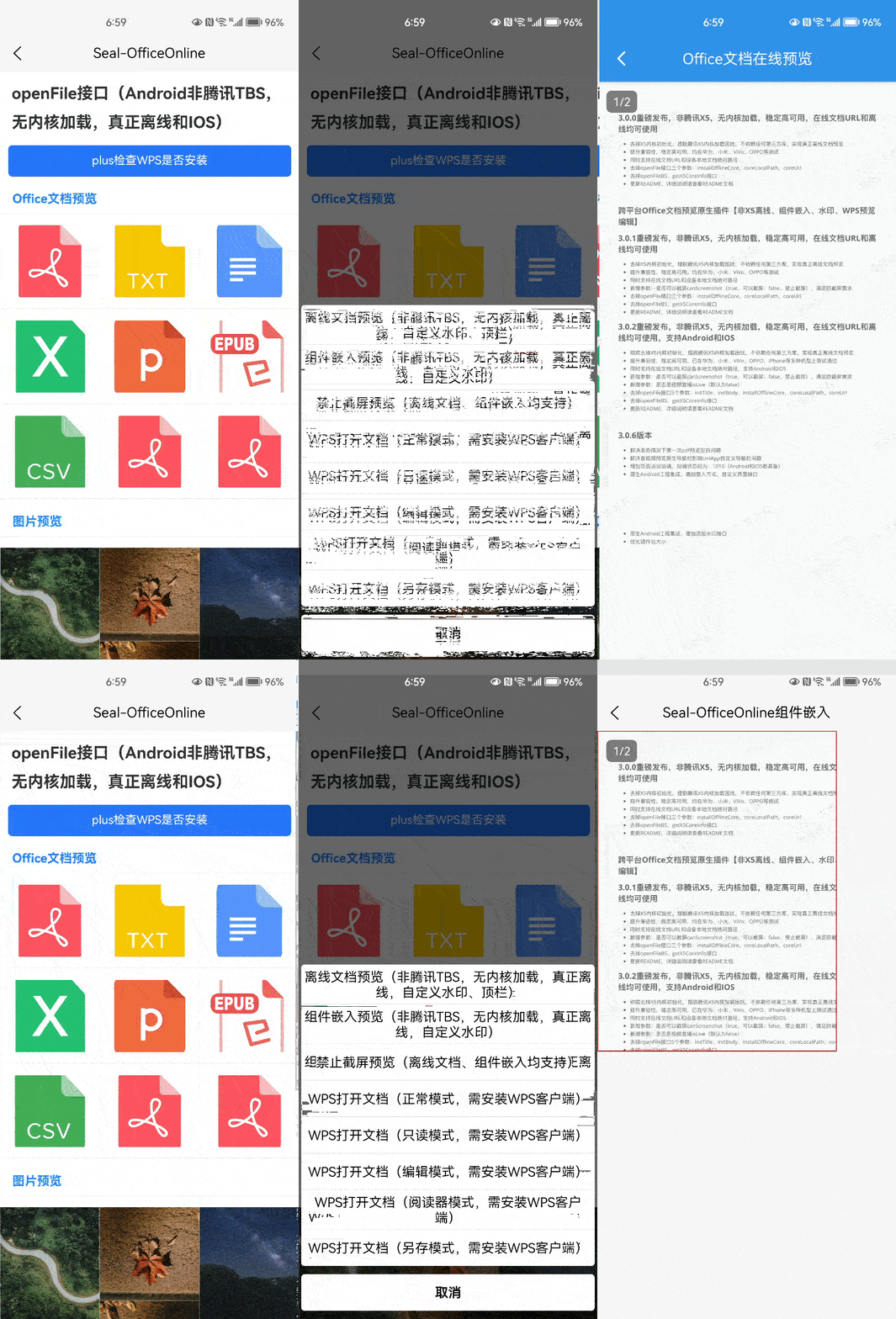
* **openFile**方法(推荐):支持Android和IOS,预览Office文件,支持如下格式:pdf、txt、doc、docx、xls、xlsx、ppt、pptx、epub等近50种类型文件,同时支持常见的音视频格式。
* **openFileImage**方法(推荐):支持Android(IOS端采用openFile方法),预览图片(jpg、png、jpeg、bmp等)。
* **openFileVideo**方法(推荐):播放音视频(mp3、flac、wma、wav、mp4、mkv等)。
* **openFileWPS**方法(推荐):采用本机WPS客户端预览或编辑文档,支持pdf、txt、doc、xls、ppt等多种文件格式。
* **checkWps**方法:检查本机WPS客户端是否已经安装。
**接口使用方法,参考如下章节《四、使用方法》**
### Step5. 调试
* 制作自定义调试基座:在开发工具中点击“运行到手机或模拟器-》制作自定义调试基座”
* 选择自定义调试基座:然后“运行到手机或模拟器-》基座运行选择-》自定义调试基座”
* 连接真机,运行到手机或模拟器-》运行到Android App基座,进行运行调试
## 四、使用方法
### 1、插件首次初始化(在应用启动时进行调用)
使用接口:initEngine
```javascript
uni.showLoading({
title: '插件首次初始化中'
});
UTSSealOfficeOnline.initEngine((code, msg) => {
if (code === 1) {
this.initPluginFirstSuccess = true;
uni.showToast({
title: '插件首次初始化成功',
duration: 2000
});
} else {
this.initPluginFirstSuccess = false;
}
uni.hideLoading();
});
```
### 2、打开Office文档
使用接口:openFIle,参数参考章节《五、openFile接口参数说明》。
支持wps、doc、docx、xls、xlsx、csv、ppt、pptx、txt、properties、log、Log、ini、lua、conf、m、cpp、java、h、xml、html、 htm等常见文件格式。
```javascript
/**
* 打开文档,非腾讯TBS,无内核加载,真正离线
* @param {Object} fileUrl 文档url
*/
openFile(fileUrl, otherOptions) {
UTSSealOfficeOnline.openFile({
waterMarkText: '水印水印换行',
url: fileUrl,
...otherOptions
}, (code, msg) => {
console.log('openFile', code, msg);
});
}
```
### 3、WPS预览或编辑
使用接口:openFileWPS,参数参考章节《六、openFileWPS接口参数说明》。
```javascript
/**
* WPS预览或编辑文档
* @param {String} fileUrl 文档url
* @param {String} openMode 打开模式
* openMode取值:
* Normal:正常模式,正常打开,WPS默认打开方式
* ReadOnly:只读模式,以只读的方式打开,WPS会隐藏编辑按钮
* EditMode:编辑模式,可对文档进行编辑
* ReadMode:阅读器模式,支持左右翻页,仅Word、TXT文档支持
* SaveOnly:另存模式(打开文件,另存,关闭),仅Word、TXT文档支持
*/
openFileWPS(fileUrl, openMode) {
UTSSealOfficeOnline.openFileWPS({
url: fileUrl,
openMode
},
(code, msg) => {
console.log('openFileWPS', code, msg);
});
}
```
### 4、检查本机是否安装WPS客户端
##### 4.1、方法一(推荐)、使用接口:checkWps,无参数。
> 支持平台:Android、IOS
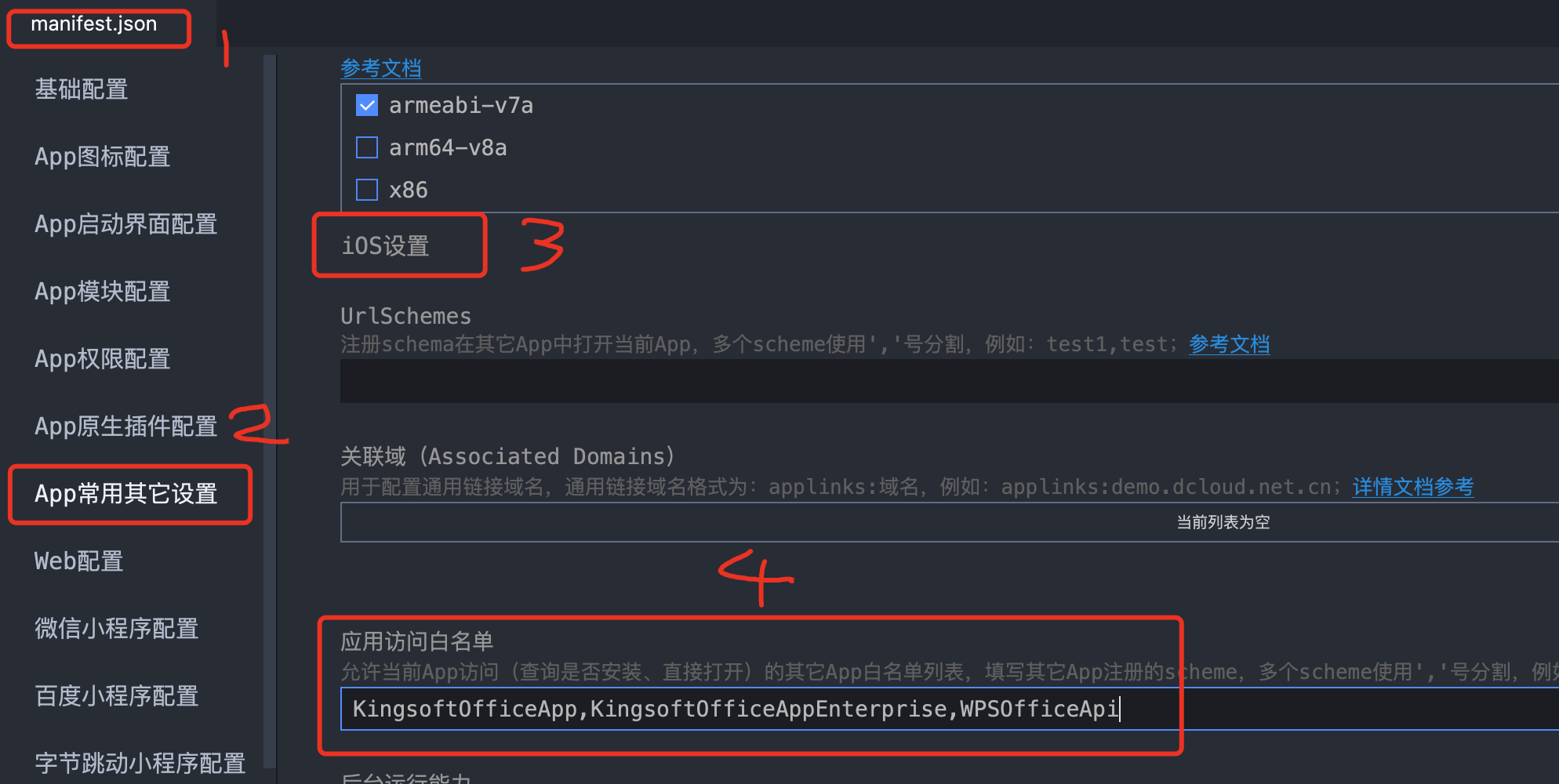
注意:IOS配置应用访问白名单:**manifest.json**—》App常用其他设置—》IOS设置—》应用访问白名单,
添加:**KingsoftOfficeApp,KingsoftOfficeAppEnterprise,WPSOfficeApi**
## 一、注意事项
* ##### 本插件不需要其他任何配置,也不需要依赖其他任何库,不要在manifest.json->App模块配置中勾选Android X5 Webview`
* ##### 不要同时使用其他同类文档预览插件,否则,可能会引起包冲突
* ##### url或参数中是否含有中文字符串,请使用encodeURIComponent**或**encodeURI进行转码(新版可以不用转码,支持中文),详细说明见下面“问题一”
## 二、问题解决
### 问题一(新版可以不用转码,支持中文):
> 插件安装成功,但是文档预览失败。
解决方案:检查文档url或参数中是否含有**中文字符串**,如果有,请使用**encodeURIComponent**或**encodeURI**进行转码。
如果参数有http://链接,使用**encodeURIComponent**;如果要对整个url进行转码,使用**encodeURI**
> encodeURIComponent和encodeURI区别
>
> 它们都是编码URL,唯一区别就是编码的字符范围,其中
>
> encodeURI方法***不会***对下列字符编码 **ASCII字母 数字 ~!@#$&\*()=:/,;?+'**
>
> encodeURIComponent方法***不会***对下列字符编码 **ASCII字母 数字 ~!\*()'**
>
> 所以encodeURIComponent比encodeURI编码的范围更大。
## 三、快速上手
Github克隆([demo工程地址](https://github.com/silianpan/Seal-UniPlugin-UTS-Demo) )或在右上角直接下载示例工程
安装开发工具:[HBuilderX](https://www.dcloud.io/hbuilderx.html)
### Step1. 下载demo工程,使用HBuilderX打开
### Step2. 添加本文插件
插件名称:[seal-office-online-uts](https://ext.dcloud.net.cn/plugin?id=12669)
点击右上角`试用`或者`购买`,添加插件
### Step3. 使用插件
* 在vue或nvue组件中,导入插件
```js
import * as UTSSealOfficeOnline from '../../uni_modules/seal-office-online-uts'
```
* **initEngine**方法:插件首次初始化(在应用启动时进行调用)
* **openFile**方法(推荐):支持Android和IOS,预览Office文件,支持如下格式:pdf、txt、doc、docx、xls、xlsx、ppt、pptx、epub等近50种类型文件,同时支持常见的音视频格式。
* **openFileImage**方法(推荐):支持Android(IOS端采用openFile方法),预览图片(jpg、png、jpeg、bmp等)。
* **openFileVideo**方法(推荐):播放音视频(mp3、flac、wma、wav、mp4、mkv等)。
* **openFileWPS**方法(推荐):采用本机WPS客户端预览或编辑文档,支持pdf、txt、doc、xls、ppt等多种文件格式。
* **checkWps**方法:检查本机WPS客户端是否已经安装。
**接口使用方法,参考如下章节《四、使用方法》**
### Step5. 调试
* 制作自定义调试基座:在开发工具中点击“运行到手机或模拟器-》制作自定义调试基座”
* 选择自定义调试基座:然后“运行到手机或模拟器-》基座运行选择-》自定义调试基座”
* 连接真机,运行到手机或模拟器-》运行到Android App基座,进行运行调试
## 四、使用方法
### 1、插件首次初始化(在应用启动时进行调用)
使用接口:initEngine
```javascript
uni.showLoading({
title: '插件首次初始化中'
});
UTSSealOfficeOnline.initEngine((code, msg) => {
if (code === 1) {
this.initPluginFirstSuccess = true;
uni.showToast({
title: '插件首次初始化成功',
duration: 2000
});
} else {
this.initPluginFirstSuccess = false;
}
uni.hideLoading();
});
```
### 2、打开Office文档
使用接口:openFIle,参数参考章节《五、openFile接口参数说明》。
支持wps、doc、docx、xls、xlsx、csv、ppt、pptx、txt、properties、log、Log、ini、lua、conf、m、cpp、java、h、xml、html、 htm等常见文件格式。
```javascript
/**
* 打开文档,非腾讯TBS,无内核加载,真正离线
* @param {Object} fileUrl 文档url
*/
openFile(fileUrl, otherOptions) {
UTSSealOfficeOnline.openFile({
waterMarkText: '水印水印换行',
url: fileUrl,
...otherOptions
}, (code, msg) => {
console.log('openFile', code, msg);
});
}
```
### 3、WPS预览或编辑
使用接口:openFileWPS,参数参考章节《六、openFileWPS接口参数说明》。
```javascript
/**
* WPS预览或编辑文档
* @param {String} fileUrl 文档url
* @param {String} openMode 打开模式
* openMode取值:
* Normal:正常模式,正常打开,WPS默认打开方式
* ReadOnly:只读模式,以只读的方式打开,WPS会隐藏编辑按钮
* EditMode:编辑模式,可对文档进行编辑
* ReadMode:阅读器模式,支持左右翻页,仅Word、TXT文档支持
* SaveOnly:另存模式(打开文件,另存,关闭),仅Word、TXT文档支持
*/
openFileWPS(fileUrl, openMode) {
UTSSealOfficeOnline.openFileWPS({
url: fileUrl,
openMode
},
(code, msg) => {
console.log('openFileWPS', code, msg);
});
}
```
### 4、检查本机是否安装WPS客户端
##### 4.1、方法一(推荐)、使用接口:checkWps,无参数。
> 支持平台:Android、IOS
注意:IOS配置应用访问白名单:**manifest.json**—》App常用其他设置—》IOS设置—》应用访问白名单,
添加:**KingsoftOfficeApp,KingsoftOfficeAppEnterprise,WPSOfficeApi**
 ```javascript
/**
* 检查WPS客户端是否已经安装
* 返回结果:true or false
*/
checkWps() {
const checkWps = UTSSealOfficeOnline.checkWps();
console.log('checkWps', checkWps);
},
```
##### 4.2、方法二、直接调用*plus.runtime.isApplicationExist*
参考链接:https://www.cnblogs.com/goloving/p/14384105.html
```js
// 判断第三方程序(WPS) 是否安装
function checkApp() {
if (plus.runtime.isApplicationExist({pname:'cn.wps.moffice_eng', action:'KingsoftOfficeApp://'})) {
console.log("WPS应用已安装");
} else {
console.log("WPS应用未安装");
}
}
```
### 5、图片预览
使用接口:openFile(IOS)、openFileImage(Android),参数参考章节《五、openFile接口参数说明》
> 支持平台:Android、IOS
>
> 支持jpg、png、jpeg、bmp等
```javascript
/**
* 图片预览,jpg、png、jpeg、bmp等
* @param {Object} fileUrl 图片url
* @param {Object} imageCurrentIndex 当前图片位置下标,从0开始
*/
openFileImage(fileUrl, imageCurrentIndex) {
if (this.platform === 'android') {
UTSSealOfficeOnline.openFileImage({
imageUrls: JSON.parse(JSON.stringify(this.imageList)),
imageCurrentIndex, // 当前点击图片在imageUrls中的下标,从0开始,默认为0
imageIndexType: 'number', // 图片底部指示器类型,默认为'dot',可选:'number':数字;'dot':点
isSaveImg: true,
},
(code, msg) => {
console.log('openFileImage', code, msg);
});
} else if (this.platform === 'ios') {
UTSSealOfficeOnline.openFile({
url: fileUrl,
title: 'IOS图片预览',
topBarBgColor: '#3394EC'
});
}
}
```
### 6、音视频播放
使用接口:openFile,参数参考章节《五、openFile接口参数说明》
> 支持平台:Android、IOS
>
> 支持mp4, flv, avi, 3gp, webm, ts, ogv, m3u8, asf, wmv, rm, rmvb, mov, mkv等18种视频格式,以及mp3,wav,wma,flac等音频格式
```javascript
/**
* 视频播放,支持市面上几乎所有的音视频格式,包括mp4, flv, avi, 3gp, webm, ts, ogv, m3u8, asf, wmv, rm, rmvb, mov, mkv等18种视频格式,以及mp3,wav,wma,flac等音频格式
* 功能包括:播放、暂停、重播、全屏播放、直播等
* 支持Android和IOS
* @param {String} fileUrl 音视频url
*/
openFileVideo(fileUrl) {
if (this.platform === 'android') {
UTSSealOfficeOnline.openFileVideo({
videoUrl: fileUrl,
isLive: true,
title: '音视频播放标题',
isTopBar: true,
isBackArrow: false,
topBarBgColor: '#F77234',
topBarTextColor: '#FCF26B',
topBarTextLength: 12
},
(code, msg) => {
console.log('openFileVideo', code, msg);
});
} else if (this.platform === 'ios') {
UTSSealOfficeOnline.openFile({
videoUrl: fileUrl
});
}
}
```
## 五、openFile接口参数说明
支持打开在线文档,本地文档
> 支持平台:Android、IOS
| 参数名 | 说明 | 类型 | 是否必填 | 默认值 | 可选值 |
| ------------------ | ------------------------------------------------------------ | ------------- | -------- | ----------------- | ----------------------- |
| url | 支持如下三种地址方式:
```javascript
/**
* 检查WPS客户端是否已经安装
* 返回结果:true or false
*/
checkWps() {
const checkWps = UTSSealOfficeOnline.checkWps();
console.log('checkWps', checkWps);
},
```
##### 4.2、方法二、直接调用*plus.runtime.isApplicationExist*
参考链接:https://www.cnblogs.com/goloving/p/14384105.html
```js
// 判断第三方程序(WPS) 是否安装
function checkApp() {
if (plus.runtime.isApplicationExist({pname:'cn.wps.moffice_eng', action:'KingsoftOfficeApp://'})) {
console.log("WPS应用已安装");
} else {
console.log("WPS应用未安装");
}
}
```
### 5、图片预览
使用接口:openFile(IOS)、openFileImage(Android),参数参考章节《五、openFile接口参数说明》
> 支持平台:Android、IOS
>
> 支持jpg、png、jpeg、bmp等
```javascript
/**
* 图片预览,jpg、png、jpeg、bmp等
* @param {Object} fileUrl 图片url
* @param {Object} imageCurrentIndex 当前图片位置下标,从0开始
*/
openFileImage(fileUrl, imageCurrentIndex) {
if (this.platform === 'android') {
UTSSealOfficeOnline.openFileImage({
imageUrls: JSON.parse(JSON.stringify(this.imageList)),
imageCurrentIndex, // 当前点击图片在imageUrls中的下标,从0开始,默认为0
imageIndexType: 'number', // 图片底部指示器类型,默认为'dot',可选:'number':数字;'dot':点
isSaveImg: true,
},
(code, msg) => {
console.log('openFileImage', code, msg);
});
} else if (this.platform === 'ios') {
UTSSealOfficeOnline.openFile({
url: fileUrl,
title: 'IOS图片预览',
topBarBgColor: '#3394EC'
});
}
}
```
### 6、音视频播放
使用接口:openFile,参数参考章节《五、openFile接口参数说明》
> 支持平台:Android、IOS
>
> 支持mp4, flv, avi, 3gp, webm, ts, ogv, m3u8, asf, wmv, rm, rmvb, mov, mkv等18种视频格式,以及mp3,wav,wma,flac等音频格式
```javascript
/**
* 视频播放,支持市面上几乎所有的音视频格式,包括mp4, flv, avi, 3gp, webm, ts, ogv, m3u8, asf, wmv, rm, rmvb, mov, mkv等18种视频格式,以及mp3,wav,wma,flac等音频格式
* 功能包括:播放、暂停、重播、全屏播放、直播等
* 支持Android和IOS
* @param {String} fileUrl 音视频url
*/
openFileVideo(fileUrl) {
if (this.platform === 'android') {
UTSSealOfficeOnline.openFileVideo({
videoUrl: fileUrl,
isLive: true,
title: '音视频播放标题',
isTopBar: true,
isBackArrow: false,
topBarBgColor: '#F77234',
topBarTextColor: '#FCF26B',
topBarTextLength: 12
},
(code, msg) => {
console.log('openFileVideo', code, msg);
});
} else if (this.platform === 'ios') {
UTSSealOfficeOnline.openFile({
videoUrl: fileUrl
});
}
}
```
## 五、openFile接口参数说明
支持打开在线文档,本地文档
> 支持平台:Android、IOS
| 参数名 | 说明 | 类型 | 是否必填 | 默认值 | 可选值 |
| ------------------ | ------------------------------------------------------------ | ------------- | -------- | ----------------- | ----------------------- |
| url | 支持如下三种地址方式:
(1)文件网络地址,如:http://113.62.127.199:8090/fileUpload/1.xlsx
(2)手机本地文件地址,如:/data/user/0/APP包名/files/1.xlsx 文件名,如:1.xlsx,
(3)访问默认目录文件,默认目录为:/data/user/0/APP包名,如:com.HBuilder.UniPlugin
**注意**:手机本地地址目录需要有权限访问
**IOS端只支持在线地址** | string | 是 | | |
| docRequestHeaders | 文档下载请求头,如:
{ 'Authorization': 'Token xxxxxxxx', 'Other': 'other' }
,**IOS端无此配置** | object | 否 | | |
| fileType | 可以指定文件类型,如:xlsx,在url参数无法判断文件类型时,可以指定文件类型 | string | 否 | | |
| fileName | 指定文件名,如:file1,注意此处不带文件扩展名,如果同时指定fileName和fileType,那么最后的文件名通过这两个参数组合起来,即:fileName.fileType | string | 否 | | |
| isDeleteFile | 退出是否删除缓存的文件,**IOS端无此配置** | bool | 否 | true | false |
| docDownloadTitle | 文档下载进度框标题,**IOS端无此配置** | string | 否 | 加载文档 | |
| docDownloadBody | 文档下载进度框内容,**IOS端无此配置** | string | 否 | 请稍后... | |
| waterMarkText | 水印文本,默认以**\n**作为分隔符换行 | string | 否 | null | |
| waterMarkTextSep | 水印文本分隔符,**注意:IOS端只支持\n换行** | string | 否 | \n | |
| waterMarkFontSize | 水印字体大小,单位为sp
使用sp作为字体大小单位,会随着系统的字体大小改变 | int | 否 | 13 | |
| waterMarkFontColor | 水印字体颜色 | string | 否 | #40F3F5F9 | |
| waterMarkDegree | 水印旋转角度,**IOS端无此配置** | string | 否 | -30(逆时针30度) | |
| isTopBar | 是否显示顶栏,**IOS端无此配置** | bool | 否 | true | false |
| title | 顶栏标题,isTopBar为true时有效 | string | 否 | APP名称 | |
| topBarAutoHide | 顶栏是否自动隐藏,isTopBar=true时生效,**IOS端无此配置** | bool | 否 | false | true |
| topBarHeight | 顶栏自定义高度,isTopBar为true时有效,类型为正整数,**IOS端无此配置** | int | 否 | actionBarSize | |
| topBarBgColor | 顶栏背景颜色,isTopBar为true时有效 | string | 否 | #3394EC(科技蓝) | |
| topBarTextColor | 顶栏文本颜色(isTopBar为true时有效) | string | 否 | #FFFFFF(白色) | |
| topBarTextLength | 顶栏标题文字长度(isTopBar为true时有效),**IOS端无此配置** | int | 否 | 12 | |
| isBackArrow | 是否显示返回按钮(isTopBar为true时有效),**IOS端无此配置** | bool | 否 | true | false |
| videoUrl | 视频在线url,此参数优先于图片预览和文档预览 | string | 是 | | |
| isLive | 是否是视频直播,**IOS端无此配置** | bool | 否 | false | true |
| imageUrls | 图片url数组,此参数优先于文档预览;长按图片底部弹出保存图片菜单,保存图片至相册,**IOS端无此配置** | array | 是 | | |
| imageCurrentIndex | 当前点击图片在imageUrls中的下标,从0开始,**IOS端无此配置** | int | 否 | 0 | |
| imageIndexType | 图片底部指示器类型,**IOS端无此配置** | string | 否 | 'dot' | 'number':数字;'dot':点 |
| isSaveImg | 是否长按保存图片,**IOS端无此配置** | bool | 否 | null | true/false |
| canScreenshot | 是否可以截屏,**3.0.2版本以上支持** | bool | 否 | true(可以截屏) | false(禁止截屏) |
## 六、openFileWPS接口参数说明
本机WPS客户端预览或编辑文档
> 支持平台:Android、IOS(分享功能,第三方APP打开)
| 参数名 | 说明 | 类型 | 是否必填 | 默认值 | 可选值 |
| ----------------- | ------------------------------------------------------------ | ------ | -------- | --------- | ------ |
| url | 支持如下三种地址方式:
(1)文件网络地址,如:http://113.62.127.199:8090/fileUpload/1.xlsx
(2)手机本地文件地址,如:/data/user/0/APP包名/files/1.xlsx 文件名,如:1.xlsx,
(3)访问默认目录文件,默认目录为:/data/user/0/APP包名,如:com.HBuilder.UniPlugin
**注意**:手机本地地址目录需要有权限访问
**IOS端只支持在线地址** | string | 是 | | |
| fileType | 可以指定文件类型,如:xlsx,在url参数无法判断文件类型时,可以指定文件类型,**IOS端无此配置** | string | 否 | | |
| fileName | 指定文件名,如:file1,注意此处不带文件扩展名,如果同时指定fileName和fileType,那么最后的文件名通过这两个参数组合起来,即:fileName.fileType,**IOS端无此配置** | string | 否 | | |
| docDownloadTitle | 文档下载进度框标题,**IOS端无此配置** | string | 否 | 加载文档 | |
| docDownloadBody | 文档下载进度框内容,**IOS端无此配置** | string | 否 | 请稍后... | |
| docRequestHeaders | 文档下载请求头,如:
{ 'Authorization': 'Token xxxxxxxx', 'Other': 'other' }
,**IOS端无此配置** | object | 否 | | |
| openMode | 打开模式:
* Normal:正常模式,正常打开,WPS默认打开方式
* ReadOnly:只读模式,以只读的方式打开,WPS会隐藏编辑按钮
* EditMode:编辑模式,可对文档进行编辑
* ReadMode:阅读器模式,支持左右翻页,仅Word、TXT文档支持
* SaveOnly:另存模式(打开文件,另存,关闭),仅Word、TXT文档支持 | string | 否 | Normal | 见说明 |
另,openMode打开模式说明:
| 打开模式 | 说明 |
| -------- | ----------------------------------------------------------- |
| Normal | 正常模式,正常打开,WPS默认打开方式 |
| ReadOnly | 只读模式,以只读的方式打开,WPS会隐藏编辑按钮 |
| EditMode | 编辑模式,可对文档进行编辑 |
| ReadMode | 阅读器模式,支持左右翻页,仅Word、TXT文档支持 |
| SaveOnly | (不常用)另存模式(打开文件,另存,关闭),仅Word、TXT文档支持 |
## 七、回调结果
### 1、回调结果格式
```json
// openFile接口
{
"code": 200,
"msg": "文档预览成功",
"result": {
// 本地文件名
"fileName": "test.docx",
// 本地文件路径,前提,参数isDeleteFile=false,否则预览预览结束,本地文件被删除
"filePath": "/storage/sdcard0/Android/data/com.seal.uniplugin/files/file/test.docx"
}
}
// OpenFileWPS接口
{
"code": 1021,
"msg": "WPS动作事件",
"result": {
// 本地文件名
"fileName": "test.docx",
// 本地文件路径,前提,参数isDeleteFile=false,否则预览预览结束,本地文件被删除
"filePath": "/storage/sdcard0/Android/data/com.seal.uniplugin/files/file/test.docx",
// WPS动作类型:back,返回键;home,Home键;save,保存文件;close,关闭文件
"actionType": "back",
// 文件另存为本机路径
"fileSavePath": "/storage/sdcard0/Android/Download/test2.docx"
}
}
```
### 2、回调结果状态码说明
| 状态码 | 说明 |
| ------ | --------------------------- |
| 200 | 文档预览成功 |
| | |
| 301 | 文档下载失败 |
| 302 | 内核下载失败,自动重新下载 |
| 303 | 内核安装失败,自动重新安装 |
| 304 | 内核加载失败,可忽略该错误 |
| 305 | 内核下载失败,可忽略该错误 |
| -6 | 参数异常,加载文件失败 |
| -7 | 不支持文件类型 |
| -8 | 文件不存在 |
| -9 | 文件预览失败 |
| | |
| 1001 | 文档下载成功 |
| 1002 | 开始初始化内核 |
| 1003 | 开始离线安装内核 |
| 1004 | 开始在线安装内核 |
| 1005 | 内核下载成功 |
| 1006 | 内核安装成功 |
| 1007 | 内核初始化成功 |
| 1008 | 缓存文档删除成功 |
| 1009 | 程序员正在快马加鞭开发中... |
| 1010 | 页面返回 |
| | |
| 1021 | WPS动作事件 |
### 3、WPS动作事件类型actionType说明
> 支持平台:Android
| 动作类型 | 说明 |
| -------- | -------- |
| back | 返回键 |
| home | Home键 |
| save | 保存文件 |
| close | 关闭文件 |
## 八、预览效果
### 1、Android
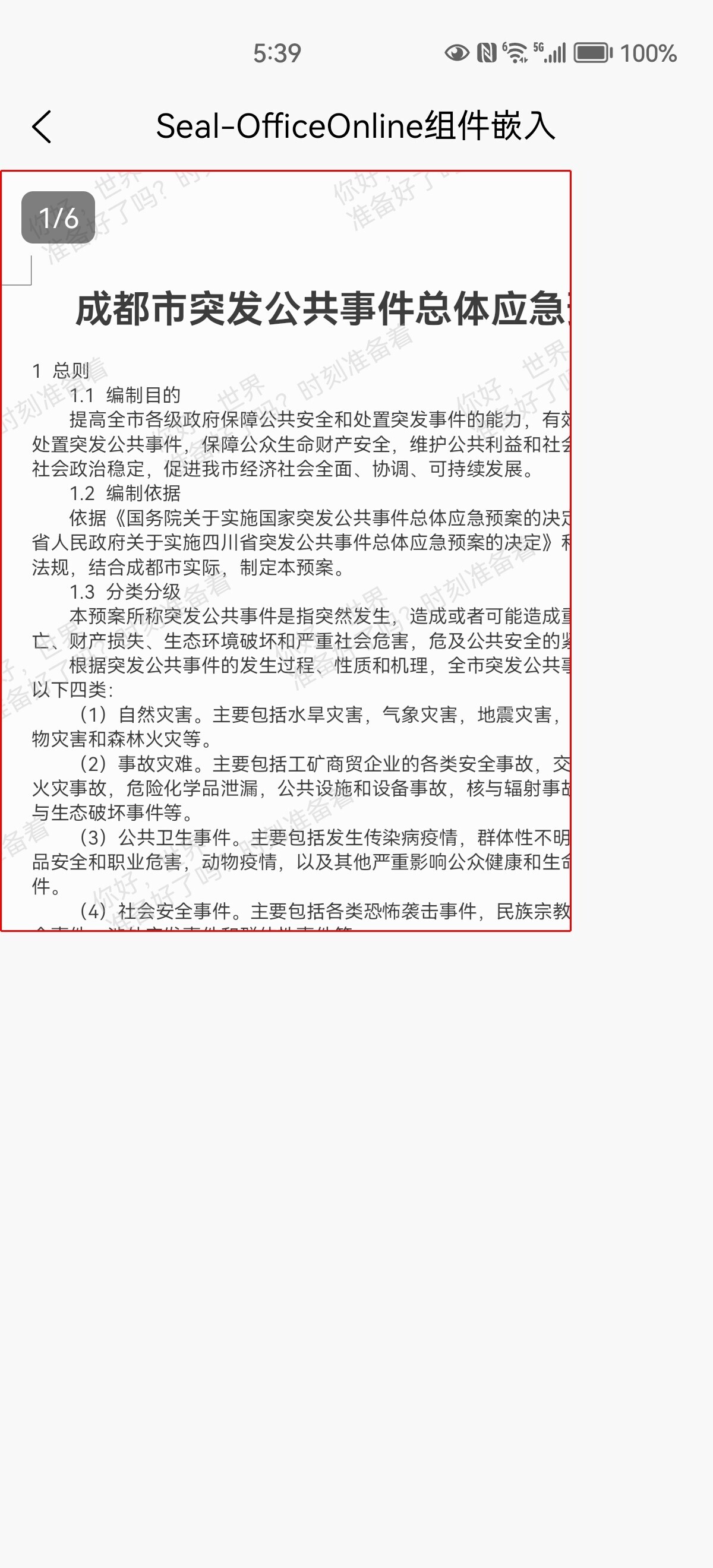
* 嵌入预览
 * 预览docx
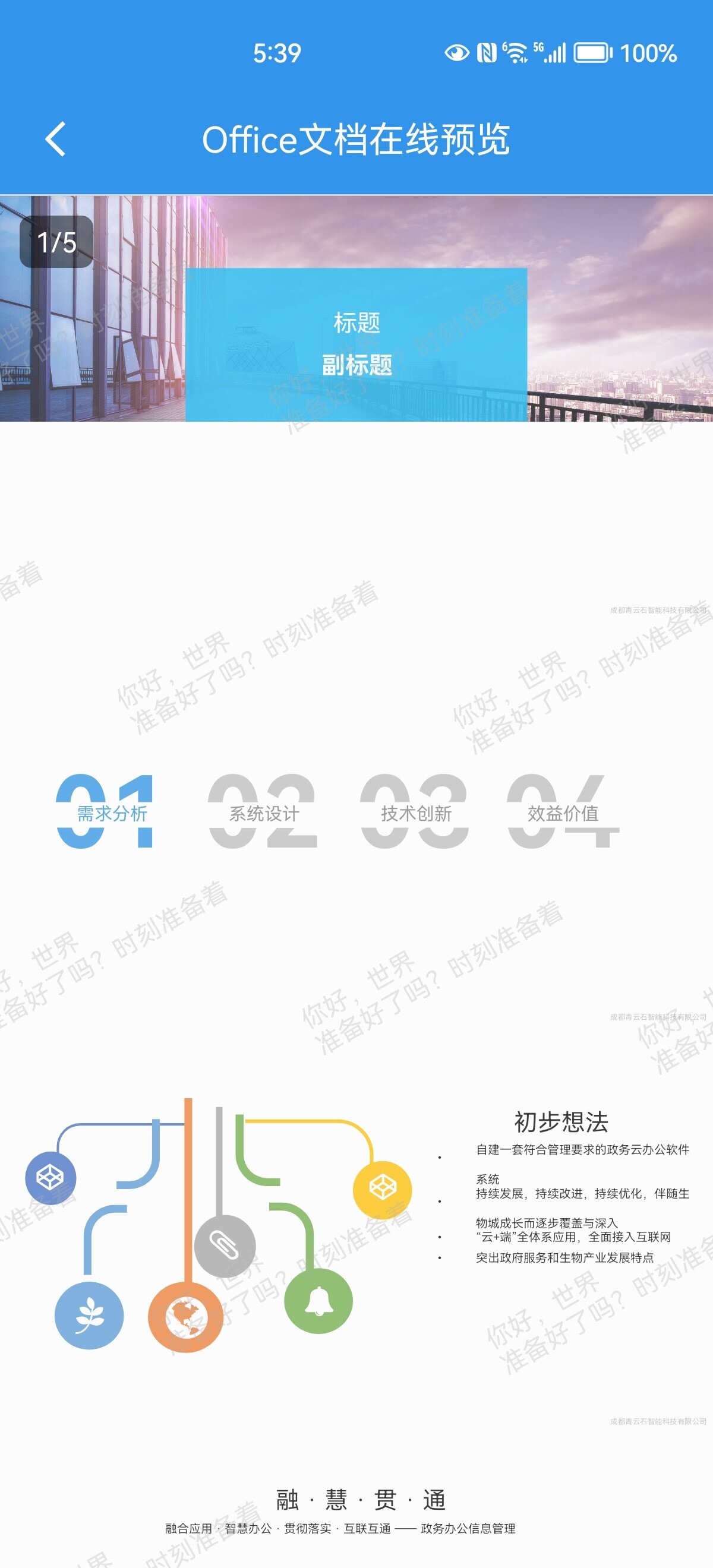
 * 预览pptx
 * 预览xlsx
 * 预览pdf
 * 预览txt
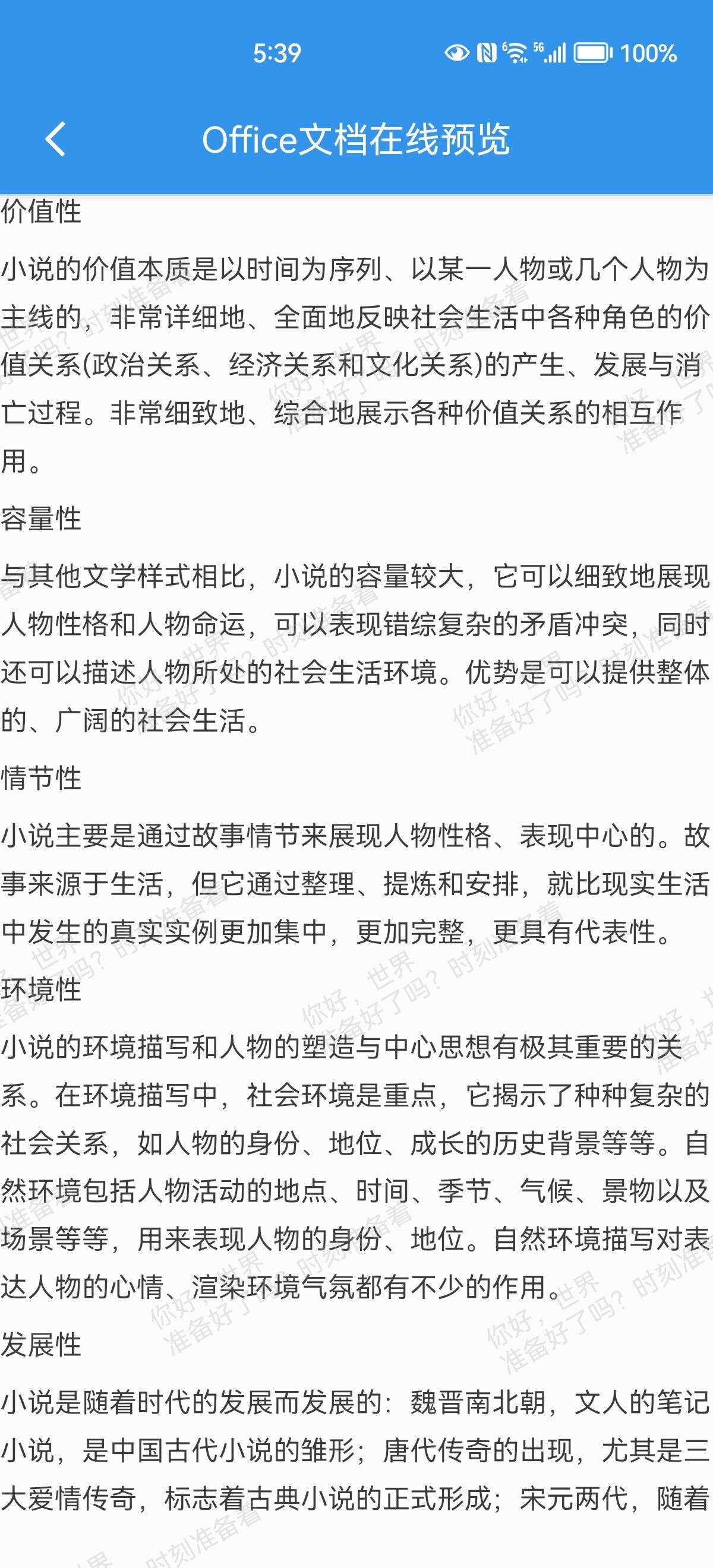 * 预览mp4

 * 预览jpg
 ### 2、IOS
* 嵌入预览
### 2、IOS
* 嵌入预览
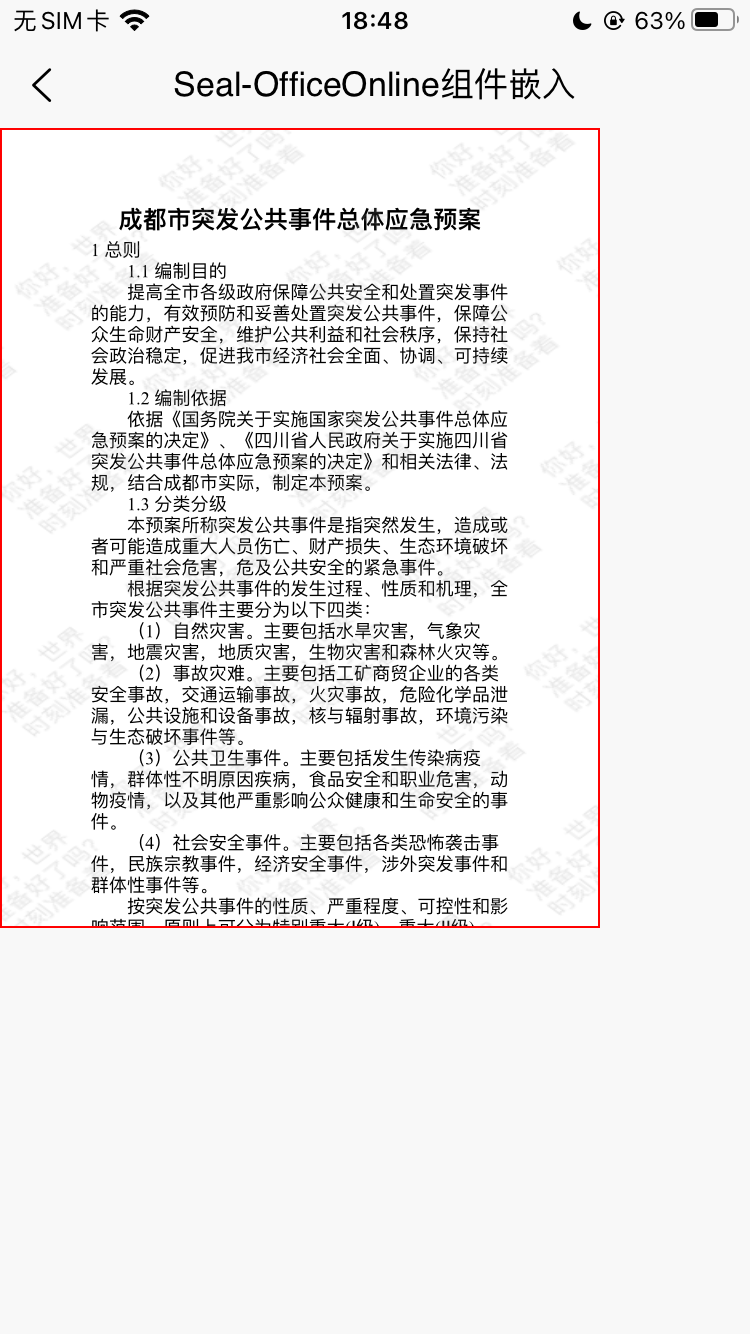 * 预览docx
 * 预览pptx
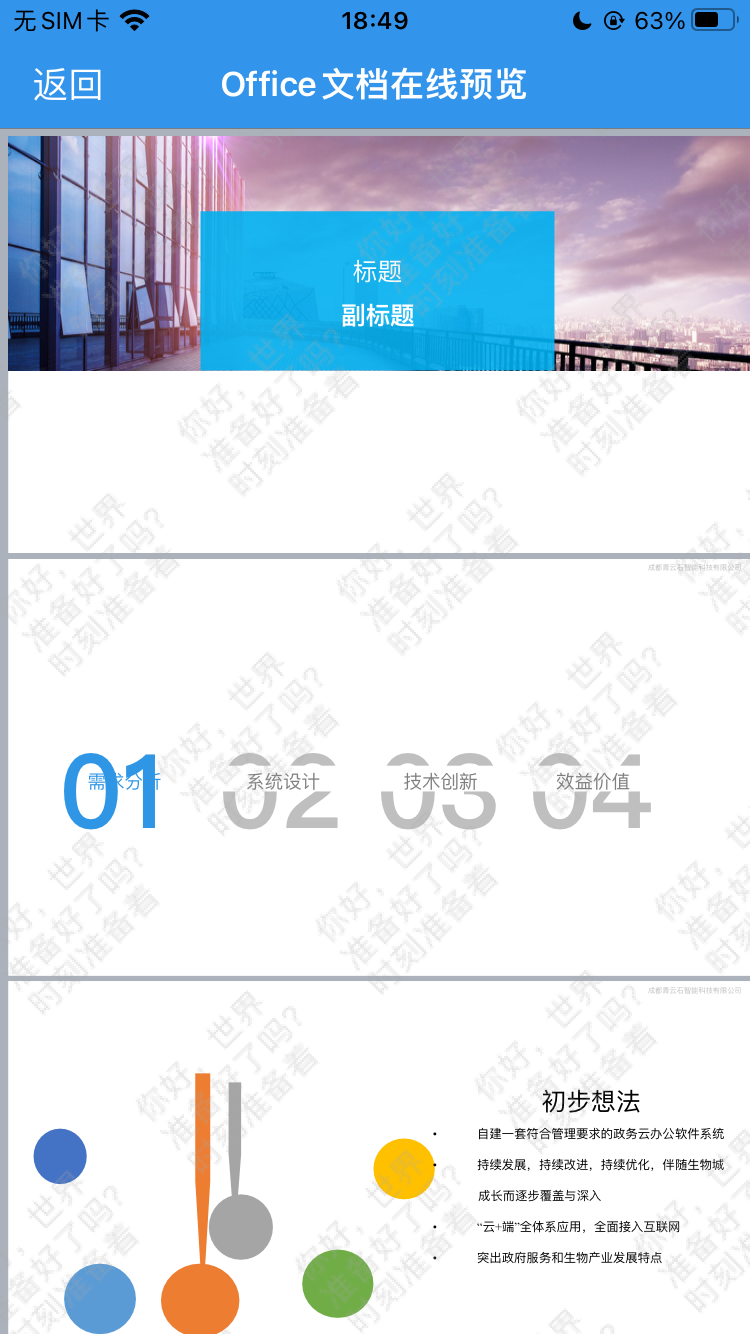 * 预览xlsx
 * 预览pdf
 * 预览txt
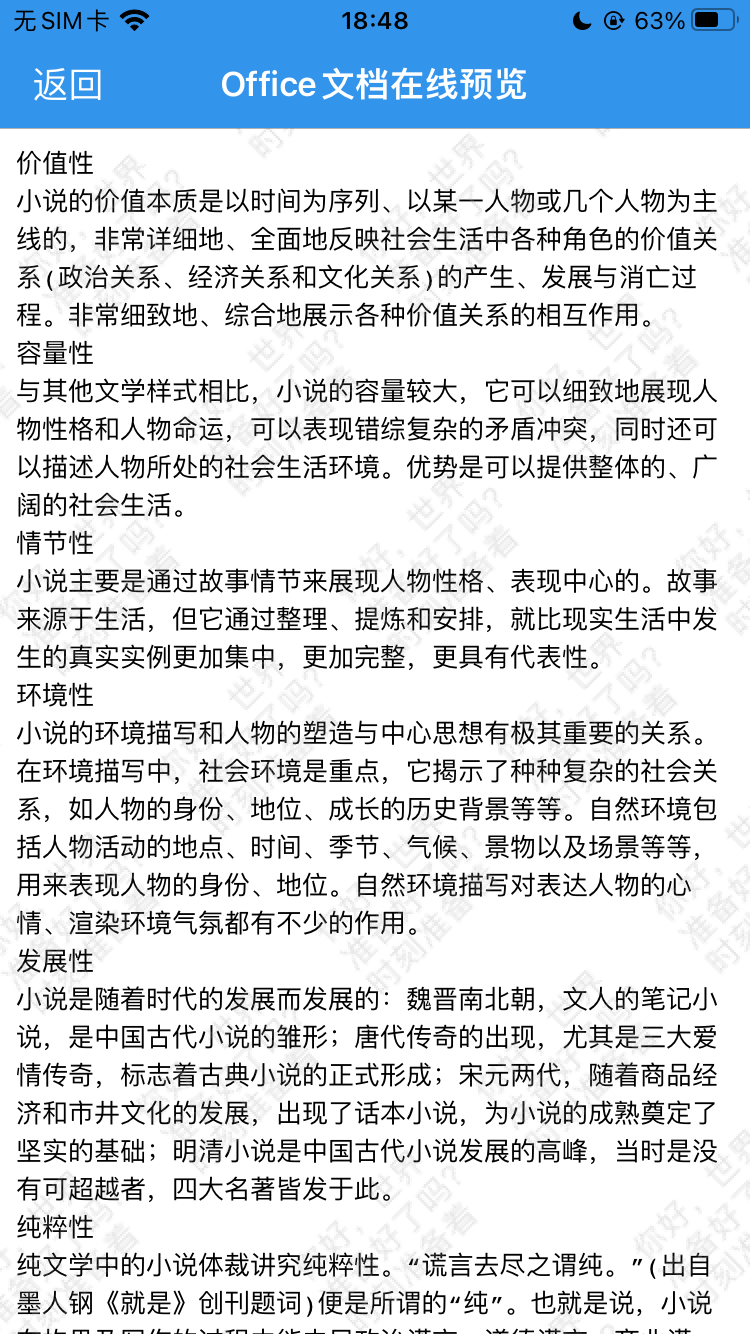 * 预览mp4
 * 预览jpg
 转载请注明:[我的技术分享](http://silianpan.cn) » [跨平台Office文档预览原生插件,非腾讯X5,支持离线,稳定高可用](http://silianpan.cn/archives/filepreviewuninative)