# QRCodeReaderViewController
**Repository Path**: volcengine/QRCodeReaderViewController
## Basic Information
- **Project Name**: QRCodeReaderViewController
- **Description**: No description available
- **Primary Language**: Objective-C
- **License**: MIT
- **Default Branch**: master
- **Homepage**: None
- **GVP Project**: No
## Statistics
- **Stars**: 0
- **Forks**: 0
- **Created**: 2022-04-19
- **Last Updated**: 2022-09-28
## Categories & Tags
**Categories**: Uncategorized
**Tags**: None
## README


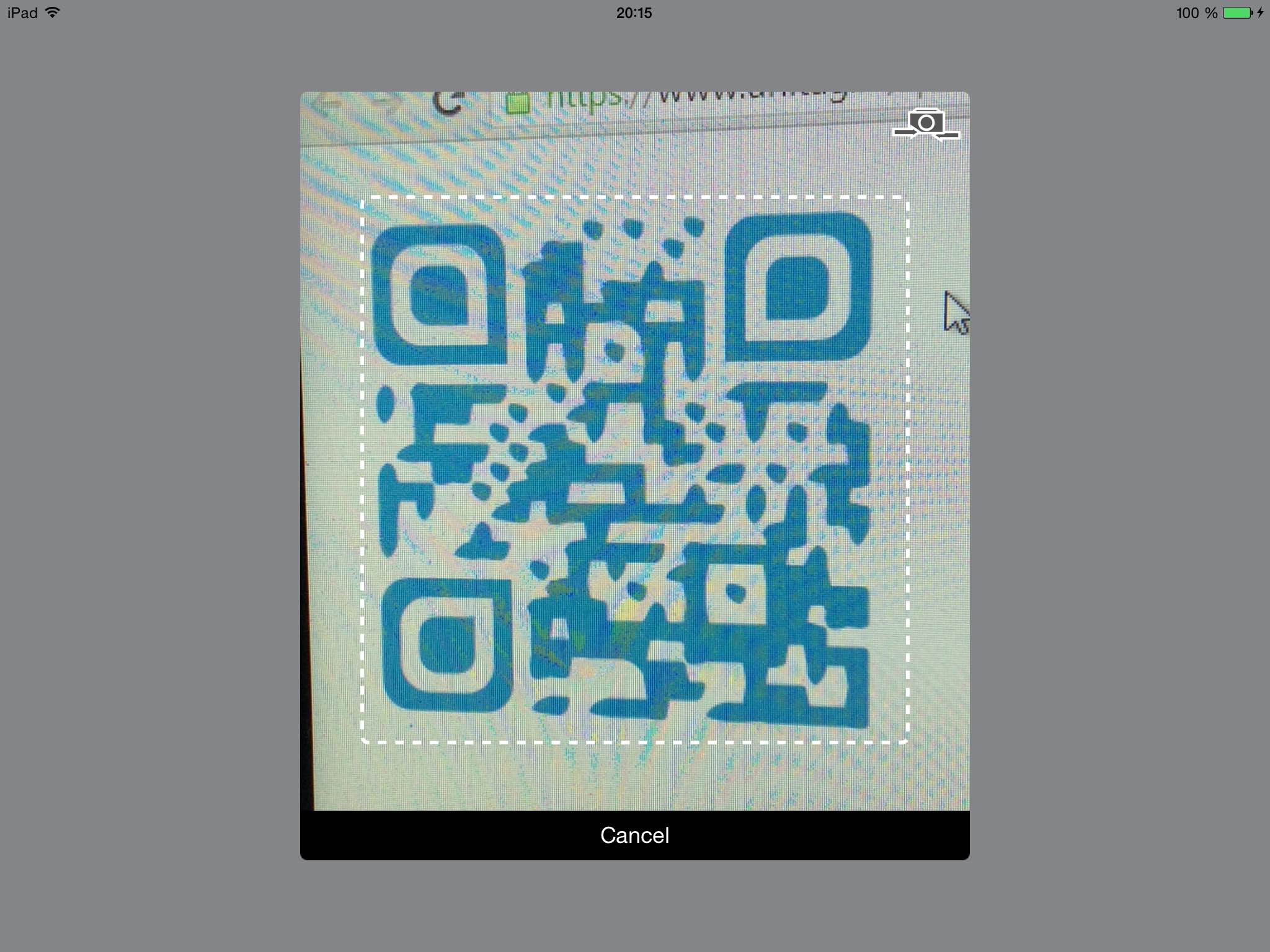
The _QRCodeReaderViewController_ was initially a simple QRCode reader but it now lets you the possibility to specify the [format type](https://developer.apple.com/library/ios/documentation/AVFoundation/Reference/AVMetadataMachineReadableCodeObject_Class/index.html#//apple_ref/doc/constant_group/Machine_Readable_Object_Types) you want to decode. It is based on the `AVFoundation` framework from Apple in order to replace ZXing or ZBar for iOS 7 and over.
It provides a default view controller to display the camera view with the scan area overlay and it also provides a button to switch between the front and the back cameras.
Usage • Installation • Contribution • Contact • License
## Usage
Note that in iOS10+, you will need first to reasoning about the camera use. For that you'll need to add the **Privacy - Camera Usage Description** *(NSCameraUsageDescription)* field in your Info.plist:

Now a very simple example how to work with `QRCodeReaderViewController`:
```objective-c
// Create the reader object
QRCodeReader *reader = [QRCodeReader readerWithMetadataObjectTypes:@[AVMetadataObjectTypeQRCode]];
// Instantiate the view controller
QRCodeReaderViewController *vc = [QRCodeReaderViewController readerWithCancelButtonTitle:@"Cancel" codeReader:_reader startScanningAtLoad:YES showSwitchCameraButton:YES showTorchButton:YES];
// Set the presentation style
_vc.modalPresentationStyle = UIModalPresentationFormSheet;
// Define the delegate receiver
_vc.delegate = self;
// Or use blocks
[_reader setCompletionWithBlock:^(NSString *resultAsString) {
NSLog(@"%@", resultAsString);
}];
```
Now when we touch the scan button we need to display the QRCodeReaderViewController:
```objective-c
#pragma mark - Action Methods
- (IBAction)scanAction:(id)sender
{
[self presentViewController:_vc animated:YES completion:NULL];
}
```
And here the delegate methods:
```objective-c
#pragma mark - QRCodeReader Delegate Methods
- (void)reader:(QRCodeReaderViewController *)reader didScanResult:(NSString *)result
{
[self dismissViewControllerAnimated:YES completion:^{
NSLog(@"%@", result);
}];
}
- (void)readerDidCancel:(QRCodeReaderViewController *)reader
{
[self dismissViewControllerAnimated:YES completion:NULL];
}
```
*Note that you should check whether the device supports the reader library by using the `[QRCodeReader isAvailable]` or the `[QRCodeReader supportsMetadataObjectTypes:nil]` methods.*
### Installation
The recommended approach to use _QRCodeReaderViewController_ in your project is using the [CocoaPods](http://cocoapods.org/) package manager, as it provides flexible dependency management and dead simple installation.
#### CocoaPods
Install CocoaPods if not already available:
``` bash
$ [sudo] gem install cocoapods
$ pod setup
```
Go to the directory of your Xcode project, and Create and Edit your Podfile and add _QRCodeReaderViewController_:
``` bash
$ cd /path/to/MyProject
$ touch Podfile
$ edit Podfile
source 'https://github.com/CocoaPods/Specs.git'
platform :ios, '7.0'
pod 'QRCodeReaderViewController', '~> 4.0.2'
```
Install into your project:
``` bash
$ pod install
```
Open your project in Xcode from the .xcworkspace file (not the usual project file)
``` bash
$ open MyProject.xcworkspace
```
#### Manually
[Download](https://github.com/YannickL/QRCodeReaderViewController/archive/master.zip) the project and copy the `QRCodeReaderViewController` folder into your project and then simply `#import "QRCodeReaderViewController.h"` in the file(s) you would like to use it in.
## Contribution
Contributions are welcomed and encouraged *♡*.
## Contact
Yannick Loriot
- [https://twitter.com/yannickloriot](https://twitter.com/yannickloriot)
- [contact@yannickloriot.com](mailto:contact@yannickloriot.com)
## License (MIT)
Copyright (c) 2014-present - Yannick Loriot
Permission is hereby granted, free of charge, to any person obtaining a copy
of this software and associated documentation files (the "Software"), to deal
in the Software without restriction, including without limitation the rights
to use, copy, modify, merge, publish, distribute, sublicense, and/or sell
copies of the Software, and to permit persons to whom the Software is
furnished to do so, subject to the following conditions:
The above copyright notice and this permission notice shall be included in
all copies or substantial portions of the Software.
THE SOFTWARE IS PROVIDED "AS IS", WITHOUT WARRANTY OF ANY KIND, EXPRESS OR
IMPLIED, INCLUDING BUT NOT LIMITED TO THE WARRANTIES OF MERCHANTABILITY,
FITNESS FOR A PARTICULAR PURPOSE AND NONINFRINGEMENT. IN NO EVENT SHALL THE
AUTHORS OR COPYRIGHT HOLDERS BE LIABLE FOR ANY CLAIM, DAMAGES OR OTHER
LIABILITY, WHETHER IN AN ACTION OF CONTRACT, TORT OR OTHERWISE, ARISING FROM,
OUT OF OR IN CONNECTION WITH THE SOFTWARE OR THE USE OR OTHER DEALINGS IN
THE SOFTWARE.