# flet
**Repository Path**: wangmingyyds/flet
## Basic Information
- **Project Name**: flet
- **Description**: 跨平台应用开发
- **Primary Language**: Unknown
- **License**: Apache-2.0
- **Default Branch**: main
- **Homepage**: None
- **GVP Project**: No
## Statistics
- **Stars**: 1
- **Forks**: 0
- **Created**: 2025-11-07
- **Last Updated**: 2025-11-15
## Categories & Tags
**Categories**: Uncategorized
**Tags**: None
## README

Build multi-platform apps in Python powered by Flutter





---
Flet is a framework that allows building web, desktop and mobile applications
in Python without prior experience in frontend development.
### ⚡️ From idea to app in minutes
An internal tool or a dashboard for your team, weekend project, data entry form, kiosk app,
or high-fidelity prototype - Flet is an ideal framework to quickly hack great-looking
interactive apps to serve a group of users.
### 📐 Simple architecture
No more complex architecture with JavaScript frontend, REST API backend, database, cache, etc.
With Flet you just write a monolith stateful app in Python only and get multi-user,
real-time Single-Page Application (SPA).
### 🔋 Batteries included
To start developing with Flet, you just need your favorite IDE or text editor.
No SDKs, no thousands of dependencies, no complex tooling - Flet has a built-in web server
with assets hosting and desktop clients.
###  Powered by Flutter
Flet UI is built with [Flutter](https://flutter.dev/), so your app looks professional and could be delivered to any platform.
Flet simplifies the Flutter model by combining smaller "widgets" to ready-to-use "controls"
with an imperative programming model.
### 📱 Deliver to any device or platform
Package your Flet app as a standalone desktop app (for Windows, macOS, and Linux), mobile
app (for iOS and Android), dynamic/static Web app or as a Progressive Web App ([PWA](https://web.dev/what-are-pwas/)).
## Flet app example
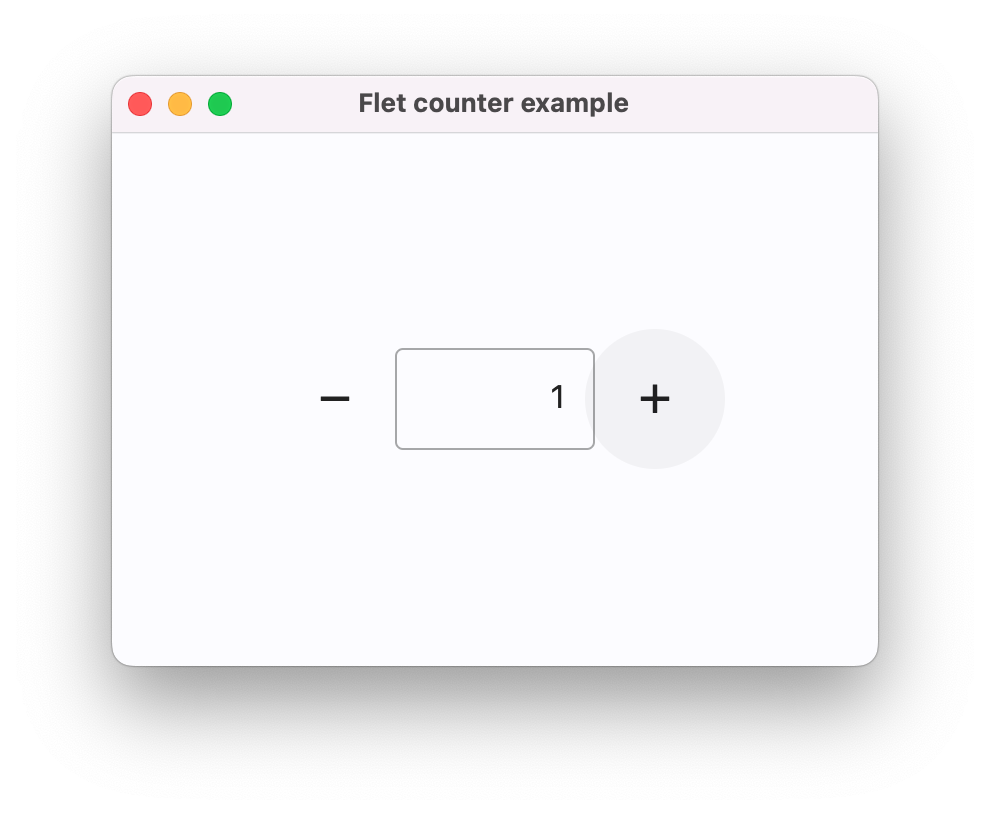
Below is a simple "Counter" app, with a text field and two buttons to increment and decrement the counter value:
```python title="counter.py"
import flet as ft
def main(page: ft.Page):
page.title = "Flet counter example"
page.vertical_alignment = ft.MainAxisAlignment.CENTER
input = ft.TextField(value="0", text_align=ft.TextAlign.RIGHT, width=100)
def minus_click(e):
input.value = str(int(input.value) - 1)
page.update()
def plus_click(e):
input.value = str(int(input.value) + 1)
page.update()
page.add(
ft.Row(
alignment=ft.alignment.center,
controls=[
ft.IconButton(ft.Icons.REMOVE, on_click=minus_click),
input,
ft.IconButton(ft.Icons.ADD, on_click=plus_click),
],
)
)
ft.run(main)
```
To run the app, install `flet`:
```bash
pip install 'flet[all]'
```
then launch the app:
```bash
flet run counter.py
```
This will open the app in a native OS window - what a nice alternative to Electron! 🙂
Powered by Flutter
Flet UI is built with [Flutter](https://flutter.dev/), so your app looks professional and could be delivered to any platform.
Flet simplifies the Flutter model by combining smaller "widgets" to ready-to-use "controls"
with an imperative programming model.
### 📱 Deliver to any device or platform
Package your Flet app as a standalone desktop app (for Windows, macOS, and Linux), mobile
app (for iOS and Android), dynamic/static Web app or as a Progressive Web App ([PWA](https://web.dev/what-are-pwas/)).
## Flet app example
Below is a simple "Counter" app, with a text field and two buttons to increment and decrement the counter value:
```python title="counter.py"
import flet as ft
def main(page: ft.Page):
page.title = "Flet counter example"
page.vertical_alignment = ft.MainAxisAlignment.CENTER
input = ft.TextField(value="0", text_align=ft.TextAlign.RIGHT, width=100)
def minus_click(e):
input.value = str(int(input.value) - 1)
page.update()
def plus_click(e):
input.value = str(int(input.value) + 1)
page.update()
page.add(
ft.Row(
alignment=ft.alignment.center,
controls=[
ft.IconButton(ft.Icons.REMOVE, on_click=minus_click),
input,
ft.IconButton(ft.Icons.ADD, on_click=plus_click),
],
)
)
ft.run(main)
```
To run the app, install `flet`:
```bash
pip install 'flet[all]'
```
then launch the app:
```bash
flet run counter.py
```
This will open the app in a native OS window - what a nice alternative to Electron! 🙂
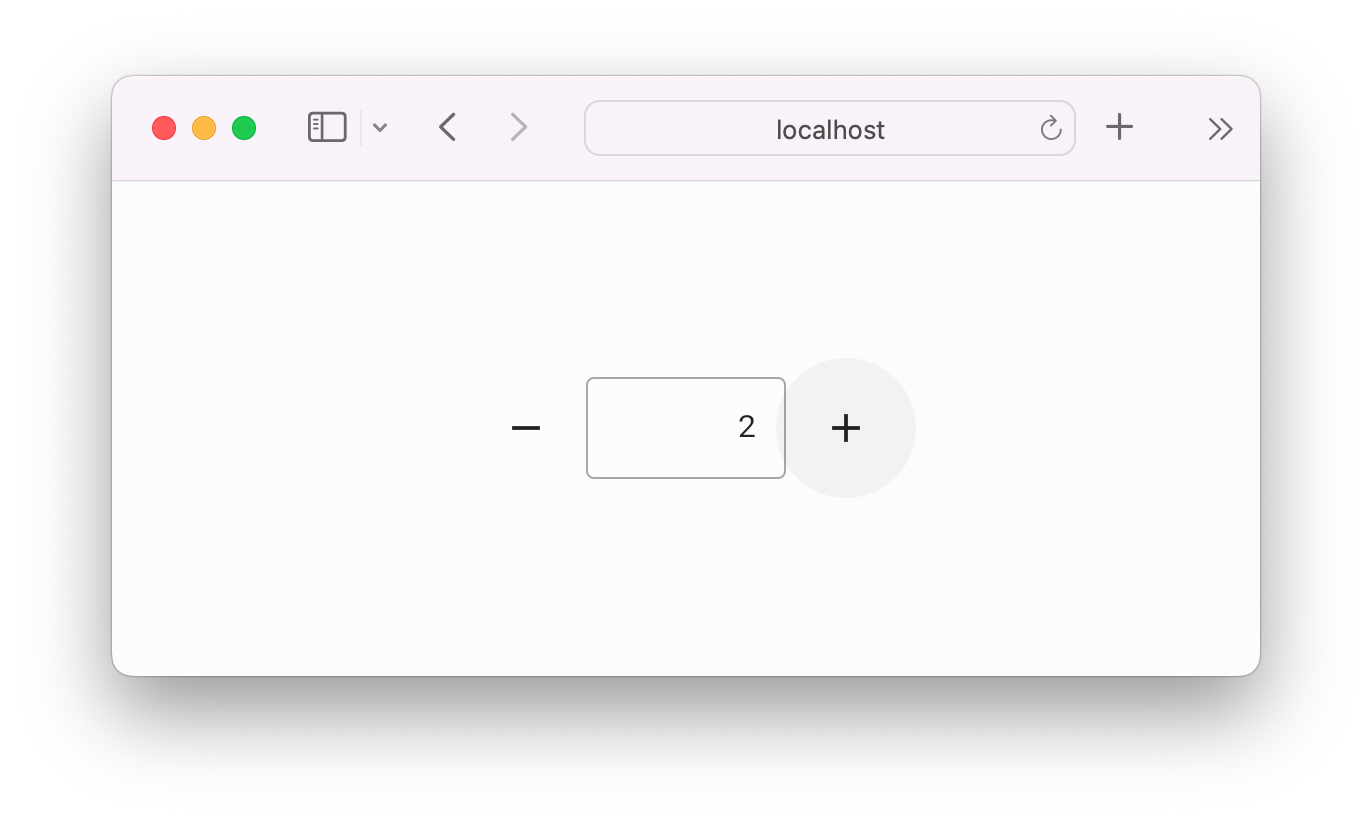
To run the same app as a web app, update the last line in your script to:
```python
ft.run(main, view=flet.AppView.WEB_BROWSER)
```
Alternatively, you can use the `--web` flag when running the `flet run` command:
```bash
flet run --web counter.py
```
## Learn more
* [Website](https://flet.dev)
* [Documentation](https://docs.flet.dev)
* [Roadmap](https://flet.dev/roadmap)
* [Apps Gallery](https://docs.flet.dev/gallery)
## Community
* [Discussions](https://github.com/flet-dev/flet/discussions)
* [Discord](https://discord.gg/dzWXP8SHG8)
* [X (Twitter)](https://twitter.com/fletdev)
* [Bluesky](https://bsky.app/profile/fletdev.bsky.social)
* [Email us](mailto:hello@flet.dev)
## Contributing
Want to help improve Flet? Check out the [contribution guide](https://docs.flet.dev/contributing).