# SGPhotoBrowser
**Repository Path**: wuyabai/SGPhotoBrowser
## Basic Information
- **Project Name**: SGPhotoBrowser
- **Description**: 一个简易的相册浏览器
- **Primary Language**: Objective-C
- **License**: MIT
- **Default Branch**: master
- **Homepage**: None
- **GVP Project**: No
## Statistics
- **Stars**: 0
- **Forks**: 0
- **Created**: 2016-12-03
- **Last Updated**: 2020-12-19
## Categories & Tags
**Categories**: Uncategorized
**Tags**: None
## README
# SGPhotoBrowser
SGPhotoBrowser is a simple iOS photo browser with optional grid view, you can simplely inherit the `SGPhotoBrowser` controller to custom the display and provide the dataSource using block.
## Screenshots
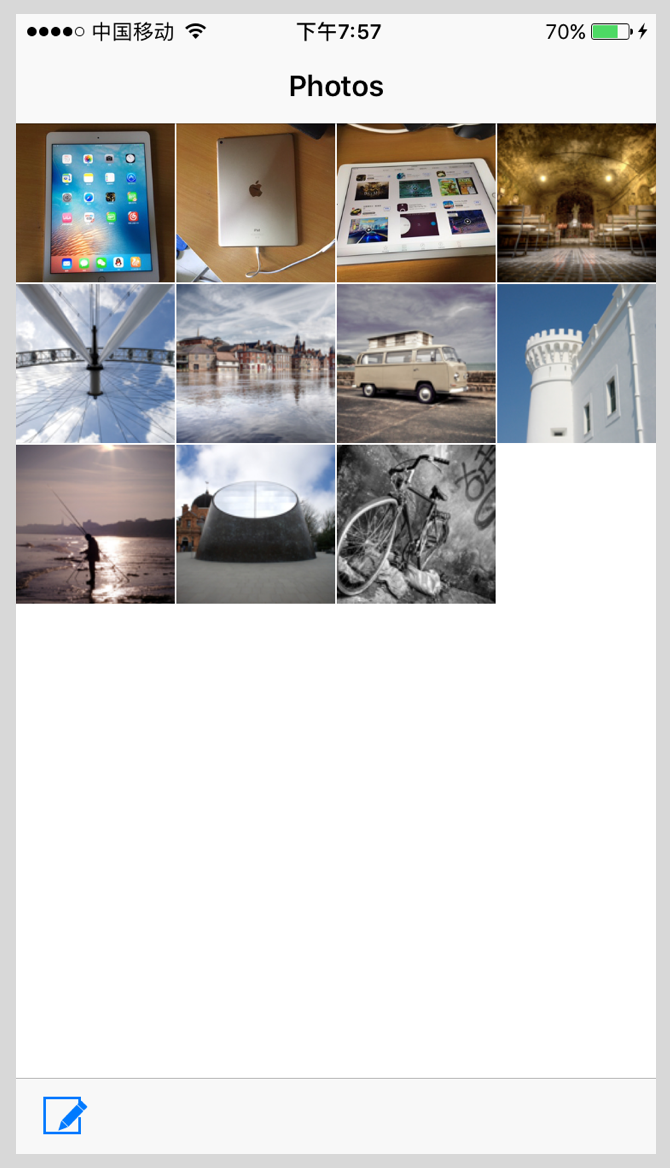
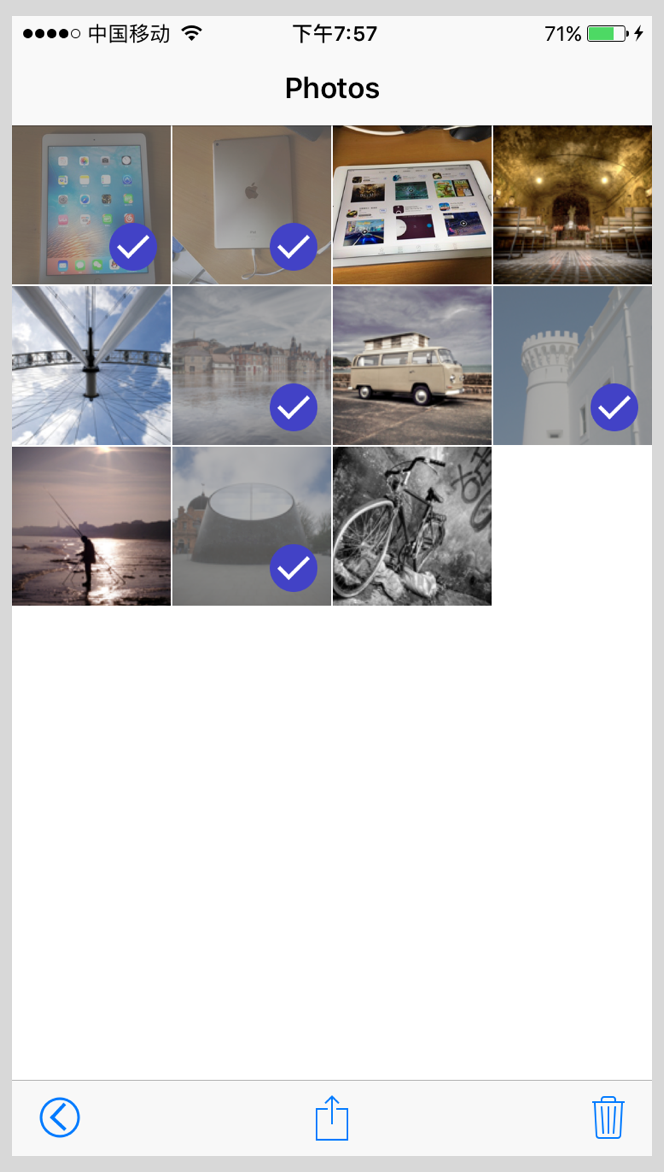

## How to Get Started
- [Download SGPhotoBrowser](https://github.com/Soulghost/SGPhotoBrowser/archive/master.zip) and try out the include iPhone example app.
## Installation
Drag the `SGPhotoBrowser` folder to your project.
**Attention: The SGPhotoBrowser depends on [SDWebImage](https://github.com/rs/SDWebImage) and [MBProgressHUD](https://github.com/jdg/MBProgressHUD), if there are these frameworks in your project, you can just delete them in the `SGPhotoBrowser/Vendor` folder**
## Usage
### 1.Import and inherit SGPhotoBrowser
```objective-c
#import "SGPhotoBrowser.h"
@interface MyBrowserViewController : SGPhotoBrowser
@end
```
### 2.Make an array to save the PhotoModel.
Every photo is describing by a `SGPhotoModel`, a `SGPhotoBrowser` has two URL properties, they are `photoURL` and `thumbURL`, if the photo is a local media, please use [NSURL fileURLWithPath:@""] to make the URL.
```objective-c
@interface MyBrowserViewController ()
@property (nonatomic, strong) NSMutableArray *photoModels;
@end
```
### 3.Set the dataSource callback using block.
- **The sg_ws() is a macro to define weakSelf, that pretend the block from cycle retain.**
- **When the models are changed, you can call the `reloadData` method to tell the browser to recall the dataSource.**
```objective-c
sg_ws();
[self setNumberOfPhotosHandlerBlock:^NSInteger{
return weakSelf.photoModels.count;
}];
[self setphotoAtIndexHandlerBlock:^SGPhotoModel *(NSInteger index) {
return weakSelf.photoModels[index];
}];
[self setReloadHandlerBlock:^{
// add reload data code here
}];
[self setDeleteHandlerBlock:^(NSInteger index) {
[weakSelf.photoModels removeObjectAtIndex:index];
[weakSelf reloadData];
}];
```
### 4.Set models to display photo from local and web.
There is a sample below to show how to set URL for local and web media.
```objective-c
NSMutableArray *photoModels = @[].mutableCopy;
NSArray *photoURLs = @[@"http://img0.ph.126.net/PgCjtjY9cStBeK-rugbj_g==/6631715378048606880.jpg",
@"http://img2.ph.126.net/MReos71sTqftWSZuXz_boQ==/6631554849350946263.jpg",
@"http://img1.ph.126.net/0Pz-IkvpsDr3lqsZGdIO4A==/6631566943978852327.jpg"];
NSArray *thumbURLs = @[@"http://img2.ph.126.net/q9kJFjtxcHzzJZA5EMaSUg==/6631671397583497919.png",
@"http://img1.ph.126.net/9blT0g2-VgAueTagWFARlA==/6631683492211398013.png",
@"http://img1.ph.126.net/smEiDh0FuAVQFz3rcQQdrw==/6631691188792792414.png"];
// web images
for (NSUInteger i = 0; i < photoURLs.count; i++) {
NSURL *photoURL = [NSURL URLWithString:photoURLs[i]];
NSURL *thumbURL = [NSURL URLWithString:thumbURLs[i]];
SGPhotoModel *model = [SGPhotoModel new];
model.photoURL = photoURL;
model.thumbURL = thumbURL;
[photoModels addObject:model];
}
// local images
for (NSUInteger i = 1; i <= 8; i++) {
NSURL *photoURL = [NSURL fileURLWithPath:[[NSBundle mainBundle] pathForResource:[NSString stringWithFormat:@"photo%@",@(i)] ofType:@"jpg"]];
NSURL *thumbURL = [NSURL fileURLWithPath:[[NSBundle mainBundle] pathForResource:[NSString stringWithFormat:@"photo%@t",@(i)] ofType:@"jpg"]];
SGPhotoModel *model = [SGPhotoModel new];
model.photoURL = photoURL;
model.thumbURL = thumbURL;
[photoModels addObject:model];
}
self.photoModels = photoModels;
[self reloadData];
```
### Custom Settings
You can set the `numberOfPhotosPerRow` property to set how many photos are there in every row, it's 4 by default.