





A collaboration friendly studio for NeRFs


 - [Quickstart](#quickstart)
- [Learn more](#learn-more)
- [Supported Features](#supported-features)
# About
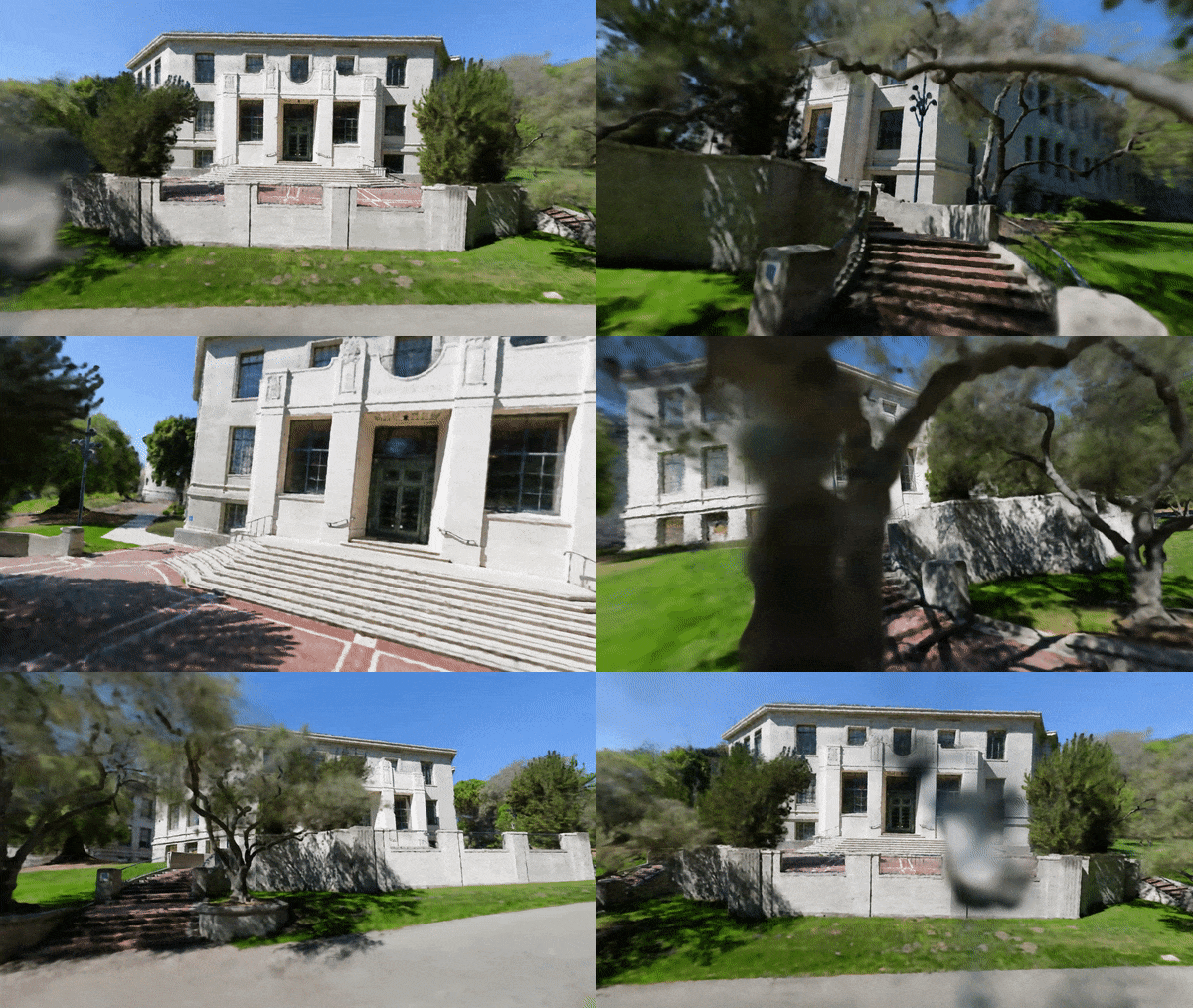
Nerfstudio provides a simple API that allows for a simplified end-to-end process of creating, training, and testing NeRFs.
The library supports a **more interpretable implementation of NeRFs by modularizing each component.**
With more modular NeRFs, we hope to create a more user-friendly experience in exploring the technology.
Nerfstudio is a contributor-friendly repo with the goal of building a community where users can more easily build upon each other's contributions.
It’s as simple as plug and play with nerfstudio!
We are committed to providing learning resources to help you understand the basics of (if you're just getting started), and keep up-to-date with (if you're a seasoned veteran) all things NeRF. As researchers, we know just how hard it is to get onboarded with this next-gen technology. So we're here to help with tutorials, documentation, and more!
Have feature requests? Want to add your brand-spankin'-new NeRF model? Have a new dataset? **We welcome any and all [contributions](https://docs.nerf.studio/en/latest/reference/contributing.html)!** Please do not hesitate to reach out to the nerfstudio team with any questions via [Discord](https://discord.gg/NHGtYRAW).
We hope nerfstudio enables you to build faster :hammer: learn together :books: and contribute to our NeRF community :sparkling_heart:.
# Quickstart
The quickstart will help you get started with the default vanilla NeRF trained on the classic Blender Lego scene.
For more complex changes (e.g., running with your own data/setting up a new NeRF graph, please refer to our [references](#learn-more).
## 1. Installation: Setup the environment
### Create environment
We recommend using conda to manage dependencies. Make sure to install [Conda](https://docs.conda.io/en/latest/miniconda.html) before proceeding.
```bash
conda create --name nerfstudio -y python=3.8
conda activate nerfstudio
python -m pip install --upgrade pip
```
### Dependencies
Install pytorch with CUDA (this repo has been tested with CUDA 11.3) and [tiny-cuda-nn](https://github.com/NVlabs/tiny-cuda-nn)
```bash
pip install torch==1.12.1+cu113 torchvision==0.13.1+cu113 -f https://download.pytorch.org/whl/torch_stable.html
pip install git+https://github.com/NVlabs/tiny-cuda-nn/#subdirectory=bindings/torch
```
### Installing nerfstudio
Easy option:
```bash
pip install nerfstudio
```
If you would want the latest and greatest:
```bash
git clone https://github.com/nerfstudio-project/nerfstudio.git
cd nerfstudio
pip install --upgrade pip setuptools
pip install -e .
```
## 2. Setting up the data
Download the original NeRF Blender dataset. We support the major datasets and allow users to create their own dataset, described in detail [here](https://docs.nerf.studio/en/latest/quickstart/custom_dataset.html).
```bash
ns-download-data --dataset=blender
ns-download-data --dataset=nerfstudio --capture=poster
```
### 2.x Using custom data
If you have custom data in the form of a video or folder of images, we've provided some [COLMAP](https://colmap.github.io/) and [FFmpeg](https://ffmpeg.org/download.html) scripts to help you process your data so it is compatible with nerfstudio.
After installing both software, you can process your data via:
```bash
ns-process-data --data FOLDER_OR_VIDEO --output-dir {PROCESSED_DATA_DIR}
# Or if you're on a system without an attached display (i.e. colab):
ns-process-data --data FOLDER_OR_VIDEO --output-dir {PROCESSED_DATA_DIR} --no-gpu
```
## 3. Training a model
To run with all the defaults, e.g., vanilla NeRF method with the Blender Lego image
```bash
# To see what models are available.
ns-train --help
# To see what model-specific cli arguments are available.
ns-train nerfacto --help
# Run with nerfacto model.
ns-train nerfacto
# We provide support for other models. E.g., to run instant-ngp.
ns-train instant-ngp
# To train on your custom data.
ns-train nerfacto --data {PROCESSED_DATA_DIR}
```
### 3.x Training a model with the viewer
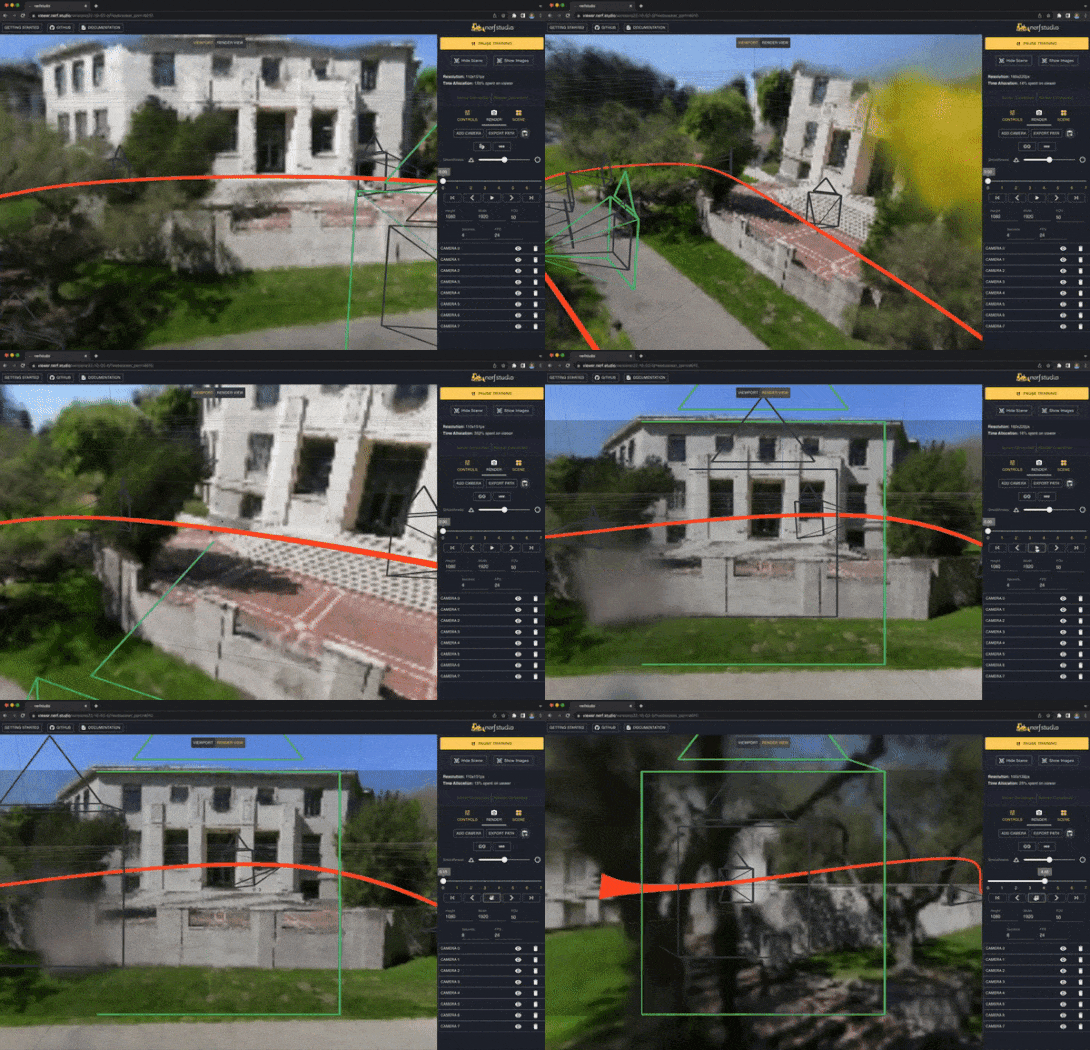
You can visualize training in real-time using our web-based viewer.
Make sure to forward a port for the websocket to localhost. The default port is 7007, which you should expose to localhost:7007.
```bash
# with the default port
ns-train nerfacto --vis viewer
# with a specified websocket port
ns-train nerfacto --vis viewer --viewer.websocket-port=7008
# port forward if running on remote
ssh -L localhost:7008:localhost:7008 {REMOTE HOST}
```
For more details on how to interact with the visualizer, please visit our viewer [walk-through](https://docs.nerf.studio/en/latest/quickstart/viewer_quickstart.html).
## 4. Rendering a trajectory during inference
After your model has trained, you can headlessly render out a video of the scene with a pre-defined trajectory.
```bash
# assuming previously ran `ns-train nerfacto`
ns-render --load-config=outputs/data-nerfstudio-poster/nerfacto/{TIMESTAMP}/config.yml --traj=spiral --output-path=renders/output.mp4
```
# Learn More
And that's it for getting started with the basics of nerfstudio.
If you're interested in learning more on how to create your own pipelines, develop with the viewer, run benchmarks, and more, please check out some of the quicklinks below or visit our [documentation](https://docs.nerf.studio/en/latest/) directly.
| Section | Description |
| -------------------------------------------------------------------------------------------------- | -------------------------------------------------------------------------------------------------- |
| [Documentation](https://docs.nerf.studio/en/latest/) | Full API documentation and tutorials |
| [Viewer](https://viewer.nerf.studio/) | Home page for our web viewer |
| 🎒 **Educational** |
| [Model Descriptions](https://docs.nerf.studio/en/latest/guides/index.html) | Description of all the models supported by nerfstudio and explanations of component parts. |
| [Component Descriptions](https://docs.nerf.studio/en/latest/nerfology/model_components/index.html) | Interactive notebooks that explain notable/commonly used modules in various models. |
| 🏃 **Tutorials** |
| [Getting Started](https://docs.nerf.studio/en/latest/quickstart/installation.html) | A more in-depth guide on how to get started with nerfstudio from installation to contributing. |
| [Using the Viewer](https://docs.nerf.studio/en/latest/quickstart/viewer_quickstart.html) | A quick demo video on how to navigate the viewer. |
| 💻 **For Developers** |
| [Creating pipelines](https://docs.nerf.studio/en/latest/developer_guides/pipelines/index.html) | Learn how to easily build new neural rendering pipelines by using and/or implementing new modules. |
| [Creating datasets](https://docs.nerf.studio/en/latest/quickstart/custom_dataset.html) | Have a new dataset? Learn how to run it with nerfstudio. | |
| [Contributing](https://docs.nerf.studio/en/latest/reference/contributing.html) | Walk-through for how you can start contributing now. |
| 💖 **Community** |
| [Discord](https://discord.gg/NHGtYRAW) | Join our community to discuss more. We would love to hear from you! |
| [Twitter](https://twitter.com/nerfstudioteam) | Follow us on Twitter @nerfstudioteam to see cool updates and announcements |
| [TikTok](#) | Coming soon! Follow us on TikTok to see some of our fan favorite results |
# Supported Features
We provide the following support structures to make life easier for getting started with NeRFs. For a full description, please refer to our [features page](#).
**If you are looking for a feature that is not currently supported, please do not hesitate to contact the Nerfstudio Team on [Discord](https://discord.gg/NHGtYRAW)!**
- :mag_right: Web-based visualizer that allows you to:
- Visualize training in real-time + interact with the scene
- Create and render out scenes with custom camera trajectories
- View different output types
- And more!
- :pencil2: Support for multiple logging interfaces (Tensorboard, Wandb), code profiling, and other built-in debugging tools
- :chart_with_upwards_trend: Easy-to-use benchmarking scripts on the Blender dataset
- :iphone: Full pipeline support (w/ Colmap or Record3D) for going from a video on your phone to a full 3D render.
# Built On
#### [tyro](https://github.com/brentyi/tyro)
- Easy-to-use config system
- Developed by [Brent Yi](https://brentyi.com/)
#### [nerfacc](https://www.nerfacc.com/en/latest/)
- Library for accelerating NeRF renders
- Developed by [Ruilong Li](https://www.liruilong.cn/)
# Citation
If you use this library or find the documentation useful for your research, please consider citing:
```
@misc{nerfstudio,
title={Nerfstudio: A Framework for Neural Radiance Field Development},
author={Matthew Tancik*, Ethan Weber*, Evonne Ng*, Ruilong Li, Brent Yi,
Terrance Wang, Alexander Kristoffersen, Jake Austin, Kamyar Salahi,
Abhik Ahuja, David McAllister, Angjoo Kanazawa},
year={2022},
url={https://github.com/nerfstudio-project/nerfstudio},
}
```
# Contributors
- [Quickstart](#quickstart)
- [Learn more](#learn-more)
- [Supported Features](#supported-features)
# About
Nerfstudio provides a simple API that allows for a simplified end-to-end process of creating, training, and testing NeRFs.
The library supports a **more interpretable implementation of NeRFs by modularizing each component.**
With more modular NeRFs, we hope to create a more user-friendly experience in exploring the technology.
Nerfstudio is a contributor-friendly repo with the goal of building a community where users can more easily build upon each other's contributions.
It’s as simple as plug and play with nerfstudio!
We are committed to providing learning resources to help you understand the basics of (if you're just getting started), and keep up-to-date with (if you're a seasoned veteran) all things NeRF. As researchers, we know just how hard it is to get onboarded with this next-gen technology. So we're here to help with tutorials, documentation, and more!
Have feature requests? Want to add your brand-spankin'-new NeRF model? Have a new dataset? **We welcome any and all [contributions](https://docs.nerf.studio/en/latest/reference/contributing.html)!** Please do not hesitate to reach out to the nerfstudio team with any questions via [Discord](https://discord.gg/NHGtYRAW).
We hope nerfstudio enables you to build faster :hammer: learn together :books: and contribute to our NeRF community :sparkling_heart:.
# Quickstart
The quickstart will help you get started with the default vanilla NeRF trained on the classic Blender Lego scene.
For more complex changes (e.g., running with your own data/setting up a new NeRF graph, please refer to our [references](#learn-more).
## 1. Installation: Setup the environment
### Create environment
We recommend using conda to manage dependencies. Make sure to install [Conda](https://docs.conda.io/en/latest/miniconda.html) before proceeding.
```bash
conda create --name nerfstudio -y python=3.8
conda activate nerfstudio
python -m pip install --upgrade pip
```
### Dependencies
Install pytorch with CUDA (this repo has been tested with CUDA 11.3) and [tiny-cuda-nn](https://github.com/NVlabs/tiny-cuda-nn)
```bash
pip install torch==1.12.1+cu113 torchvision==0.13.1+cu113 -f https://download.pytorch.org/whl/torch_stable.html
pip install git+https://github.com/NVlabs/tiny-cuda-nn/#subdirectory=bindings/torch
```
### Installing nerfstudio
Easy option:
```bash
pip install nerfstudio
```
If you would want the latest and greatest:
```bash
git clone https://github.com/nerfstudio-project/nerfstudio.git
cd nerfstudio
pip install --upgrade pip setuptools
pip install -e .
```
## 2. Setting up the data
Download the original NeRF Blender dataset. We support the major datasets and allow users to create their own dataset, described in detail [here](https://docs.nerf.studio/en/latest/quickstart/custom_dataset.html).
```bash
ns-download-data --dataset=blender
ns-download-data --dataset=nerfstudio --capture=poster
```
### 2.x Using custom data
If you have custom data in the form of a video or folder of images, we've provided some [COLMAP](https://colmap.github.io/) and [FFmpeg](https://ffmpeg.org/download.html) scripts to help you process your data so it is compatible with nerfstudio.
After installing both software, you can process your data via:
```bash
ns-process-data --data FOLDER_OR_VIDEO --output-dir {PROCESSED_DATA_DIR}
# Or if you're on a system without an attached display (i.e. colab):
ns-process-data --data FOLDER_OR_VIDEO --output-dir {PROCESSED_DATA_DIR} --no-gpu
```
## 3. Training a model
To run with all the defaults, e.g., vanilla NeRF method with the Blender Lego image
```bash
# To see what models are available.
ns-train --help
# To see what model-specific cli arguments are available.
ns-train nerfacto --help
# Run with nerfacto model.
ns-train nerfacto
# We provide support for other models. E.g., to run instant-ngp.
ns-train instant-ngp
# To train on your custom data.
ns-train nerfacto --data {PROCESSED_DATA_DIR}
```
### 3.x Training a model with the viewer
You can visualize training in real-time using our web-based viewer.
Make sure to forward a port for the websocket to localhost. The default port is 7007, which you should expose to localhost:7007.
```bash
# with the default port
ns-train nerfacto --vis viewer
# with a specified websocket port
ns-train nerfacto --vis viewer --viewer.websocket-port=7008
# port forward if running on remote
ssh -L localhost:7008:localhost:7008 {REMOTE HOST}
```
For more details on how to interact with the visualizer, please visit our viewer [walk-through](https://docs.nerf.studio/en/latest/quickstart/viewer_quickstart.html).
## 4. Rendering a trajectory during inference
After your model has trained, you can headlessly render out a video of the scene with a pre-defined trajectory.
```bash
# assuming previously ran `ns-train nerfacto`
ns-render --load-config=outputs/data-nerfstudio-poster/nerfacto/{TIMESTAMP}/config.yml --traj=spiral --output-path=renders/output.mp4
```
# Learn More
And that's it for getting started with the basics of nerfstudio.
If you're interested in learning more on how to create your own pipelines, develop with the viewer, run benchmarks, and more, please check out some of the quicklinks below or visit our [documentation](https://docs.nerf.studio/en/latest/) directly.
| Section | Description |
| -------------------------------------------------------------------------------------------------- | -------------------------------------------------------------------------------------------------- |
| [Documentation](https://docs.nerf.studio/en/latest/) | Full API documentation and tutorials |
| [Viewer](https://viewer.nerf.studio/) | Home page for our web viewer |
| 🎒 **Educational** |
| [Model Descriptions](https://docs.nerf.studio/en/latest/guides/index.html) | Description of all the models supported by nerfstudio and explanations of component parts. |
| [Component Descriptions](https://docs.nerf.studio/en/latest/nerfology/model_components/index.html) | Interactive notebooks that explain notable/commonly used modules in various models. |
| 🏃 **Tutorials** |
| [Getting Started](https://docs.nerf.studio/en/latest/quickstart/installation.html) | A more in-depth guide on how to get started with nerfstudio from installation to contributing. |
| [Using the Viewer](https://docs.nerf.studio/en/latest/quickstart/viewer_quickstart.html) | A quick demo video on how to navigate the viewer. |
| 💻 **For Developers** |
| [Creating pipelines](https://docs.nerf.studio/en/latest/developer_guides/pipelines/index.html) | Learn how to easily build new neural rendering pipelines by using and/or implementing new modules. |
| [Creating datasets](https://docs.nerf.studio/en/latest/quickstart/custom_dataset.html) | Have a new dataset? Learn how to run it with nerfstudio. | |
| [Contributing](https://docs.nerf.studio/en/latest/reference/contributing.html) | Walk-through for how you can start contributing now. |
| 💖 **Community** |
| [Discord](https://discord.gg/NHGtYRAW) | Join our community to discuss more. We would love to hear from you! |
| [Twitter](https://twitter.com/nerfstudioteam) | Follow us on Twitter @nerfstudioteam to see cool updates and announcements |
| [TikTok](#) | Coming soon! Follow us on TikTok to see some of our fan favorite results |
# Supported Features
We provide the following support structures to make life easier for getting started with NeRFs. For a full description, please refer to our [features page](#).
**If you are looking for a feature that is not currently supported, please do not hesitate to contact the Nerfstudio Team on [Discord](https://discord.gg/NHGtYRAW)!**
- :mag_right: Web-based visualizer that allows you to:
- Visualize training in real-time + interact with the scene
- Create and render out scenes with custom camera trajectories
- View different output types
- And more!
- :pencil2: Support for multiple logging interfaces (Tensorboard, Wandb), code profiling, and other built-in debugging tools
- :chart_with_upwards_trend: Easy-to-use benchmarking scripts on the Blender dataset
- :iphone: Full pipeline support (w/ Colmap or Record3D) for going from a video on your phone to a full 3D render.
# Built On
#### [tyro](https://github.com/brentyi/tyro)
- Easy-to-use config system
- Developed by [Brent Yi](https://brentyi.com/)
#### [nerfacc](https://www.nerfacc.com/en/latest/)
- Library for accelerating NeRF renders
- Developed by [Ruilong Li](https://www.liruilong.cn/)
# Citation
If you use this library or find the documentation useful for your research, please consider citing:
```
@misc{nerfstudio,
title={Nerfstudio: A Framework for Neural Radiance Field Development},
author={Matthew Tancik*, Ethan Weber*, Evonne Ng*, Ruilong Li, Brent Yi,
Terrance Wang, Alexander Kristoffersen, Jake Austin, Kamyar Salahi,
Abhik Ahuja, David McAllister, Angjoo Kanazawa},
year={2022},
url={https://github.com/nerfstudio-project/nerfstudio},
}
```
# Contributors