# Vue-Print-Designer
**Repository Path**: xbmt/vue-print-designer
## Basic Information
- **Project Name**: Vue-Print-Designer
- **Description**: 🔥Vue Print Designer 是一款可视化打印设计器,面向业务表单、标签、票据、快递单等场景,支持模板化、变量化,并提供静默打印与云打印能力,同时兼容多种导出/打印方式。
- **Primary Language**: TypeScript
- **License**: AGPL-3.0
- **Default Branch**: master
- **Homepage**: https://printdot.cc/
- **GVP Project**: No
## Statistics
- **Stars**: 0
- **Forks**: 194
- **Created**: 2026-05-07
- **Last Updated**: 2026-05-07
## Categories & Tags
**Categories**: Uncategorized
**Tags**: None
## README
Vue Print Designer






中文 | English
Vue Print Designer is a visual print designer for business forms, labels, receipts, and waybills. It supports templating and variables, provides silent printing and cloud printing, and works with multiple export/print pipelines.
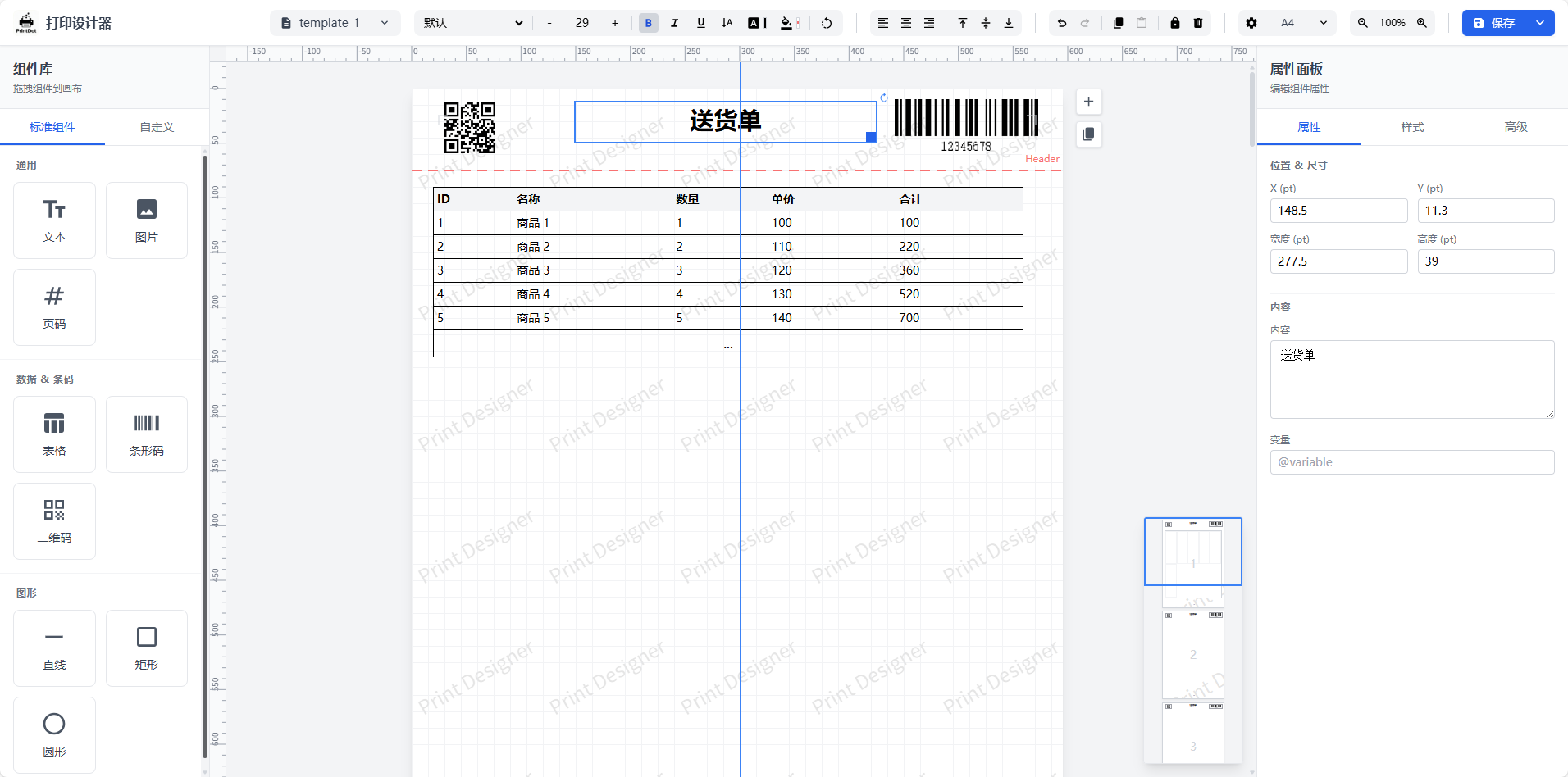
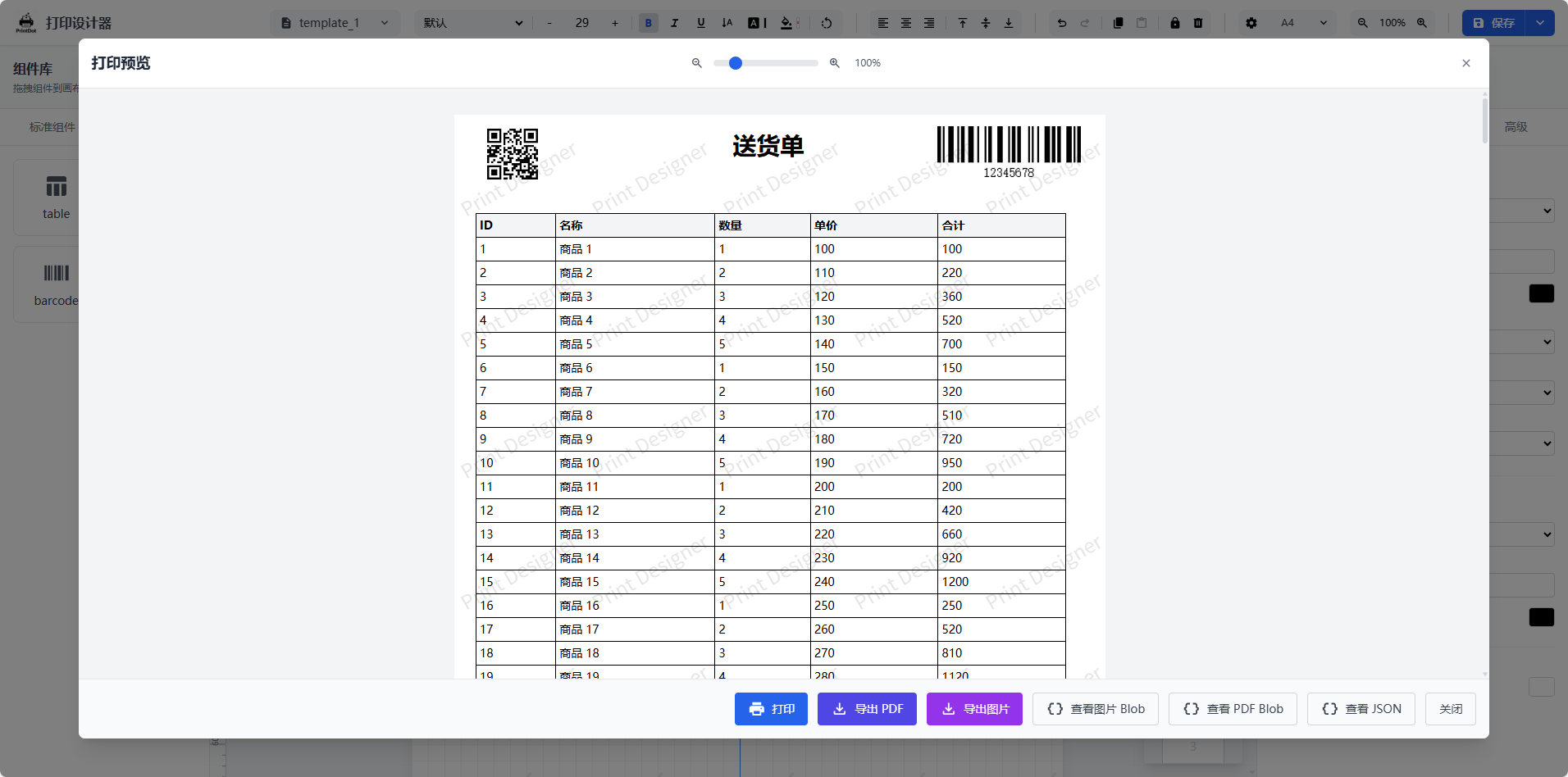
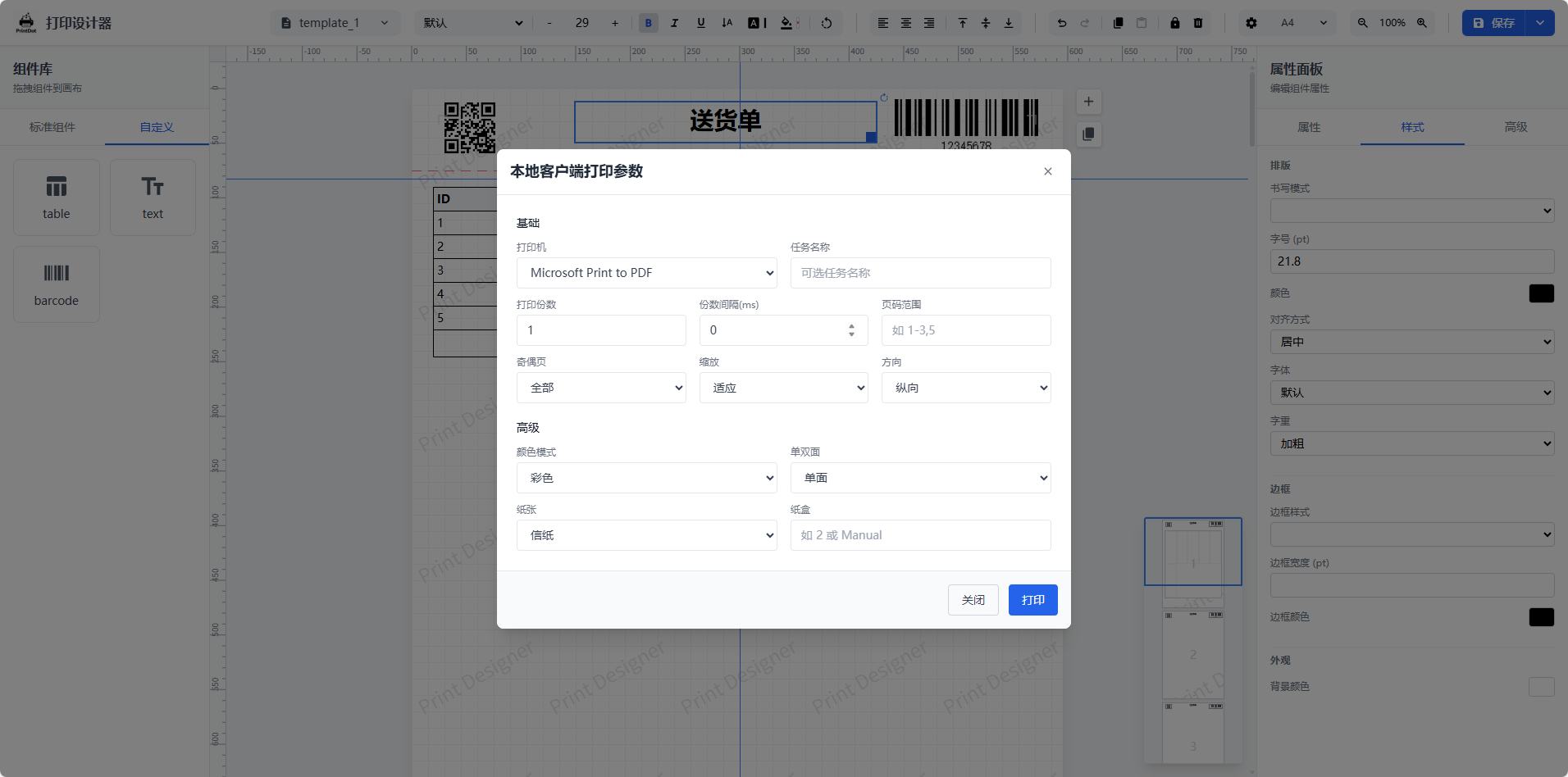
## UI Preview
| Designer main view and canvas | Print preview | Print parameter settings |
| --- | --- | --- |
|  |
|  |
|  |
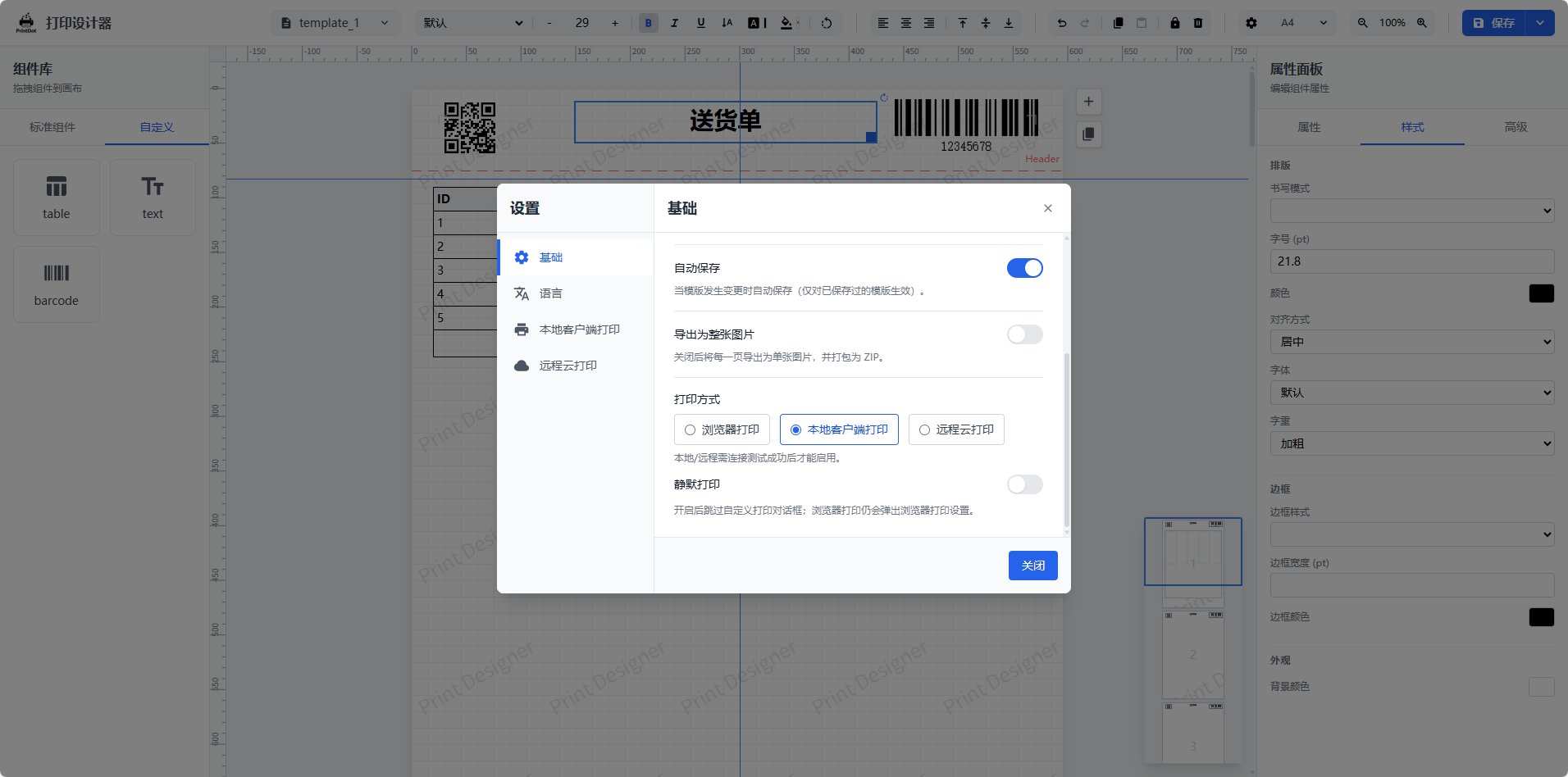
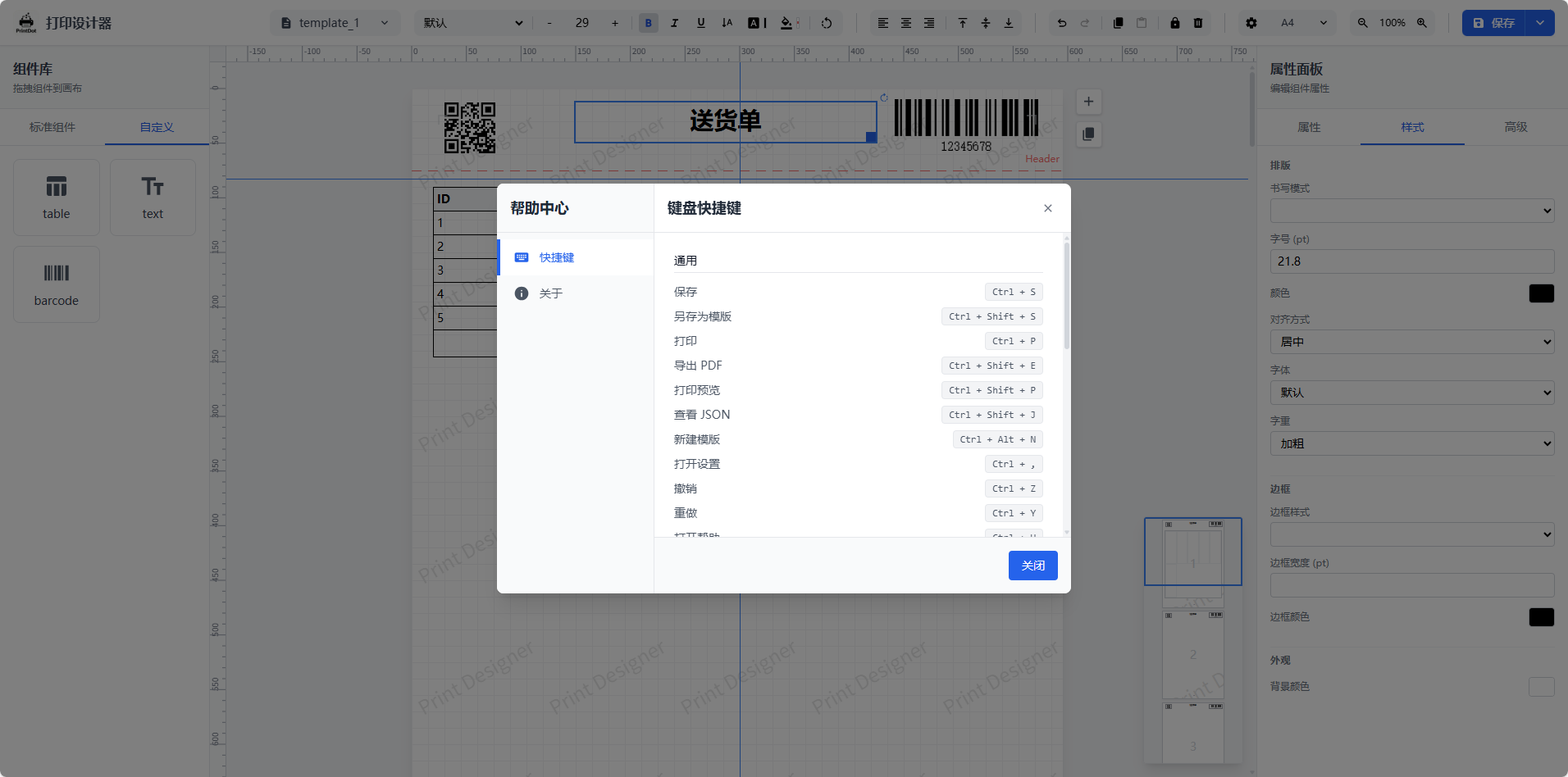
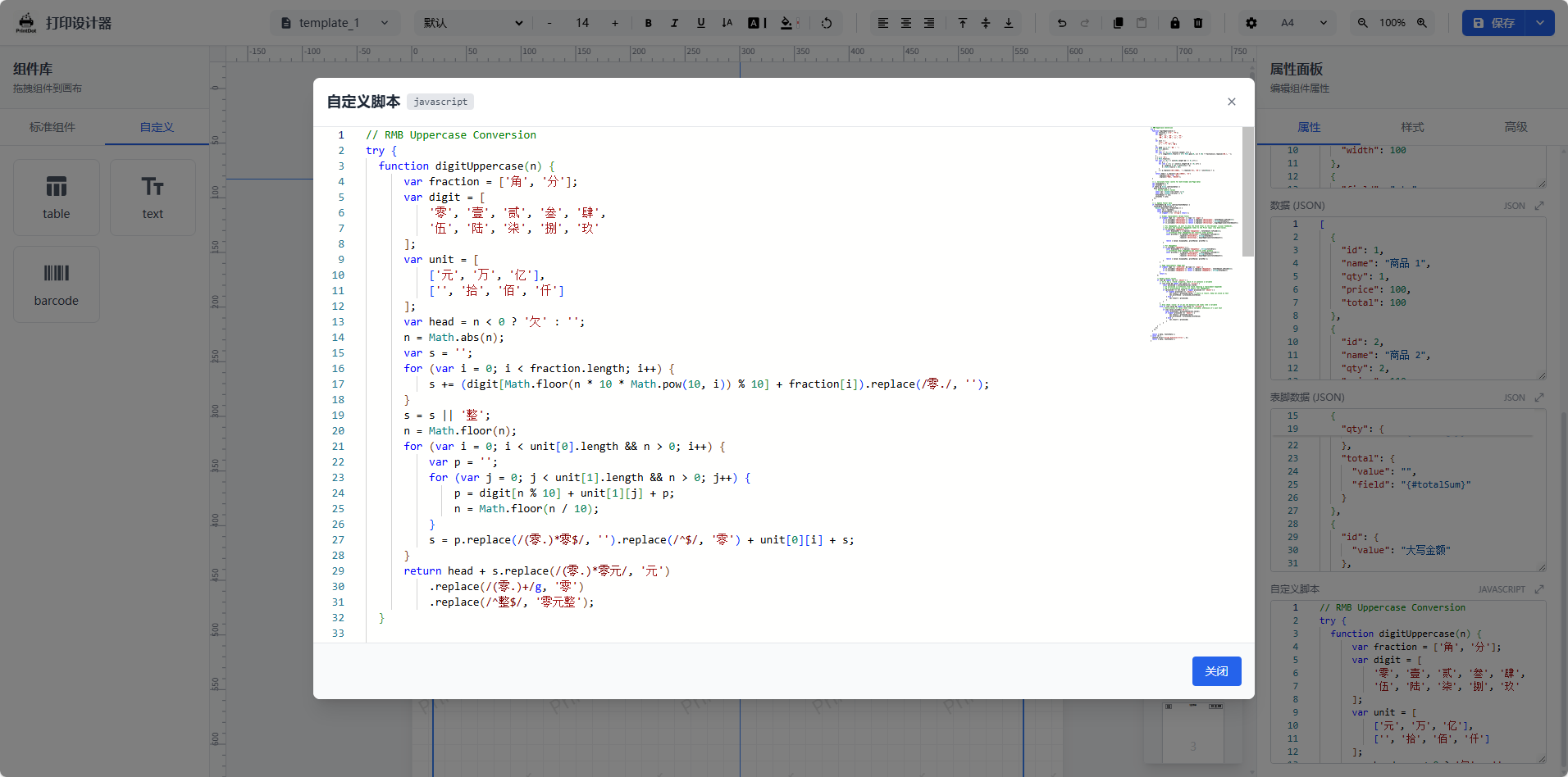
| System settings and preferences | Shortcut reference | Advanced table editing |
| --- | --- | --- |
|
|
| System settings and preferences | Shortcut reference | Advanced table editing |
| --- | --- | --- |
|  |
|  |
|  |
## Integration Example
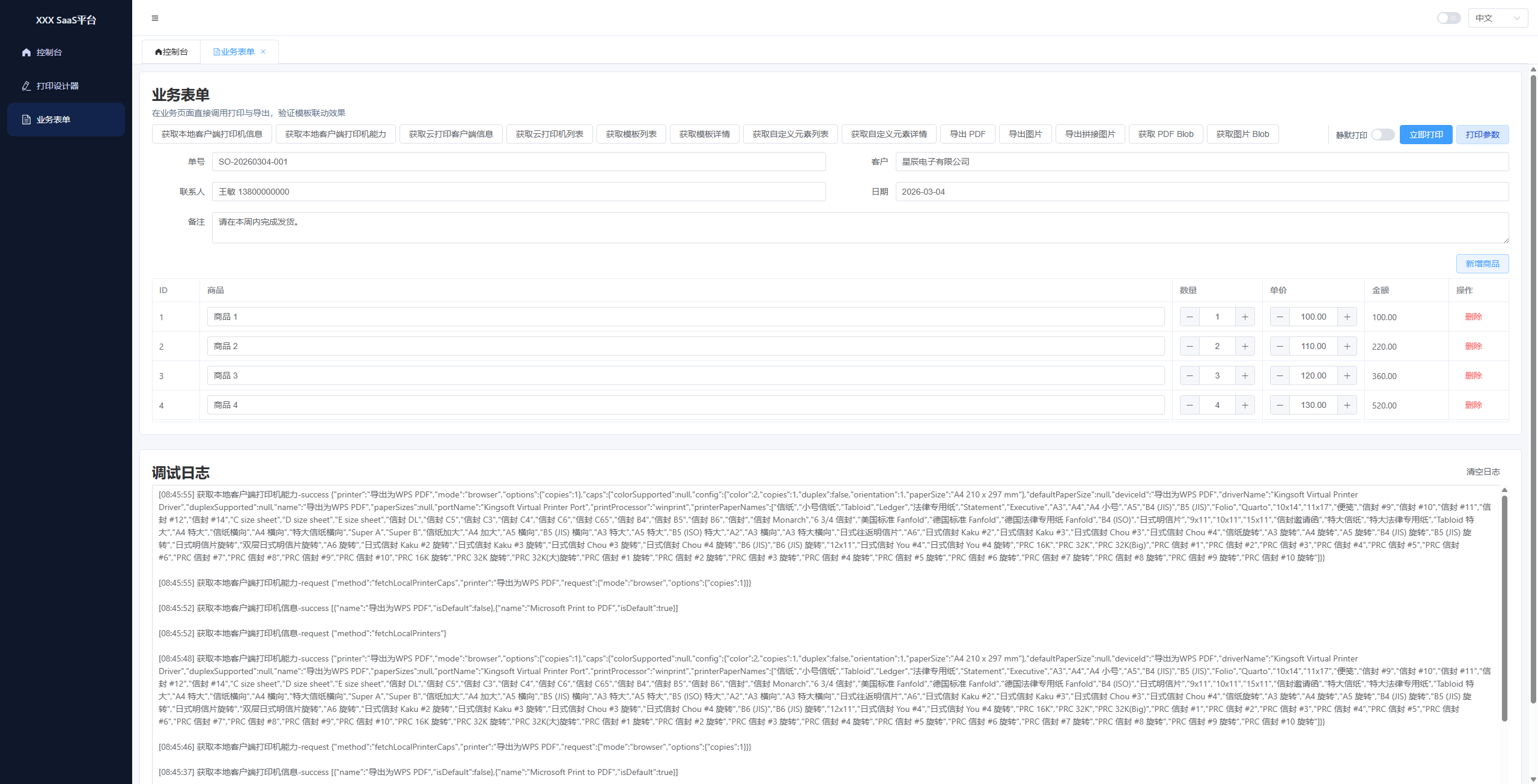
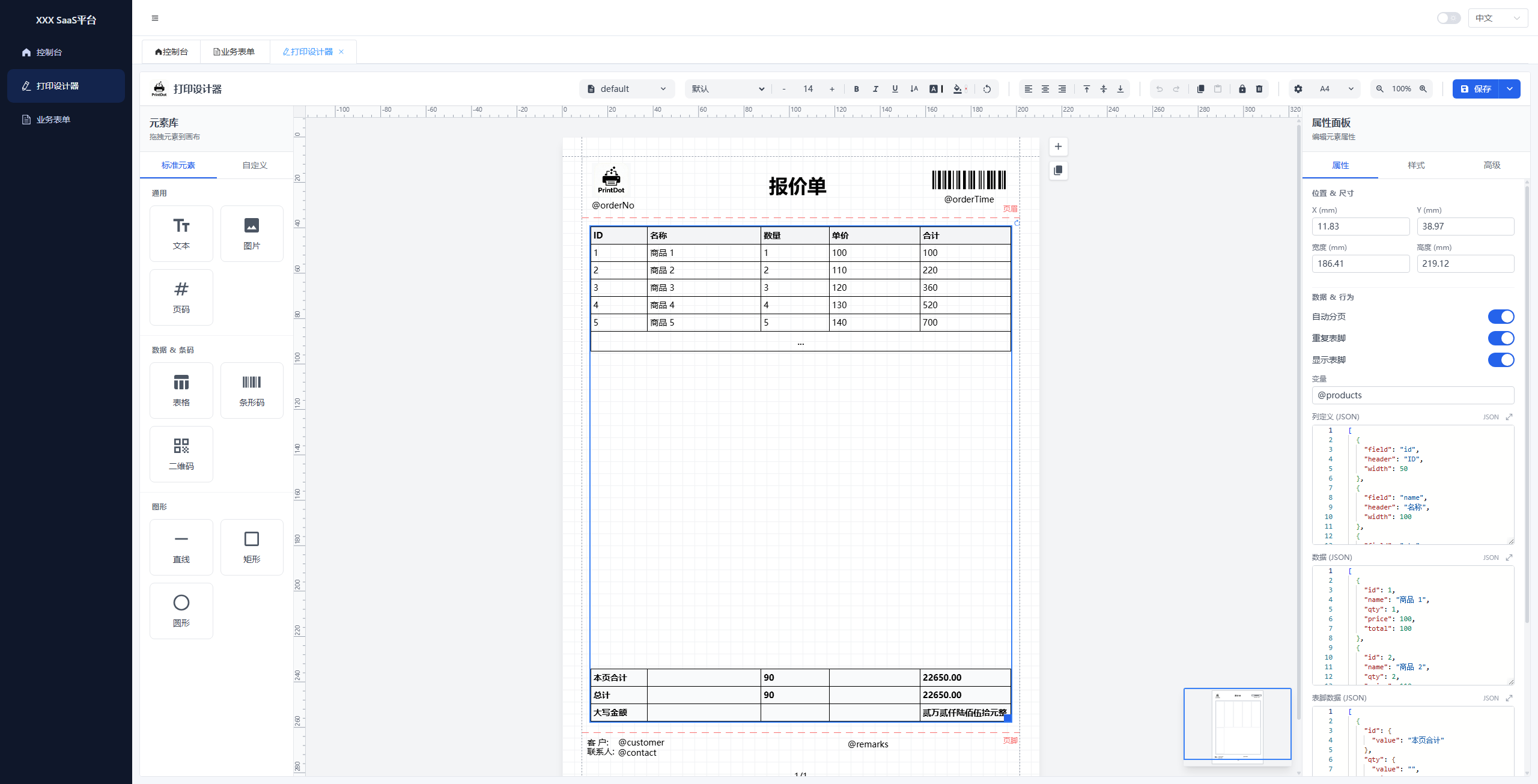
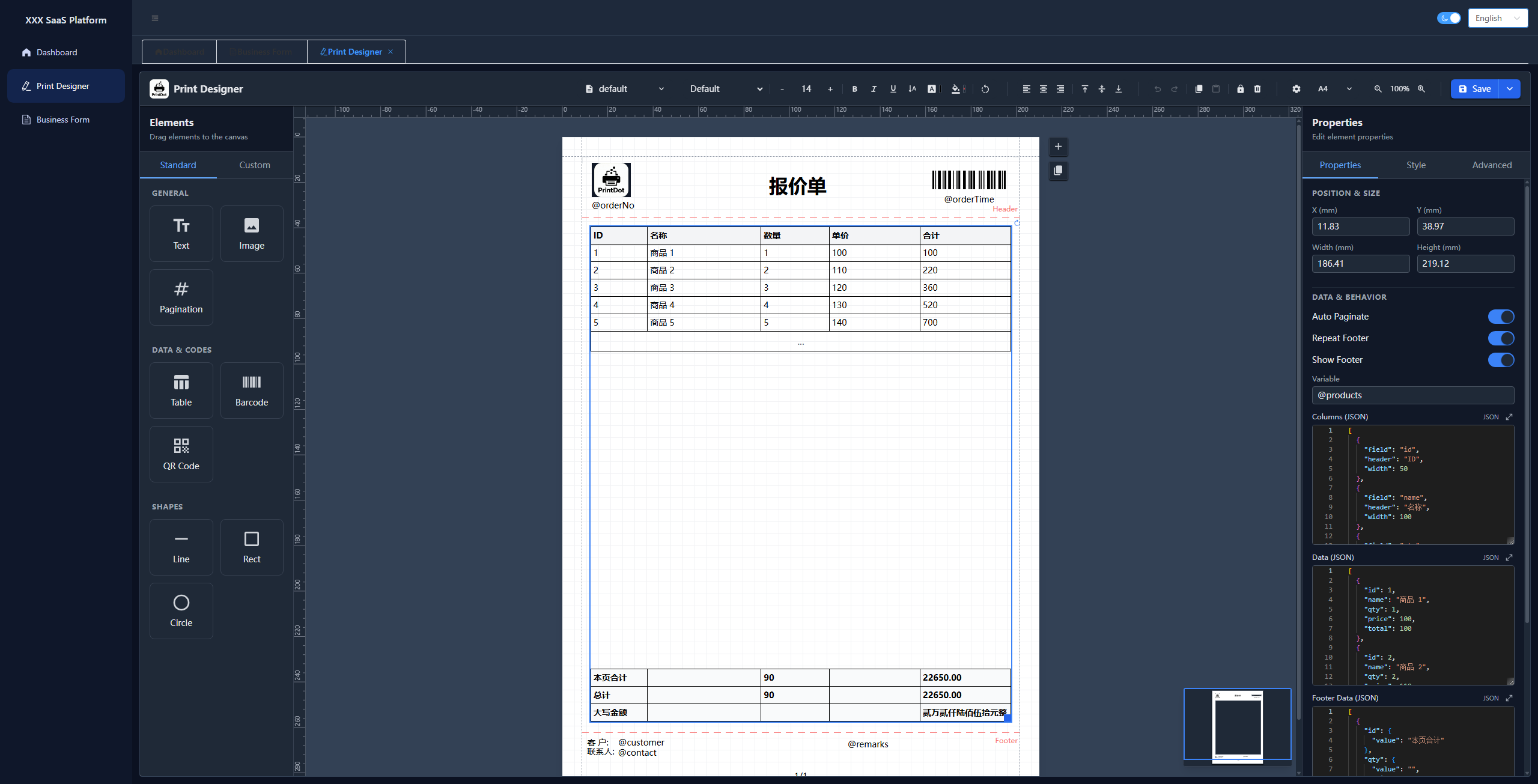
To help developers get started quickly, we provide a complete integration example based on **Vue 3 + Element Plus**. This project demonstrates how to embed the print designer into a real-world business application.
| Parameter Debugging | Designer | Dark Mode |
| --- | --- | --- |
|
|
## Integration Example
To help developers get started quickly, we provide a complete integration example based on **Vue 3 + Element Plus**. This project demonstrates how to embed the print designer into a real-world business application.
| Parameter Debugging | Designer | Dark Mode |
| --- | --- | --- |
|  |
|  |
|  |
- **Repository**: [https://github.com/0ldFive/vue-designer-sample](https://github.com/0ldFive/vue-designer-sample)
- **Live Demo**: [https://0ldfive.github.io/vue-designer-sample/#/designer](https://0ldfive.github.io/vue-designer-sample/#/designer)
- **Tech Stack**: Vue 3, TypeScript, Element Plus, Vite
## Community
Join our QQ group for usage discussions, integration tips, and troubleshooting.
- QQ Group: **1038069636**
|
- **Repository**: [https://github.com/0ldFive/vue-designer-sample](https://github.com/0ldFive/vue-designer-sample)
- **Live Demo**: [https://0ldfive.github.io/vue-designer-sample/#/designer](https://0ldfive.github.io/vue-designer-sample/#/designer)
- **Tech Stack**: Vue 3, TypeScript, Element Plus, Vite
## Community
Join our QQ group for usage discussions, integration tips, and troubleshooting.
- QQ Group: **1038069636**

## Core Features
- **Visual Design**: Full-featured drag-and-drop designer supporting text, images, tables, barcodes, QR codes, and shapes. Includes rulers, grids, and alignment tools.
- **Smart Pagination**: Automatically handles long table pagination with header/footer repetition. No complex manual logic required—what you see is what you get.
- **Cross-Framework**: Built on Web Components, zero-dependency compatibility with Vue, React, Angular, and native HTML.
- **Comprehensive Printing**:
- **Browser Print**: Native preview and print.
- **Export**: Generate PDF and images (merge/split supported).
- **Client Print**: Supports **Silent Printing** (direct print without dialogs) and **Cloud Printing** (remote task dispatch).
- **Enterprise Ready**: Supports custom paper sizes, API data integration, template import/export, and fine-grained control over print parameters (printer selection, copies, duplex, DPI).
## Companion Print Client (PrintDot Client)
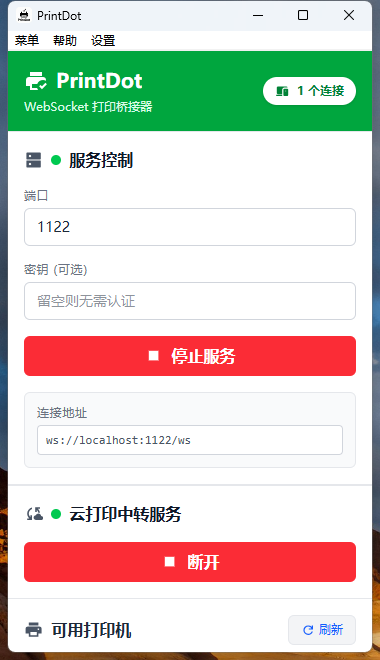
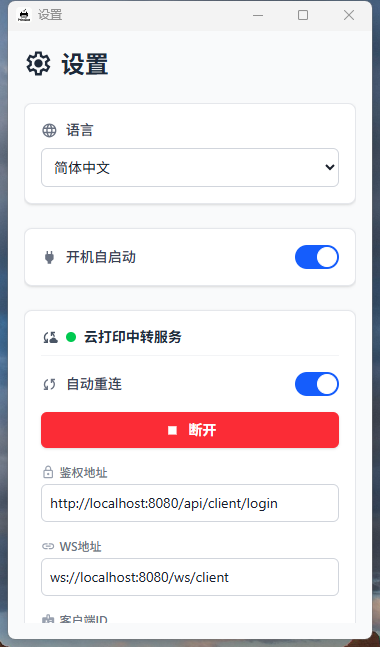
PrintDot Client is the companion desktop print helper (Wails + Vue) for device discovery, connection management, and job forwarding. It is designed to keep the local print pipeline stable and easy to operate when used with this project.
- Platforms: Windows / macOS / Linux
- Key capabilities: device discovery, stable connection & forwarding queue, lightweight background mode
- Project: https://github.com/0ldFive/PrintDot-Client
| Main view - device status & connection | Settings - preferences & options |
| --- | --- |
|  |
|  |
|
⬇ Download PrintDot Client
## Quick Start
### Option A: Build from Source and Integrate Your API
Best for deep customization.
#### Requirements
- Node.js >= 16.0.0
- npm >= 7.0.0 or yarn / pnpm
#### Recommended integration points
- Template CRUD: `useTemplateStore` (replace with your API)
- Custom elements CRUD: `customElements` in `useDesignerStore`
- Variables and template data: instance methods `setVariables` / `loadTemplateData`
Custom element extension guide: [docs/en/guide/custom-element.md](https://github.com/0ldFive/Vue-Print-Designer/blob/master/docs/en/guide/custom-element.md)
### Option B: npm Package (Web Components)
Works with any stack (Vue/React/Angular/Vanilla). Web Components **supports Vue 2** as a custom element, no Vue 2 component adapter required.
Parameters, CRUD, and JSON examples: [docs/en/guide/web-components-guide.md](https://github.com/0ldFive/Vue-Print-Designer/blob/master/docs/en/guide/web-components-guide.md)
#### Install dependencies
Install with any package manager:
```bash
npm i vue-print-designer
# or
pnpm add vue-print-designer
# or
yarn add vue-print-designer
```
#### 1) Use the component (Vue 3 / Vite)
Import in the entry file:
```ts
// main.ts
import 'vue-print-designer';
import 'vue-print-designer/style.css';
```
Use the custom element in your template:
```vue
```
#### 2) Vue 3 Options API: Separate init from usage
**Designer page (init and editing)**
```vue
```
**Business pages (print/export anywhere)**
```ts
const el = document.querySelector('print-designer') as any;
// Print
await el.print({ mode: 'browser' });
// Export PDF / image / html / blob
await el.export({ type: 'pdf', filename: 'order-20240223.pdf' });
await el.export({ type: 'html', filename: 'order-20240223.html' });
const pdfBlob = await el.export({ type: 'pdfBlob' });
```
#### 3) Event hooks
```ts
el.addEventListener('ready', () => {});
el.addEventListener('printed', (e) => {});
el.addEventListener('exported', (e) => {
const blob = e.detail?.blob;
});
el.addEventListener('error', (e) => {
console.error(e.detail?.scope, e.detail?.error);
});
```
## Project Structure
```
src/
├── assets/ # Static assets (logo, icons)
├── components/ # Vue components
│ ├── canvas/ # Canvas components
│ ├── common/ # Common components (color picker, modals)
│ ├── elements/ # Print elements (text, image, table, barcode)
│ ├── layout/ # Layout (header, sidebar, properties)
│ ├── print/ # Print renderer
│ └── properties/ # Property panels
├── composables/ # Vue composables
│ ├── useAutoSave.ts # Auto save
│ ├── usePrintSettings.ts # Print settings
│ └── useTheme.ts # Theme management
├── constants/ # Constants
├── locales/ # i18n
├── stores/ # Pinia stores
├── types/ # TypeScript types
├── utils/ # Utilities
├── web-component.ts # Web Components entry
└── main.ts # App entry
```
## i18n
Built-in Chinese (zh) and English (en). The default follows browser language and can be switched by API.
## License
AGPL-3.0-only
Please follow [TRADEMARKS.md](https://github.com/0ldFive/Vue-Print-Designer/blob/master/TRADEMARKS.md) for brand and logo usage. For removing or replacing branding, see [COMMERCIAL_LICENSE.md](https://github.com/0ldFive/Vue-Print-Designer/blob/master/COMMERCIAL_LICENSE.md).