# weapp-navigation-bar
**Repository Path**: xcx_hhy/weapp-navigation-bar
## Basic Information
- **Project Name**: weapp-navigation-bar
- **Description**: 自定义title
- **Primary Language**: Unknown
- **License**: Not specified
- **Default Branch**: master
- **Homepage**: None
- **GVP Project**: No
## Statistics
- **Stars**: 0
- **Forks**: 0
- **Created**: 2020-06-23
- **Last Updated**: 2020-12-19
## Categories & Tags
**Categories**: Uncategorized
**Tags**: None
## README
# weapp-navigation-bar
因为小程序原生导航栏的一些限制,比如:不能设置字体大小,ios标题居中而安卓居左,从非首页启动小程序返回首页菜单不明显,屏幕空间不能最大化使用。因此微信开放了小程序自定义导航栏,允许用户最大化的使用屏幕空间。但是自定导航栏不支持只指定某些页面使用,而是全局的,所以也带来了一些适配问题。
## 本导航栏组件支持
1. 可根据手机状态栏高度适配。
2. 可自定义设置包括字体颜色、字体大小、背景颜色、无标题、导航栏是否置顶。
3. 可自动识别是否首页launch。
4. 更多请[查看组件更新内容](https://github.com/mulook/weapp-navigation-bar/blob/master/CHANGELOG.md)
## 演示
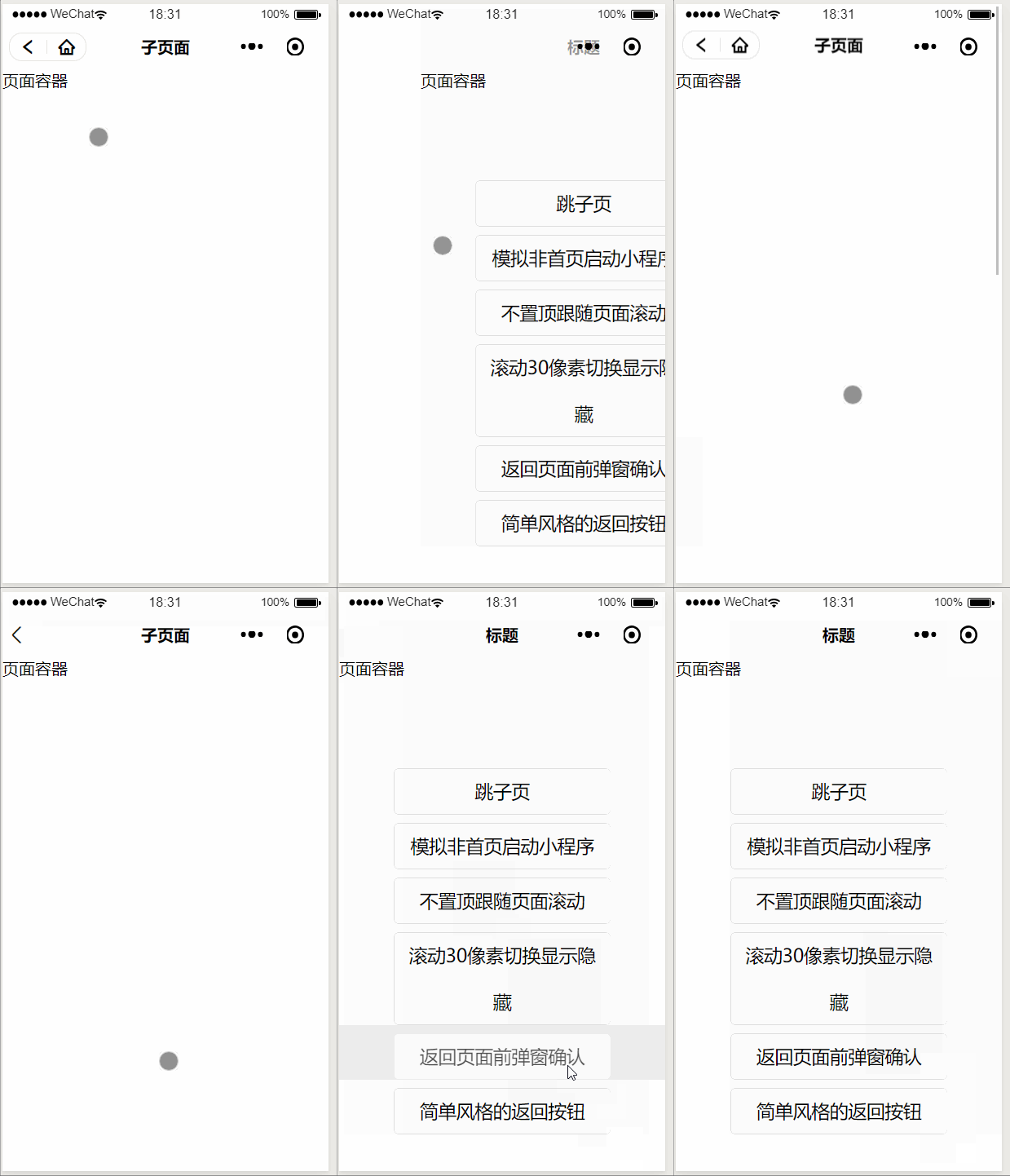
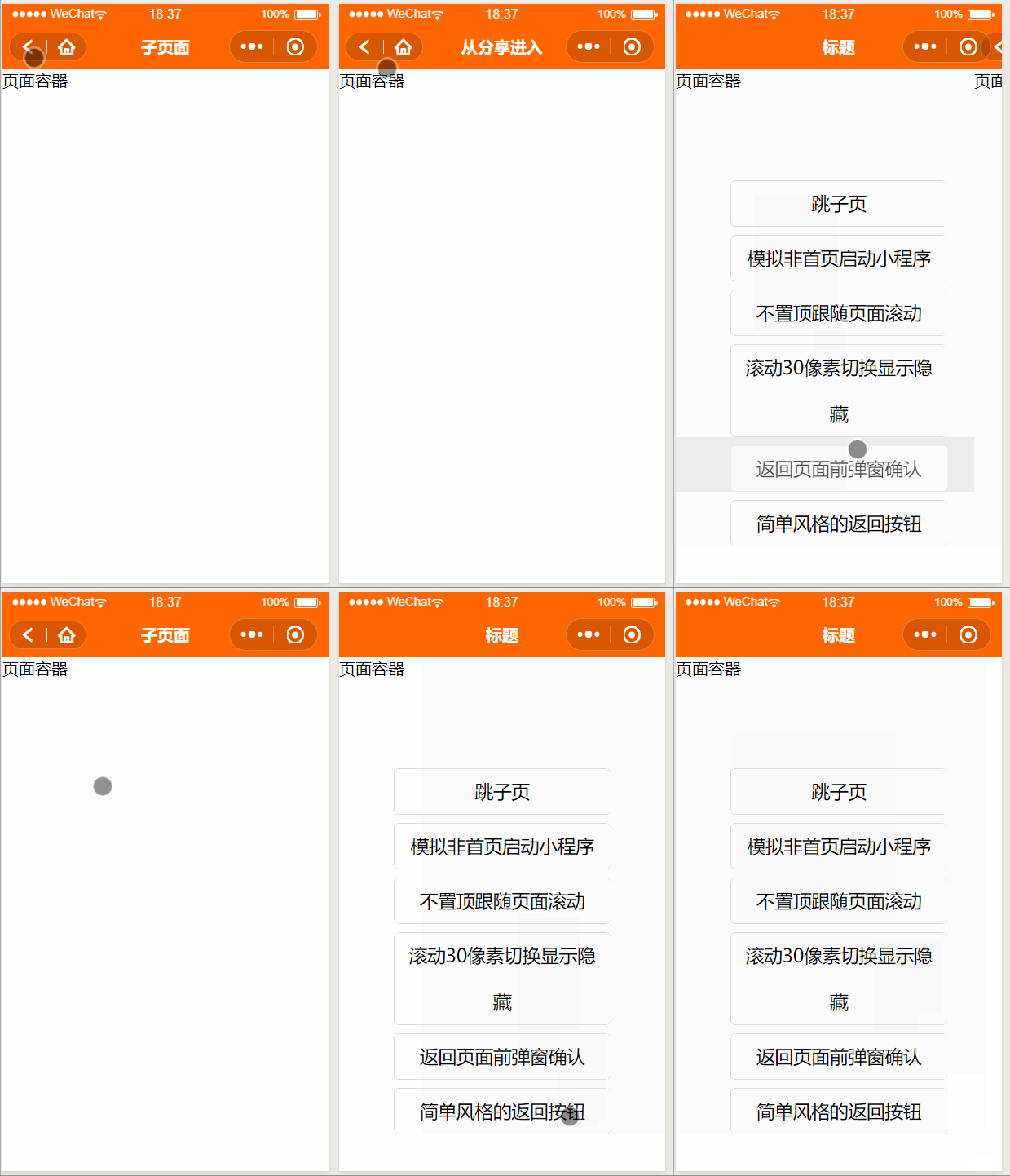
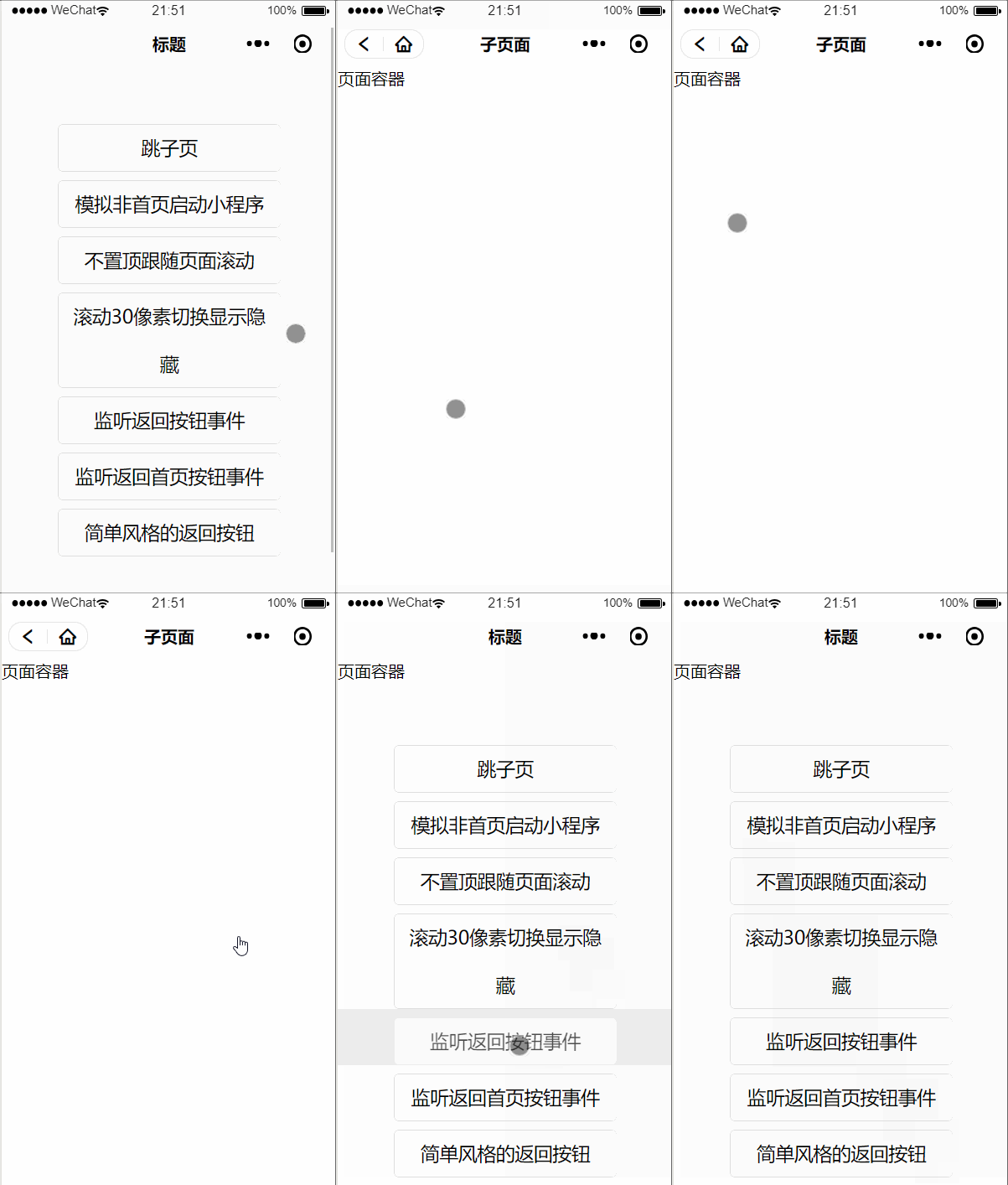
1 自定义导航栏

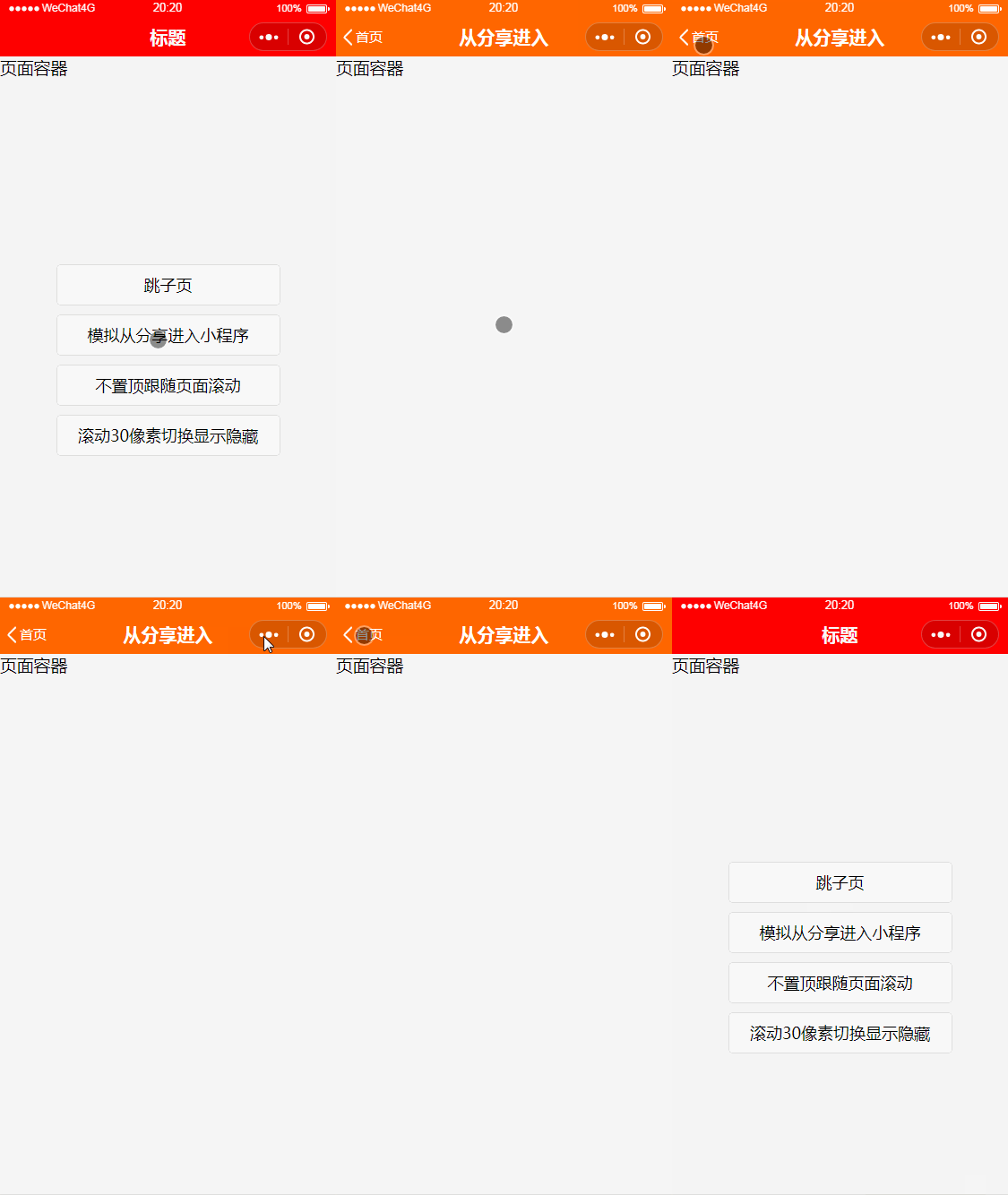
 2 模拟非首页启动小程序
 3 设置导航栏跟随页面滚动
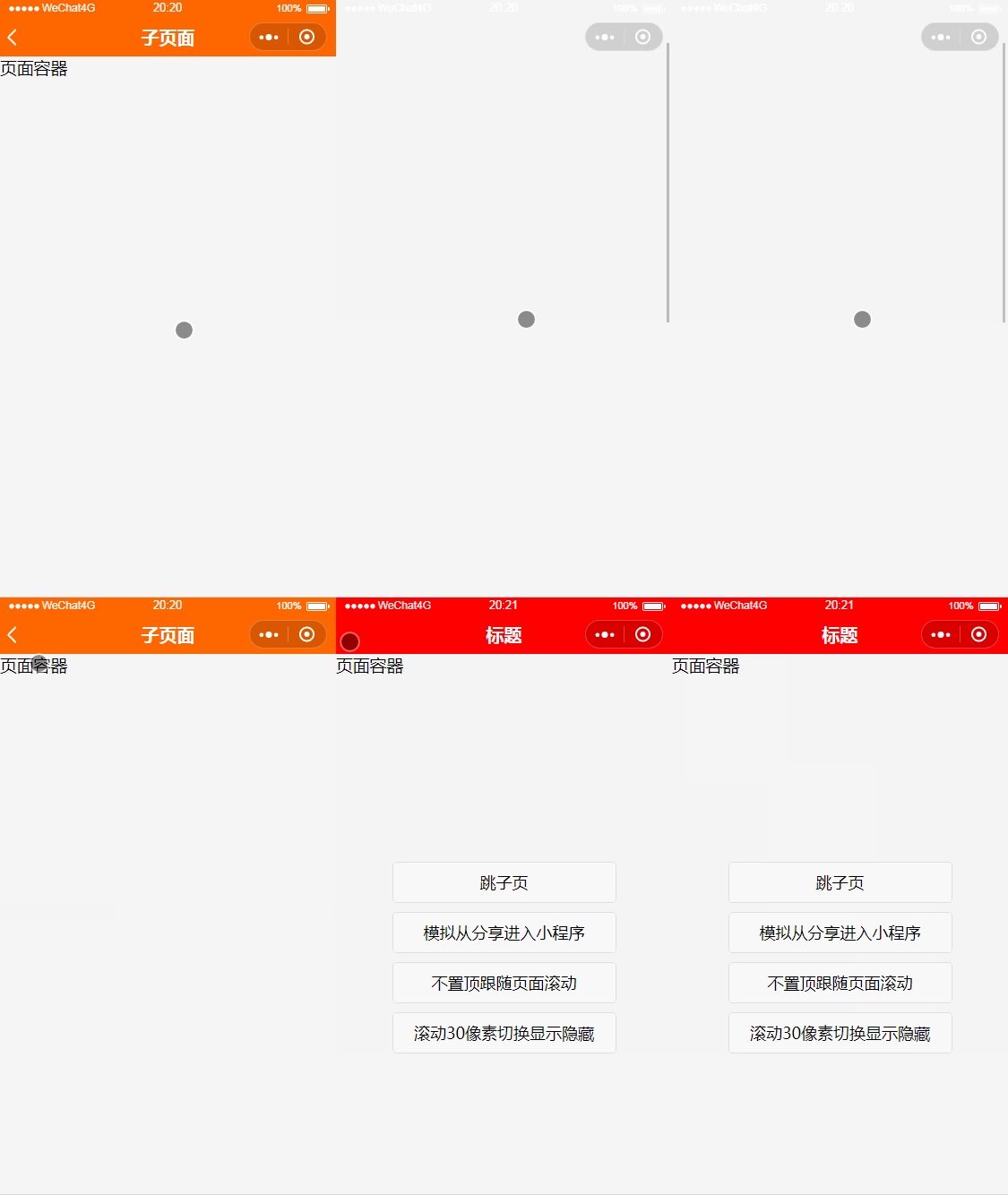 4 页面上下滚动指定像素值,切换导航栏的显示或隐藏
 5 绑定返回按钮事件
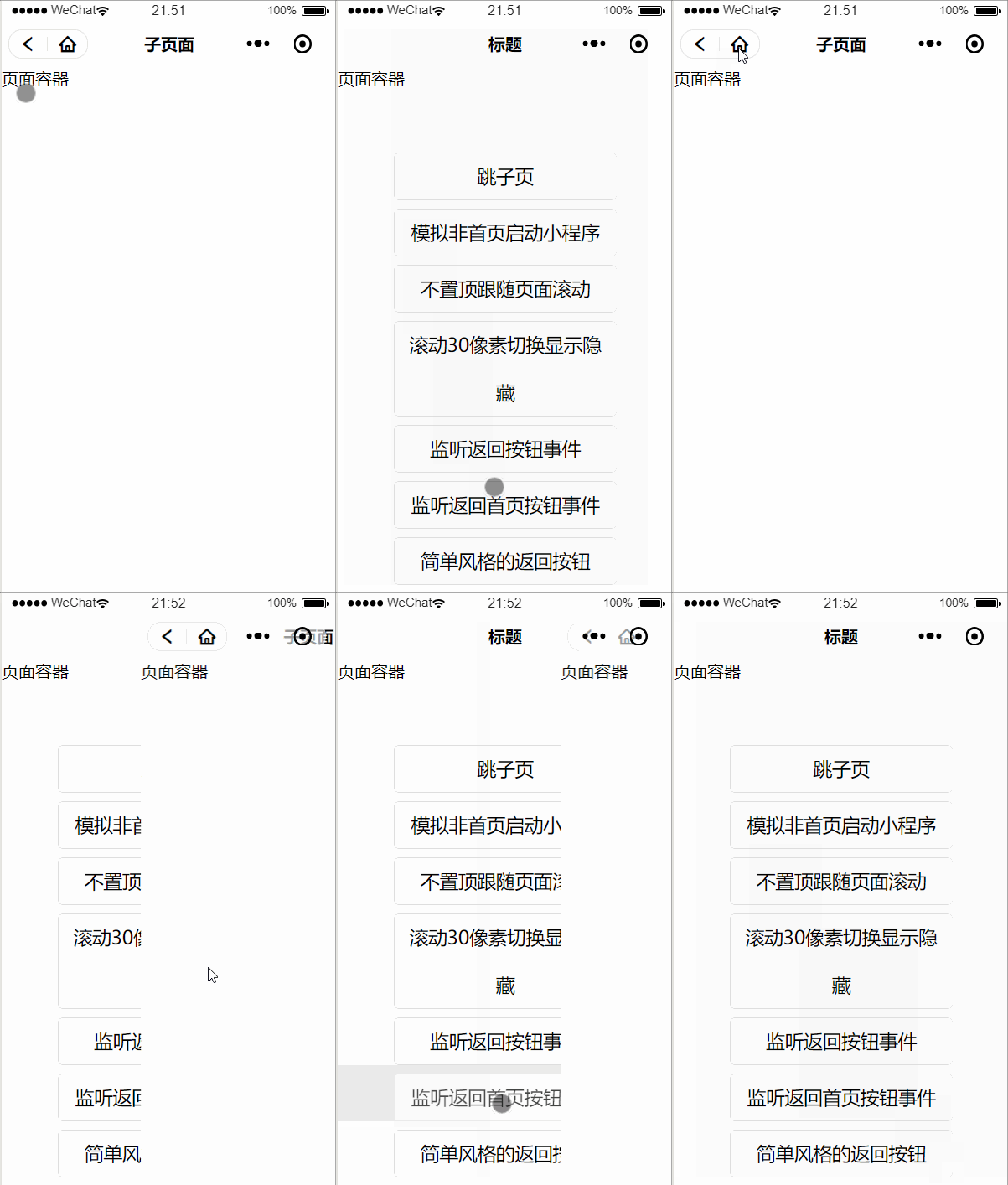
 6 绑定返回首页按钮事件
 ## 使用说明
使用前需要了解[小程序自定义组件](https://developers.weixin.qq.com/miniprogram/dev/framework/custom-component/)和[自定义导航栏](https://developers.weixin.qq.com/miniprogram/dev/framework/config.html#window)。
app.json配置以下属性
``` json
"window":{
"navigationStyle": "custom",
"backgroundTextStyle":"light",
"navigationBarBackgroundColor": "#fff",
"navigationBarTitleText": "自定义导航栏",
"navigationBarTextStyle":"white"
}
```
如果已了解,可直接把组件拷贝到项目里引用,用法可参考example。
> 额外说明:小程序右上角胶囊颜色,可通过navigationBarTextStyle设置,支持black和white。
> 为了提高兼容性,建议把所有页面内容写在设置的页面容器里,参考example。
## 组件内部自定义方法
> toggleShow()/toggleHide()用于切换自定义导航栏的显示/隐藏。
## 组件自定义属性说明
| 属性 | 说明 | 类型 | 默认值 |
| ------------- | --------------------------- | ------- | ----------- |
| title | 标题 | String | none |
| color | 标题字体颜色 | String | #000000 |
| fontSize | 导航栏字体大小,单位rpx、px | String | 16px |
| background | 导航栏背景颜色 | String | #ffffff |
| placeholderBg | 导航栏占位栏背景色 | String | transparent |
| back | 是否显示导航栏返回按钮 | Boolean | false |
| fixed | 导航栏是否fixed定位置顶 | Boolean | true |
| backStyle | 导航栏返回按钮的风格支持simple和normal| String | normal |
| backEvent | 是否绑定返回按钮事件 | Boolean | false |
| backHomeEvent | 是否绑定返回首页按钮事件 | Boolean | false |
## 组件外部绑定事件说明
> 绑定事件前,先打开事件监听属性backEvent="{{true}}",然后使用bind:事件名="callback"来绑定回调函数
| 事件名 | 说明 | 事件是否冒泡 | 事件是否拥有捕获阶段 |
| ------------- | --------------------------- | ------- | ----------- |
| back | 返回按钮被点击 | 否 | 否 |
| backHome | 返回首页按钮被点击 | 否 | 否 |
>绑定事件参考
>wxml
``` html
```
>js
``` js
Page({
/**
* 返回按钮触发事件
* @param {Object} e 事件对象
*/
backEvent(e){
// 这里可以写点击返回按钮相关的业务逻辑,下面逻辑提供参考
let self = this;
wx.showModal({
title: '提示,触发返回按钮事件',
content: '确定要退出当前页面吗?',
success(res) {
res.confirm && self.selectComponent('#navigationBar').runBack();//这里之所以调用了组件内部的返回上一页的方法,因为里面有判断逻辑,不想调用可以自行处理
}
})
},
/**
* 返回按钮触发事件
* @param {Object} e 事件对象
*/
backHomeEvent(e) {
// 这里可以写点击返回首页按钮相关的业务逻辑,下面逻辑提供参考
let self = this;
wx.showModal({
title: '提示,触发返回首页按钮事件',
content: '确定要退出当前页面吗?',
success(res) {
res.confirm && self.selectComponent('#navigationBar').runBackHome();//这里之所以调用了组件内部的返回首页的方法,因为里面有判断逻辑,不想调用可以自行处理
}
})
}
});
```
## 使用说明
使用前需要了解[小程序自定义组件](https://developers.weixin.qq.com/miniprogram/dev/framework/custom-component/)和[自定义导航栏](https://developers.weixin.qq.com/miniprogram/dev/framework/config.html#window)。
app.json配置以下属性
``` json
"window":{
"navigationStyle": "custom",
"backgroundTextStyle":"light",
"navigationBarBackgroundColor": "#fff",
"navigationBarTitleText": "自定义导航栏",
"navigationBarTextStyle":"white"
}
```
如果已了解,可直接把组件拷贝到项目里引用,用法可参考example。
> 额外说明:小程序右上角胶囊颜色,可通过navigationBarTextStyle设置,支持black和white。
> 为了提高兼容性,建议把所有页面内容写在设置的页面容器里,参考example。
## 组件内部自定义方法
> toggleShow()/toggleHide()用于切换自定义导航栏的显示/隐藏。
## 组件自定义属性说明
| 属性 | 说明 | 类型 | 默认值 |
| ------------- | --------------------------- | ------- | ----------- |
| title | 标题 | String | none |
| color | 标题字体颜色 | String | #000000 |
| fontSize | 导航栏字体大小,单位rpx、px | String | 16px |
| background | 导航栏背景颜色 | String | #ffffff |
| placeholderBg | 导航栏占位栏背景色 | String | transparent |
| back | 是否显示导航栏返回按钮 | Boolean | false |
| fixed | 导航栏是否fixed定位置顶 | Boolean | true |
| backStyle | 导航栏返回按钮的风格支持simple和normal| String | normal |
| backEvent | 是否绑定返回按钮事件 | Boolean | false |
| backHomeEvent | 是否绑定返回首页按钮事件 | Boolean | false |
## 组件外部绑定事件说明
> 绑定事件前,先打开事件监听属性backEvent="{{true}}",然后使用bind:事件名="callback"来绑定回调函数
| 事件名 | 说明 | 事件是否冒泡 | 事件是否拥有捕获阶段 |
| ------------- | --------------------------- | ------- | ----------- |
| back | 返回按钮被点击 | 否 | 否 |
| backHome | 返回首页按钮被点击 | 否 | 否 |
>绑定事件参考
>wxml
``` html
```
>js
``` js
Page({
/**
* 返回按钮触发事件
* @param {Object} e 事件对象
*/
backEvent(e){
// 这里可以写点击返回按钮相关的业务逻辑,下面逻辑提供参考
let self = this;
wx.showModal({
title: '提示,触发返回按钮事件',
content: '确定要退出当前页面吗?',
success(res) {
res.confirm && self.selectComponent('#navigationBar').runBack();//这里之所以调用了组件内部的返回上一页的方法,因为里面有判断逻辑,不想调用可以自行处理
}
})
},
/**
* 返回按钮触发事件
* @param {Object} e 事件对象
*/
backHomeEvent(e) {
// 这里可以写点击返回首页按钮相关的业务逻辑,下面逻辑提供参考
let self = this;
wx.showModal({
title: '提示,触发返回首页按钮事件',
content: '确定要退出当前页面吗?',
success(res) {
res.confirm && self.selectComponent('#navigationBar').runBackHome();//这里之所以调用了组件内部的返回首页的方法,因为里面有判断逻辑,不想调用可以自行处理
}
})
}
});
```