# TLM
**Repository Path**: xiaowenza/TLM
## Basic Information
- **Project Name**: TLM
- **Description**: No description available
- **Primary Language**: Unknown
- **License**: Apache-2.0
- **Default Branch**: main
- **Homepage**: None
- **GVP Project**: No
## Statistics
- **Stars**: 0
- **Forks**: 0
- **Created**: 2025-11-27
- **Last Updated**: 2025-11-27
## Categories & Tags
**Categories**: Uncategorized
**Tags**: None
## README
Test-Time Learning for Large Language Models



>[Jinwu Hu](https://scholar.google.com/citations?user=XmqjPi0AAAAJ&hl=en), Zitian Zhang, [Guohao Chen](https://scholar.google.com/citations?user=HZbzdNEAAAAJ&hl=en&oi=ao), Xutao Wen, [Chao Shuai](https://scholar.google.com/citations?user=xpNpnhQAAAAJ&hl=en), [Wei Luo](https://scholar.google.com/citations?hl=en&user=EpculwoAAAAJ), [Bin Xiao](https://faculty.cqupt.edu.cn/xiaobin/zh_CN/index.htm), [Yuanqing Li](https://scholar.google.com/citations?hl=en&user=wN3v1coAAAAJ), [Mingkui Tan](https://tanmingkui.github.io/)\
South China University of Technology, Pazhou Laboratory, Zhejiang University, South China Agricultural University, Chongqing University of Posts and Telecommunications
## 🔥News
- *2025-07-31*: Update AdaptEval benchmark and models.
- *2025-05-27*: We have released our paper on Arxiv.
- *2025-05-01*: TLM is accepted by ICML2025.
## 🚀Quick Start
```bash
## clone our repo
git clone https://github.com/Fhujinwu/TLM.git
cd TLM
## install TLM environment
conda create --name tlm --yes python=3.10
conda activate tlm
pip install -e ".[torch,metrics]" --no-build-isolation
```
## 🗂 Benchmarks and models
- Benchmarks:https://huggingface.co/datasets/Jinwu01/AdaptEval
- Models: https://huggingface.co/Jinwu01/TLM
## 🔨 Training
All datasets and their contents from AdaptEval are defined in the `dataset_info.json` file included in this repository. You only need to specify the desired dataset in your configuration file to use it.
For example, to adapt to the geography dataset:
- For offline test-time learning, you can start training with the following command:
```bash
CUDA_VISIBLE_DEVICES=0 llamafactory-cli train examples/train_lora/offline_ttl.yaml
```
- For online test-time learning, use:
```bash
CUDA_VISIBLE_DEVICES=0 llamafactory-cli train examples/train_lora/online_ttl.yaml
```
The `offline_ttl.yaml` and `online_ttl.yaml` files provide example configurations for fine-tuning with test-time learning. These configurations specify parameters about model, fine-tuning method, dataset, TTL method and so on. Please customize these files according to your own requirements.
## ⚖️ Evaluation
After running the above training commands, you will obtain the model inference results in the specified `output_dir`. You can then evaluate these results.
First, install the required dependencies:
```bash
pip install rouge_score rouge-chinese bert_score git+https://github.com/google-research/bleurt.git
```
All evaluation-related scripts are located in the `scripts/eval` folder:
- For datasets in DomainBench and InstructionBench, copy the path to your model inference results into `eval_simility.py` and run the script.
- For datasets in ReasoningBench, copy the path to your model inference results into `eval_accuracy.py` and run the script.
## 💬 Citation
Thanks for the open-source code of [LLaMA-Factory](https://github.com/hiyouga/LLaMA-Factory)
If you find our work interesting and meaningful, welcome to give a 🌟 to our repo and cite our paper.
```text
@inproceedings{hutest,
title={Test-Time Learning for Large Language Models},
author={Hu, Jinwu and Zhang, Zitian and Chen, Guohao and Wen, Xutao and Shuai, Chao and Luo, Wei and Xiao, Bin and Li, Yuanqing and Tan, Mingkui},
booktitle={Forty-second International Conference on Machine Learning}
}
```
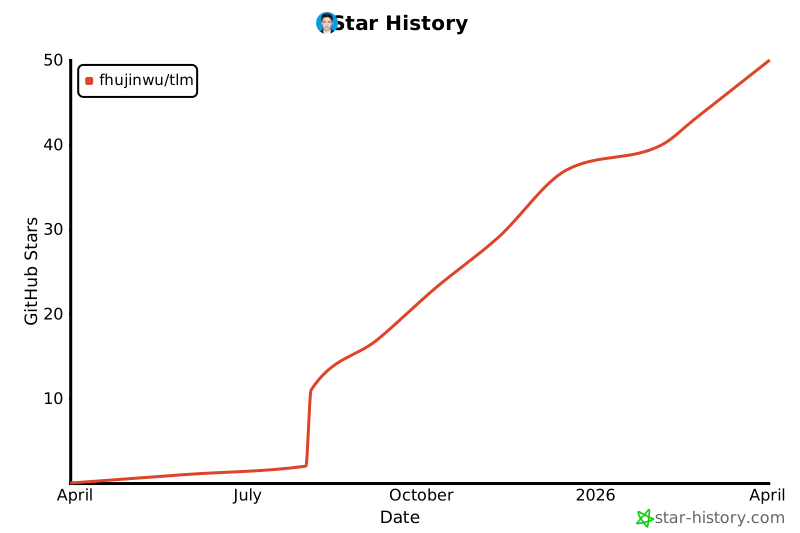
## Star History