# TrollStore2
**Repository Path**: xlsn0w/TrollStore2
## Basic Information
- **Project Name**: TrollStore2
- **Description**: TrollStore 二代 iOS巨魔商店V2.0 安装指南: 巨魔2代安装教程 巨魔辅助安装器 Misaka TrollSpeed 状态栏网速显示
- **Primary Language**: Unknown
- **License**: Not specified
- **Default Branch**: master
- **Homepage**: None
- **GVP Project**: No
## Statistics
- **Stars**: 1
- **Forks**: 0
- **Created**: 2024-05-12
- **Last Updated**: 2024-11-17
## Categories & Tags
**Categories**: Uncategorized
**Tags**: TrollStore, 巨魔商店
## README
# iOS巨魔二代 安装教程 TrollStore2 Install Guide
# iOS16 巨魔二代 界面汉化 版本更新指南
## 教程地址: [点击查看iOS巨魔使用教程](https://mp.weixin.qq.com/s?__biz=Mzg5OTgzNTgxNQ==&mid=2247502087&idx=2&sn=1589cda6d67b180880ff0ead7b55243d&chksm=c04fbbcff73832d9879f15d608c574e7b90561069feaafc7bfc6022f210dc87cd309d5e0795f&mpshare=1&scene=23&srcid=0408IfVzLvBGmniYF32NX0XW&sharer_shareinfo=58584327ead0f681742c93e21afbaa98&sharer_shareinfo_first=58584327ead0f681742c93e21afbaa98#rd)
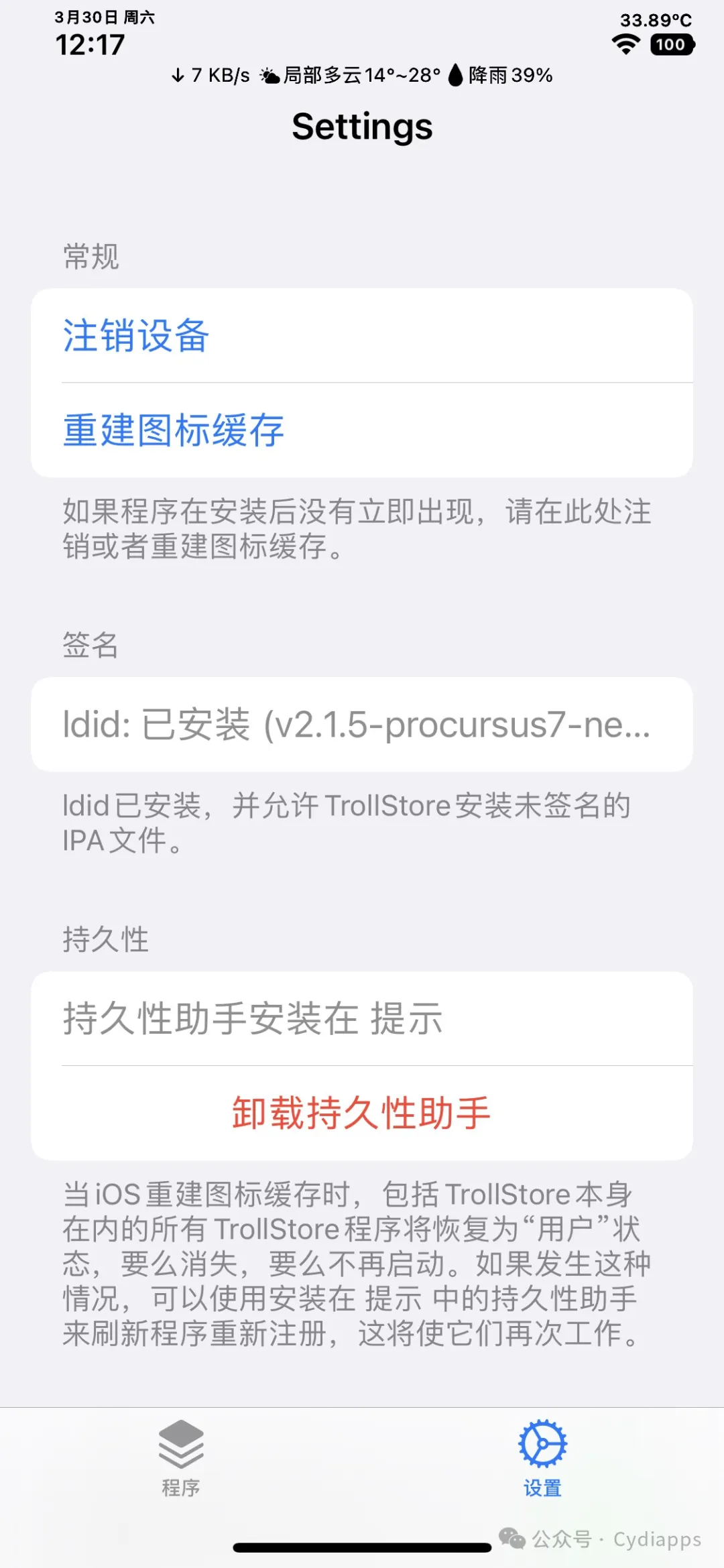
# 巨魔二代 iOS15.0-16.6.1 新手指南
[巨魔二代 iOS15.0-16.6.1 新手指南](https://mp.weixin.qq.com/s?__biz=Mzg5OTgzNTgxNQ==&mid=2247501758&idx=1&sn=2320b045097cbbacc74352b84e4b6f30&chksm=c04fb576f7383c60025081f01275fd0c668a8540f5d91065a845862b1da30b548c460e973ec7&token=1839537929&lang=zh_CN#rd)
# 公众号Cydiapps 持续更新巨魔IPA和使用教程

## iOS刷Android -安卓越狱苹果
[跳转=>iOS刷Android -安卓越狱苹果](https://mp.weixin.qq.com/s?__biz=Mzg5OTgzNTgxNQ==&mid=2247502831&idx=1&sn=fefc59a2c4ab363968fd966fc85b53ac&chksm=c04fb927f7383031afacc4f4cd67114cce6a7827c193d82ebf36a7a021fcdb9d4c89637b730d&token=482476876&lang=zh_CN#rd)
巨魔二代 更新支持 iOS16.5.1 - 16.6.1 (16.7)发布
## [巨魔二代 更新支持 iOS16.5.1 - 16.6.1 (16.7)发布](https://mp.weixin.qq.com/s?__biz=Mzg5OTgzNTgxNQ==&mid=2247499810&idx=1&sn=baa2a4d4788e11b5aa2728e9d6e853b4&chksm=c04fb2eaf7383bfc286ba52cee717d64e45063cdb6cf6026607ccfc717cf0e1fa8d29c744193&mpshare=1&scene=23&srcid=010325KqeD9sZ1JtPgQpP17y&sharer_shareinfo=fc90923edee2f19de2f26f72b9e1bcfe&sharer_shareinfo_first=fc90923edee2f19de2f26f72b9e1bcfe#rd)
## 安装指南: [巨魔2代安装教程](https://mp.weixin.qq.com/s?__biz=Mzg5OTgzNTgxNQ==&mid=2247498844&idx=1&sn=b497c933929829ae3775bfd5f9db2294&chksm=c04f8e94f73807822aff9f55a5abad8fb493a7a1a87e7fa3d3cc9e602d1ea5f2695419e25b92&mpshare=1&scene=23&srcid=1129WPEBZ0T9ak21rD5gAmiV&sharer_shareinfo=67a45866776d013ee0dd8d8fcd14e96e&sharer_shareinfo_first=67a45866776d013ee0dd8d8fcd14e96e#rd)
## 多巴胺二代 iOS 15.0 - 16.6.1 越狱指南 Dopamine 2.0 分享下载
# Dopamine 2.0
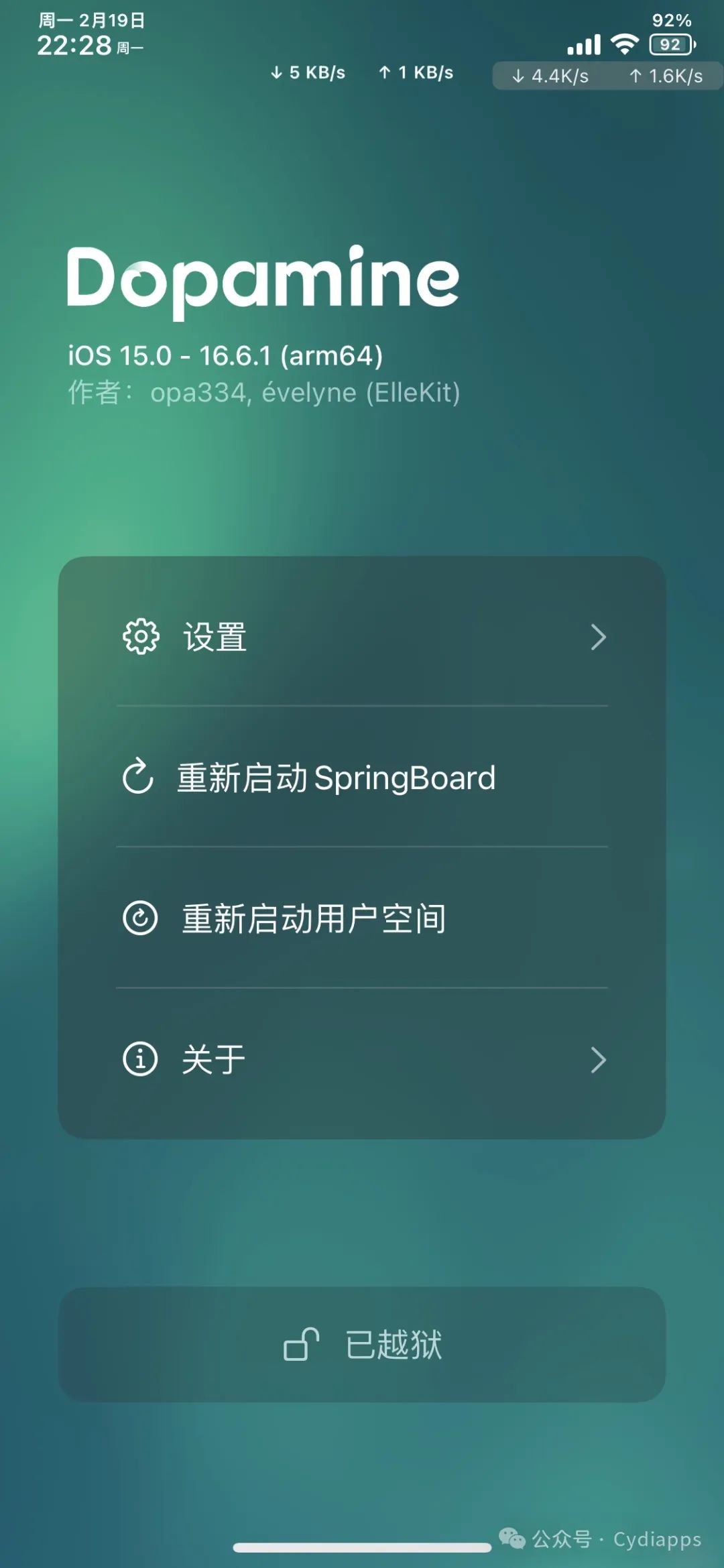
## 多巴胺二代 iOS 15.0 - 16.6.1 越狱指南 Dopamine 2.0 分享下载
## 教程指南: [多巴胺二代越狱指南](https://mp.weixin.qq.com/s?__biz=Mzg5OTgzNTgxNQ==&mid=2247501067&idx=1&sn=6f9f9593c45d306abefb8665ff2a4d56&chksm=c04fb7c3f7383ed5578eac45c7e117b981304dbcb03a110f6357ff8010903dda572e6aa1d082&mpshare=1&scene=23&srcid=0220VmDogq6j8CKck41UfAHA&sharer_shareinfo=958ba8519e1011f509a07fe8b5e6f55a&sharer_shareinfo_first=958ba8519e1011f509a07fe8b5e6f55a#rd)
使Xcode支持调试任意第三方签名的App或者进程,包括系统进程
使Xcode支持查看任意App界面布局
推荐使用deb这款插件: https://github.com/lich4/debugserver_azj
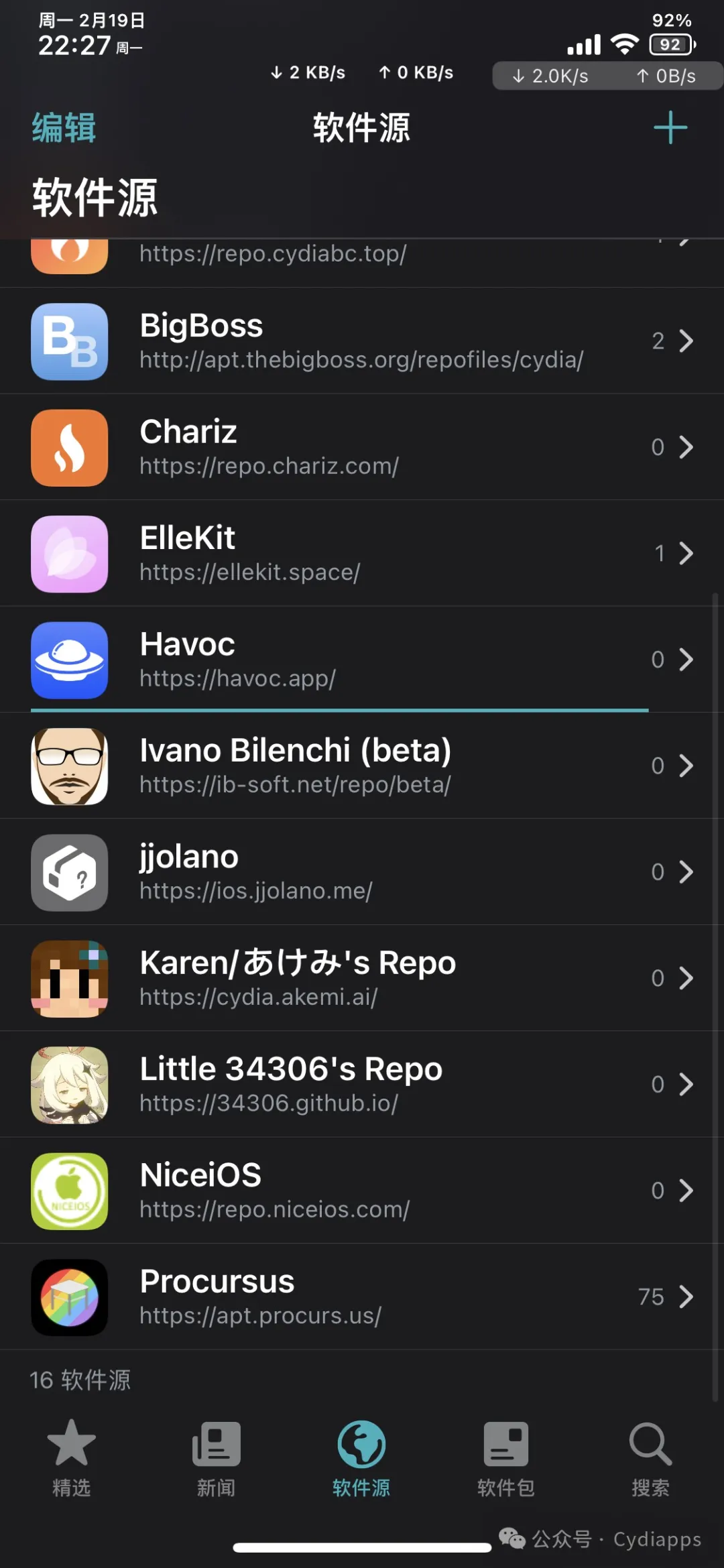
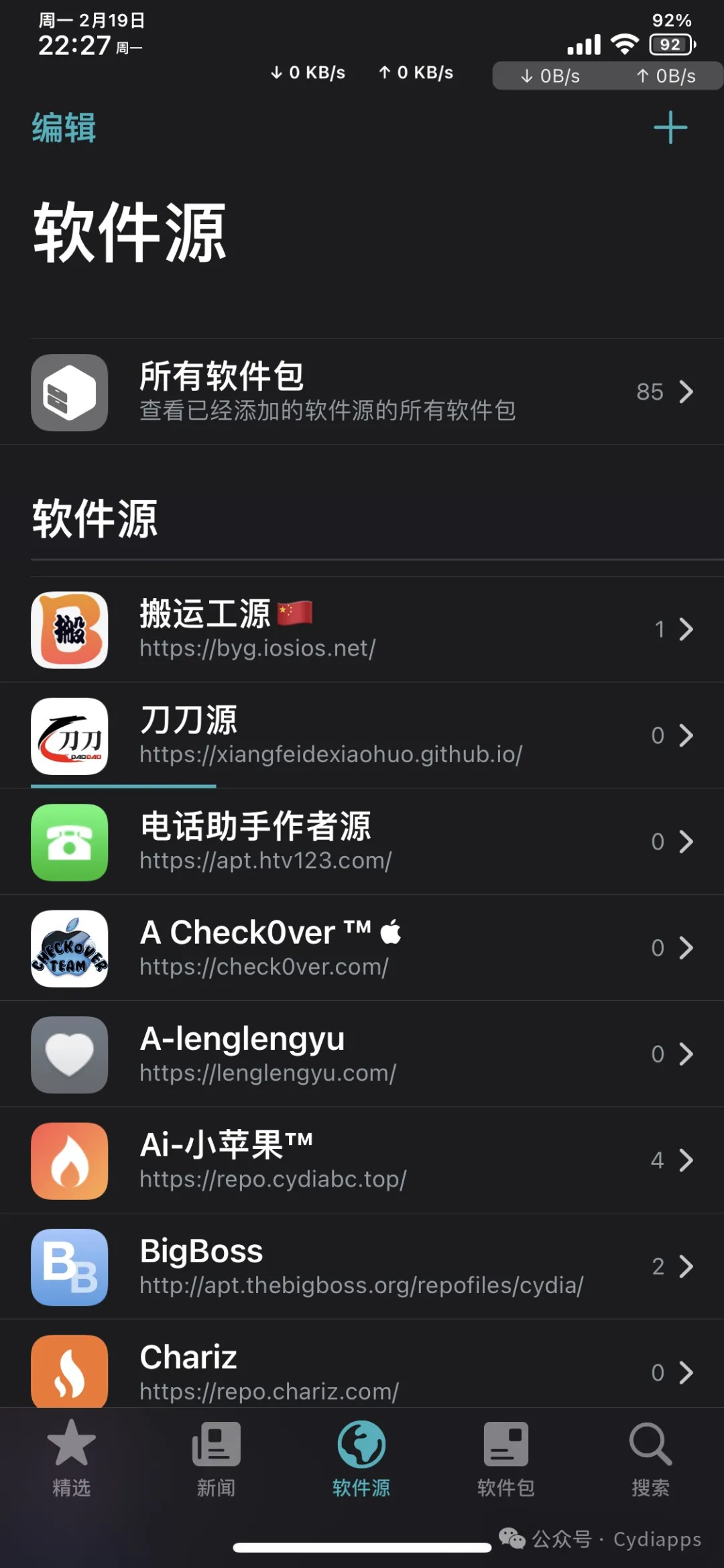
iOS 15.0 - 16.6.1越狱源推荐--看截图
TrollStore 官方网站:
https://github.com/opa334/TrollStore
# iOS巨魔商店 利用的漏洞
https://github.com/advisories/GHSA-fj3m-2r8f-m4x9
## 巨魔商店优点
```
完全免费
手机端直装任何的IPA
安装 IPA 后永不过期(不掉签)
无需帐户,无需证书,无需越狱
```
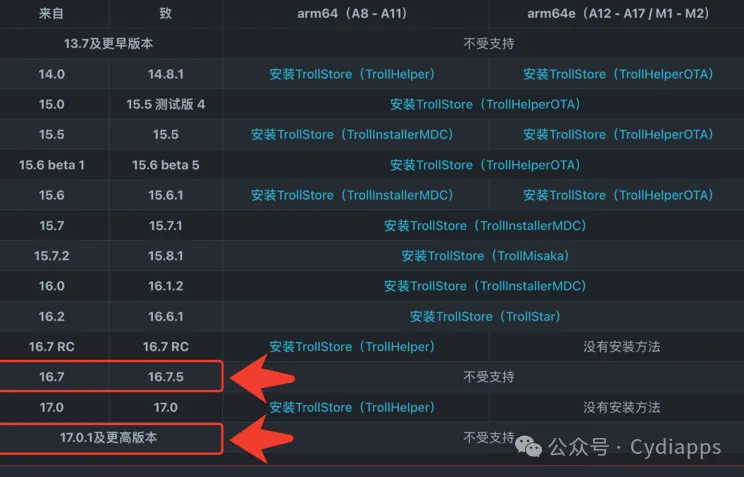
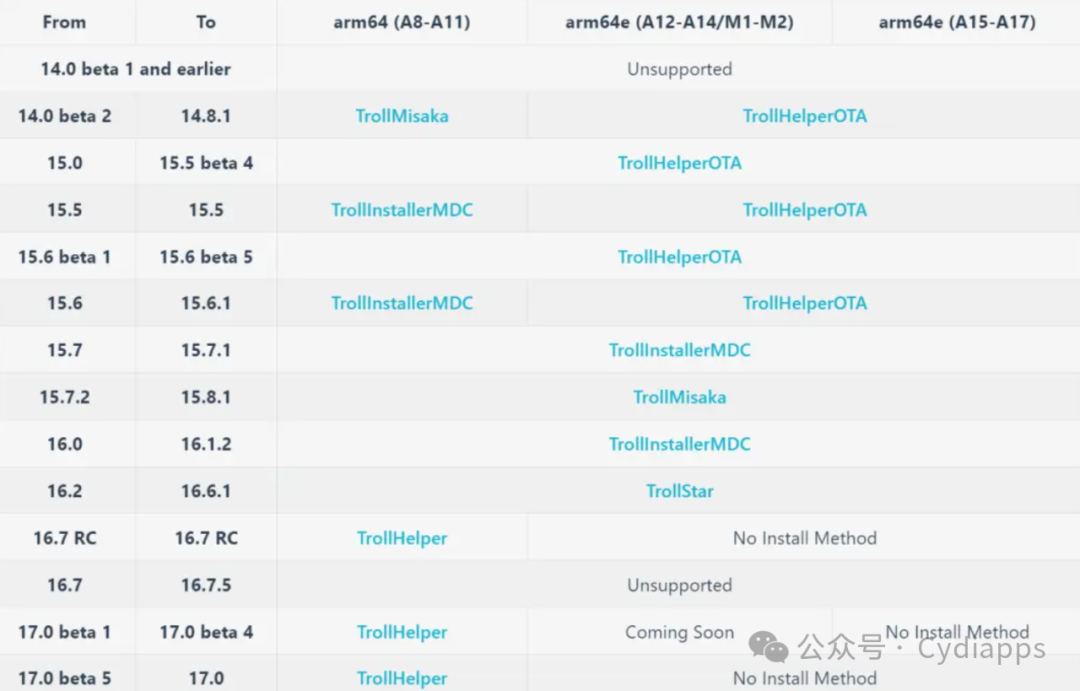
🔴iOS 14.0bata 1 及更早版本 + iOS 17.0.1及更高版本,永不支持安装巨魔!
🔴iOS 16.7 – 16.7.5 不支持安装(没有支持漏洞)
🟢iOS 17.0 beta1-5 支持安装,但是目前成功率不高,可以试试!!!
# TrollRecorder 巨魔录音机
🟡仅限使用 巨魔 TrollStore 用户
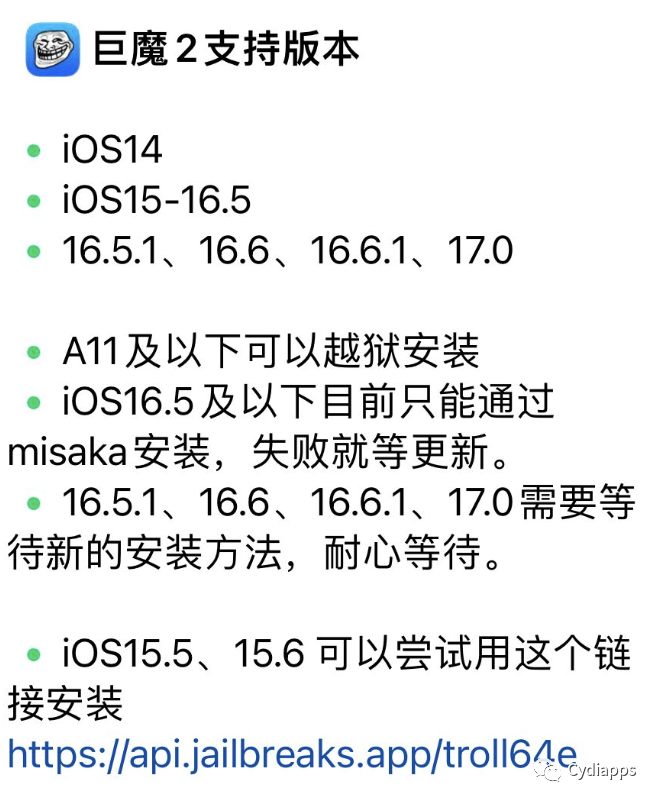
🔴支持系统:iOS 15.0 至 16.6.1 和 17.0 系统
🔵TrollRecorder中文名:巨魔录音机,是一款纯巨魔版通话录音,无需越狱环境
🟢国人开发团队开发,核心功能可免费使用。通话录音功能免费,使用简单,大家放心使用
巨魔录音机特点:
🟢UI界面风格好看
🟢录音支持所有(VX、YX)
🟢能实现自动启动通话录音
🟢支持应用程序启动期间启用生物识别验证
🟢能记录录音地址及搜索能力
🟢能为录音选择音频质量和格式
高级功能功能,需要付费38元,有验证的,最多 5台设备使用。
免费版:https://github.com/Lessica/TrollRecorder
付费版:https://havoc.app/package/trollrecorder
TrollStore 官方发布:
https://github.com/opa334/TrollStore/releases
# iOS巨魔商店 利用的漏洞
https://github.com/advisories/GHSA-fj3m-2r8f-m4x9
Description
A certificate validation issue was addressed. This issue is fixed in iOS 16.7 and iPadOS 16.7, OS 17.0.1 and iPadOS 17.0.1, watchOS 9.6.3, macOS Ventura 13.6, watchOS 10.0.1. A malicious app may be able to bypass signature validation. Apple is aware of a report that this issue may have been actively exploited against versions of iOS before iOS 16.7.
References
https://nvd.nist.gov/vuln/detail/CVE-2023-41991
https://support.apple.com/en-us/HT213926
https://support.apple.com/en-us/HT213927
https://support.apple.com/en-us/HT213928
https://support.apple.com/en-us/HT213929
https://support.apple.com/en-us/HT213931
https://support.apple.com/kb/HT213926
http://seclists.org/fulldisclosure/2023/Sep/14
http://seclists.org/fulldisclosure/2023/Sep/15
http://seclists.org/fulldisclosure/2023/Sep/16
http://seclists.org/fulldisclosure/2023/Sep/17
http://seclists.org/fulldisclosure/2023/Sep/19
http://seclists.org/fulldisclosure/2023/Oct/5

# 巨魔辅助安装器 Misaka
iOS customisation tool for KFD & MDC
#
About
======
The purpose of this application is to give iPhone users the ability to customise their phones without a jailbreak.
At this time we have over 24 default repositories and more than 400 tweaks available.
*Misaka is offered at no charge if somebody tried to sell it to you, report it*
#
Versions Supported
======
| iOS Versions | MDC | KFD |
| - | - | - |
| 15.0 - 15.7.1 | ✓ | - |
| 15.7.2 - 15.7.6 | - | ✓ |
| 16.0 - 16.1.2 | ✓ | - |
| 16.2 - 16.6 beta 1 | - | ✓ |
| 17.0 & up | - | - |
17.0 & up can use PiP tweaks
Download
======
You can download the latest version of misaka from here:
[Download IPA Here](https://github.com/straight-tamago/misaka/releases/latest)
*Misaka is available at no cost, you can install it through AltStore, Sideloadly or TrollStore*
Screenshots
==========

Installing TrollStore with misaka
======
[Official Guide](https://ios.cfw.guide/installing-trollhelper-misaka/)
下载链接: https://pan.baidu.com/s/1yDhkZ0fwbfcPr2sYTYKqNg?pwd=hedd
有问题可以 联系公众号Cydiapps
# iOS巨魔V2.0 安装指南 TrollStore 二代
# TrollSpeed 状态栏网速显示
# 安装 Theos 环境 指南
1、Mac需先安装Homebrew,参考Homebrew官网 https://brew.sh
2、终端命令 安装 ldid
brew install ldid
或
brew install ldid fakeroot
结果如下
Warning: ldid 2.1.4 is already installed and up-to-date.
To reinstall 2.1.4, run:
brew reinstall ldid
说明已经安装过
其中fakeroot作用是模拟root权限。
3、安装dpkg
brew install dpkg
提示如下错误:
==> Downloading https://mirrors.ustc.edu.cn/homebrew-bottles/perl-5.32.1_1.big_sur.bottle.tar.gz
##O=# #
curl: (22) The requested URL returned error: 404
Warning: Bottle missing, falling back to the default domain...
==> Installing dependencies for dpkg: perl and xz
==> Installing dpkg dependency: perl
==> Pouring perl-5.32.1_1.big_sur.bottle.tar.gz
tar: Error opening archive: Failed to open '/Users/username/Library/Caches/Homebrew/downloads/b1234--perl-5.32.1_1.big_sur.bottle.tar.gz'
Error: Failure while executing; `tar --extract --no-same-owner --file /Users/username/Library/Caches/Homebrew/downloads/b1234--perl-5.32.1_1.big_sur.bottle.tar.gz --directory /private/tmp/d20210618-19986-v9dv84` exited with 1. Here's the output:
tar: Error opening archive: Failed to open '/Users/username/Library/Caches/Homebrew/downloads/b1234--perl-5.32.1_1.big_sur.bottle.tar.gz'
经分析是
是bintray即将关闭,新版的homebrew去除了bintray相关,开始使用ghcr.io服务,而我本地的镜像仍然指向bintray
解决方案1
既然这个镜像下载不了perl-5.32.1_1.big_sur.bottle,那我们干脆直接去对应网站https://bintray.com 手动下载perl-5.32.1_1.big_sur.bottle,然后把下载后的perl-5.32.1_1.big_sur.bottle放在本地对应的目录即可安装。
根据报错的提示,把下载后的perl-5.32.1_1.big_sur.bottle放入/Users/username/Library/Caches/Homebrew/downloads/下面并重命名为
b1234--perl-5.32.1_1.big_sur.bottle.tar.gz
然后终端执行命令
brew install dpkg
发现不用再去下载,安装成功,结果如下
==> Downloading https://mirrors.ustc.edu.cn/homebrew-bottles/perl-5.32.1_1.big_sur.bottle.tar.gz
Already downloaded: /Users/username/Library/Caches/Homebrew/downloads/b1234--perl-5.32.1_1.big_sur.bottle.tar.gz
==> Downloading https://mirrors.ustc.edu.cn/homebrew-bottles/xz-5.2.5.big_sur.bottle.tar.gz
Already downloaded: /Users/username/Library/Caches/Homebrew/downloads/c5678--xz-5.2.5.big_sur.bottle.tar.gz
==> Downloading https://mirrors.ustc.edu.cn/homebrew-bottles/dpkg-1.20.9.big_sur.bottle.tar.gz
Already downloaded: /Users/username/Library/Caches/Homebrew/downloads/b9804--dpkg-1.20.9.big_sur.bottle.tar.gz
==> Installing dependencies for dpkg: perl and xz
==> Installing dpkg dependency: perl
==> Pouring perl-5.32.1_1.big_sur.bottle.tar.gz
==> Caveats
By default non-brewed cpan modules are installed to the Cellar. If you wish
for your modules to persist across updates we recommend using `local::lib`.
You can set that up like this:
PERL_MM_OPT="INSTALL_BASE=$HOME/perl5" cpan local::lib
echo 'eval "$(perl -I$HOME/perl5/lib/perl5 -Mlocal::lib=$HOME/perl5)"' >> ~/.zshrc
==> Summary
🍺 /usr/local/Cellar/perl/5.32.1_1: 2,467 files, 65MB
==> Installing dpkg dependency: xz
==> Pouring xz-5.2.5.big_sur.bottle.tar.gz
🍺 /usr/local/Cellar/xz/5.2.5: 95 files, 1.4MB
==> Installing dpkg
==> Pouring dpkg-1.20.9.big_sur.bottle.tar.gz
==> Caveats
This installation of dpkg is not configured to install software, so
commands such as `dpkg -i`, `dpkg --configure` will fail.
==> Summary
🍺 /usr/local/Cellar/dpkg/1.20.9: 616 files, 14.2MB
==> `brew cleanup` has not been run in 30 days, running now...
Removing: /usr/local/Cellar/openssl@1.1/1.1.1j... (8,071 files, 18.5MB)
Removing: /Users/username/Library/Logs/Homebrew/chisel... (64B)
Pruned 0 symbolic links and 6 directories from /usr/local
==> Caveats
==> perl
By default non-brewed cpan modules are installed to the Cellar. If you wish
for your modules to persist across updates we recommend using `local::lib`.
You can set that up like this:
PERL_MM_OPT="INSTALL_BASE=$HOME/perl5" cpan local::lib
echo 'eval "$(perl -I$HOME/perl5/lib/perl5 -Mlocal::lib=$HOME/perl5)"' >> ~/.zshrc
==> dpkg
This installation of dpkg is not configured to install software, so
commands such as `dpkg -i`, `dpkg --configure` will fail.
解决方案2
解决方案2我没有尝试,仅做记录。
查阅资料,有的说去掉本地的镜像即可,使用如下命令临时修改
export HOMEBREW_BOTTLE_DOMAIN=''
也可以根据电脑实际情况打开对应的配置文件进行修改
vim ~/.bash_profile
或
vim ~/.zshrc
4、GitHub上下载theos代码并放到本地/opt/theos目录,
recursive参数作用是拉取所有子模块。
sudo git clone --recursive https://github.com/theos/theos.git /opt/theos
下载安装theos过程中有时会遇到下载失败或其子模块下载安装失败,此时要到/opt目录下把theos删除掉,然后重新下载,最好一次包括子模块全部下载成功。
5、修改theos权限
sudo chown $(id -u):$(id -g) /opt/theos
或
sudo chown -R $(id -u):$(id -g) /opt/theos
6、配置环境变量,根据本地电脑实际情况,打开对应配置文件
vim ~/.bash_profile
或
vim ~/.zshrc
写入如下配置
export THEOS=/opt/theos
export PATH=/opt/theos/bin/:$PATH
:wq保存退出
如果电脑默认为zsh且theos的环境变量配置在~/.bash_profile中,
那么需要
vim ~/.zshrc
然后在~/.zshrc中写入
source ~/.bash_profile
source /etc/profile
并:wq保存退出。
然后终端执行
source ~/.bash_profile
或
source ~/.zshrc
7、验证theos是否安装成功
终端命令
nic.pl
得到如下结果,表示成功
NIC 2.0 - New Instance Creator
------------------------------
[1.] iphone/activator_event
[2.] iphone/activator_listener
[3.] iphone/application_modern
[4.] iphone/application_swift
[5.] iphone/cydget
[6.] iphone/flipswitch_switch
[7.] iphone/framework
[8.] iphone/library
[9.] iphone/notification_center_widget
[10.] iphone/notification_center_widget-7up
[11.] iphone/preference_bundle_modern
[12.] iphone/theme
[13.] iphone/tool
[14.] iphone/tool_swift
[15.] iphone/tweak
[16.] iphone/tweak_with_simple_preferences
[17.] iphone/xpc_service
Choose a Template (required):
如果出现
zsh: command not found:nic.pl
说明theos安装失败,重复以上操作,确保克隆theos.git时包括子模块一次性完整的成功,然后正确配置环境变量.
下载地址: https://github.com/Lessica/TrollSpeed


