# MineAdmin
**Repository Path**: mineadmin/mineadmin
## Basic Information
- **Project Name**: MineAdmin
- **Description**: 🎉🎉🎉 MineAdmin是基于Hyperf框架 和 Vue3+Vite4 开发的前后端分离权限管理系统,自适应多终端。特色:后端 crud 生成 + 前端低代码 json 化配置
- **Primary Language**: PHP
- **License**: Apache-2.0
- **Default Branch**: master
- **Homepage**: https://www.mineadmin.com
- **GVP Project**: No
## Statistics
- **Stars**: 1560
- **Forks**: 460
- **Created**: 2020-05-20
- **Last Updated**: 2026-09-22
## Categories & Tags
**Categories**: backend
**Tags**: PHP, Vue, Swoole, hyperf, ArcoDesign
## README
中文 | [English](./README-en.md) | [日本語](./README-ja.md)
# MineAdmin

官网 |
文档 |
演示
MineAdmin 是一套开箱即用的后台管理系统,适合快速搭建网站后台、运营平台、权限中心、内部管理系统、CMS、CRM、OA、ERP 等业务应用。
它已经内置了企业后台常用的组织、用户、权限、菜单、日志、附件、应用市场等能力。你可以直接用它管理业务,也可以在它的基础上扩展自己的模块,把更多时间放在业务本身。
在使用 MineAdmin 前,请认真阅读并同意[《免责声明》](https://www.mineadmin.com/about/declaration)。
## 前端仓库地址
移步前端仓库
- [Github MineAdmin-Vue](https://github.com/mineadmin/MineAdmin-Vue)
- [Gitee MineAdmin-Vue](https://gitee.com/mineadmin/MineAdmin-vue)
## 适合用来做什么
- 搭建企业内部管理后台,例如人员、部门、岗位、角色、权限等基础管理。
- 搭建业务运营平台,例如内容管理、客户管理、订单管理、流程管理、报表看板等。
- 作为新项目的后台基础工程,直接复用登录、权限、菜单、日志、附件上传等通用能力。
- 作为插件化应用平台,通过应用市场安装、卸载或扩展更多业务功能。
- 为团队提供统一的后台体验,包括多语言、主题配置、布局切换、标签页、面包屑、水印等界面能力。
## 内置功能
### 账号与权限
- 用户管理:支持用户新增、编辑、删除、禁用、初始化密码、分配角色等操作。
- 角色管理:按角色分配菜单权限和按钮权限,控制不同人员可访问、可操作的范围。
- 菜单管理:维护后台菜单、路由、按钮权限、外链、iframe 页面、排序、缓存、隐藏状态等。
- 数据权限:可按岗位或用户设置数据可见范围,让不同成员只看到自己权限内的数据。
- 登录认证:提供后台登录、令牌校验、权限校验和当前用户信息获取能力。
### 组织架构
- 部门管理:维护公司、机构、团队等层级组织结构。
- 岗位管理:在部门下维护岗位,并将用户分配到对应岗位。
- 负责人管理:可为部门设置负责人,便于组织关系和管理责任追踪。
- 人员查看:可围绕部门查看关联用户,快速了解组织成员分布。
### 日志审计
- 登录日志:记录用户登录时间、登录 IP、浏览器、登录状态和提示信息。
- 操作日志:记录用户在系统中的关键操作、请求方式、访问路由、业务名称和操作时间。
- 权限审计:结合角色、菜单、按钮和数据权限,帮助定位用户可访问资源来源。
### 数据与文件
- 附件管理:统一管理系统上传的文件、图片等资源。
- 文件上传:提供后台上传入口,并记录上传人、文件信息等数据。
- 数据中心:为后续业务数据、文件资源和扩展模块提供统一管理入口。
### 应用扩展
- 应用市场:支持查看应用、插件和前端组件,按需下载、安装、卸载。
- 本地应用:支持查看本地已安装应用,也可以上传本地应用包。
- 插件扩展:适合把独立业务能力封装成插件,减少主系统改动。
### 后台体验
- 工作台与数据看板:提供工作台、分析页、报表页等后台首页示例。
- 个人中心:支持个人资料维护、密码修改等常用账户操作。
- 多语言:内置简体中文、繁体中文、英文等语言资源。
- 主题与布局:支持亮色、暗色、跟随系统、主题色、经典布局、分栏布局、混合布局等配置。
- 常用交互:内置标签页、面包屑、全屏、搜索、通知、快捷入口、水印、返回顶部等后台常见体验。
## 快速开始
MineAdmin 使用迁移文件完成安装和初始化数据,不需要手动导入 SQL 文件。
请先确保本地已安装 `Composer`,然后执行:
```shell
composer create-project mineadmin/mineadmin --keep-vcs
```
更完整的安装、配置、部署和开发说明,请查看[官方文档](https://doc.mineadmin.com)。
## 体验地址
[在线演示](https://demo.mineadmin.com)
- 账号:`admin`
- 密码:`123456`
> 演示环境供体验使用,请勿添加无关数据。
## 环境要求
- PHP >= 8.1
- Swoole >= 5.0,并关闭 `Short Name`
- Redis >= 4.0
- MySQL >= 5.7 / PostgreSQL >= 10 / SQL Server
- Git >= 2.x
## 官方交流
> QQ 群用于交流学习,请勿水群。
 ## 战略合作
[京策盾高防 CDN - 抗 DDOS/CC 网络攻击的可靠服务商](https://www.jcdun.com/guoneigaofangcdn)
## 免责声明
[《免责声明》](https://doc.mineadmin.com/guide/start/declaration.html)
使用本软件不得用于开发违反国家有关政策的相关软件和应用。若因使用本软件造成任何法律责任,均与 `MineAdmin` 无关。
## 鸣谢
> 以下排名不分先后。
[Hyperf](https://hyperf.io/)
[Element Plus](https://element-plus.org/)
[Swoole](https://www.swoole.com)
[Vue](https://vuejs.org/)
[Vite](https://vitejs.cn/)
[JetBrains](https://www.jetbrains.com/)
## 通过 OSCS 安全认证
[](https://www.murphysec.com/dr/9ztZvuSN6OLFjCDGVo)
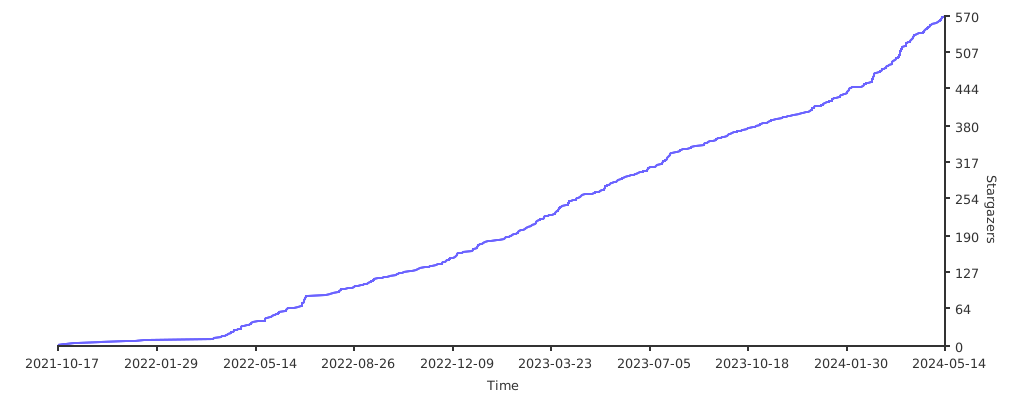
## Star 趋势
[](https://starchart.cc/mineadmin/mineadmin.svg)
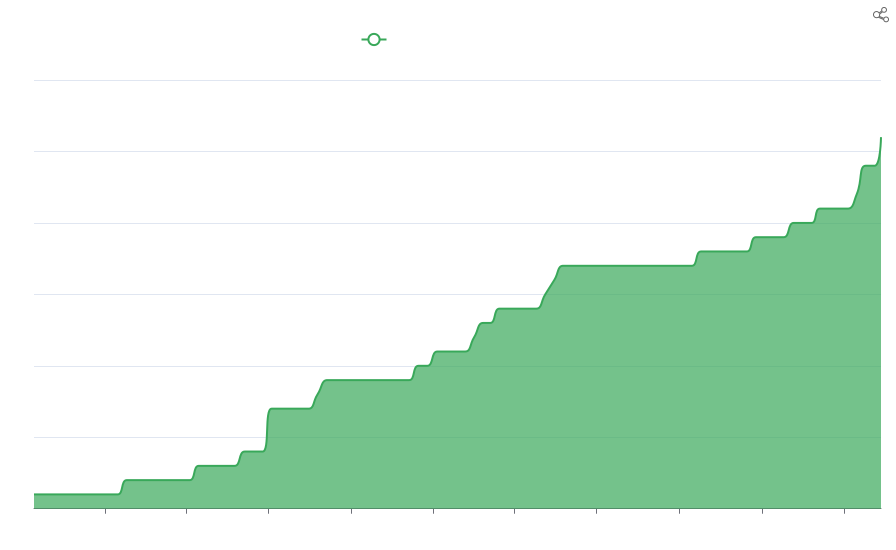
## 贡献者
> 感谢所有参与 MineAdmin 开发的代码贡献者。[[contributors](https://github.com/mineadmin/mineadmin/graphs/contributors)]
## 战略合作
[京策盾高防 CDN - 抗 DDOS/CC 网络攻击的可靠服务商](https://www.jcdun.com/guoneigaofangcdn)
## 免责声明
[《免责声明》](https://doc.mineadmin.com/guide/start/declaration.html)
使用本软件不得用于开发违反国家有关政策的相关软件和应用。若因使用本软件造成任何法律责任,均与 `MineAdmin` 无关。
## 鸣谢
> 以下排名不分先后。
[Hyperf](https://hyperf.io/)
[Element Plus](https://element-plus.org/)
[Swoole](https://www.swoole.com)
[Vue](https://vuejs.org/)
[Vite](https://vitejs.cn/)
[JetBrains](https://www.jetbrains.com/)
## 通过 OSCS 安全认证
[](https://www.murphysec.com/dr/9ztZvuSN6OLFjCDGVo)
## Star 趋势
[](https://starchart.cc/mineadmin/mineadmin.svg)
## 贡献者
> 感谢所有参与 MineAdmin 开发的代码贡献者。[[contributors](https://github.com/mineadmin/mineadmin/graphs/contributors)]
 [](https://www.apiseven.com/en/contributor-graph?chart=contributorOverTime&repo=mineadmin/mineadmin)
## 演示图片
[](https://imgse.com/i/pAdQKPJ)
[](https://imgse.com/i/pAdQlx1)
[](https://imgse.com/i/pAdQQ2R)
[](https://imgse.com/i/pAdQGqK)
[](https://imgse.com/i/pAdQYVO)
[](https://imgse.com/i/pAdQNIe)
[](https://imgse.com/i/pAdQaPH)
[](https://imgse.com/i/pAdQdGd)
[](https://www.apiseven.com/en/contributor-graph?chart=contributorOverTime&repo=mineadmin/mineadmin)
## 演示图片
[](https://imgse.com/i/pAdQKPJ)
[](https://imgse.com/i/pAdQlx1)
[](https://imgse.com/i/pAdQQ2R)
[](https://imgse.com/i/pAdQGqK)
[](https://imgse.com/i/pAdQYVO)
[](https://imgse.com/i/pAdQNIe)
[](https://imgse.com/i/pAdQaPH)
[](https://imgse.com/i/pAdQdGd)