# pyobd
**Repository Path**: xulishow520/pyobd
## Basic Information
- **Project Name**: pyobd
- **Description**: No description available
- **Primary Language**: Python
- **License**: GPL-2.0
- **Default Branch**: main
- **Homepage**: None
- **GVP Project**: No
## Statistics
- **Stars**: 0
- **Forks**: 0
- **Created**: 2024-12-26
- **Last Updated**: 2025-08-22
## Categories & Tags
**Categories**: Uncategorized
**Tags**: None
## README
#  PYOBD
This is the remake of the program pyobd, a free and open-source program for car diagnostics. The program was originally made by Donour Sizemore a long time ago, but it wasn't operational for the last 15 years, so I upgraded it from Python 2 to Python 3 and all the new libraries to make it work again. After that, I deleted the fixed commands and used the Python-OBD library, which supports a lot more commands and auto-detects what a cars computer supports, so it displays much more data than before. It works on all platforms - Windows, Linux and MacOS.
## Presentation on YouTube
[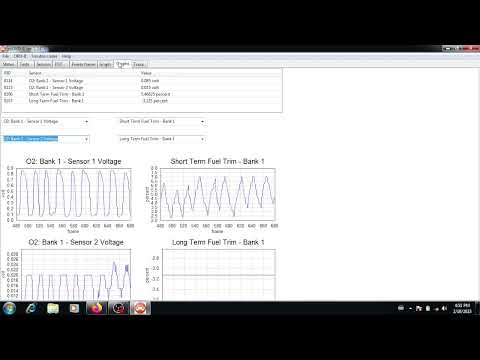](https://www.youtube.com/watch?v=iKAnw_N8HbE)
# Table of Contents
1. [PYOBD](#pyobd)
- [Overview](#overview)
- [Prerequisites](#prerequisites)
- [Installation](#installation)
- [Windows](#windows-installation)
- [Linux](#linux-installation)
- [MacOS](#macos-installation)
- [Usage](#usage)
- [Running the Script](#running-the-script)
- [Windows](#windows-script)
- [Linux](#linux-script)
- [MacOS](#macos-script)
- [Creating the Executable](#creating-the-executable)
- [Windows](#windows-executable)
- [Linux](#linux-executable)
- [MacOS](#macos-executable)
- [To-Do List](#to-do-list)
## Prerequisites:
You need an ELM327 adapter, a laptop, and a car that supports OBD2 to use this program. All cars in Europe made since 2001 should support it. And in the USA, all cars made since 1996.
**Which ELM327 adapters have been reported to work? Most if not all adapters for $10 or more should work.**
This is the list of the ones I tried and worked:
* VGate Vlinker FS USB
* [OBDPro USB Scantool](http://www.obdpros.com/product_info.php?products_id=133)
* [OBDLink SX USB](https://www.obdlink.com/products/obdlink-sx/)
* Chinese OBD2 1.5 USB
* VGate iCar Pro BLE (Bluetooth 4.0).
**Please write to me which adapters you have tested working with the app, so I can include it in the list. My e-mail is at the bottom of this readme.**
**NOTE: Both USB and bluetooth adapters work with this app, but under Linux I had to pair the bluetooth adapter manually via command line and then manually connect to it. It's probably because bluetooth GUI managers under Linux are buggy.**
**Which adapters are good?**
* These may work, but not fully, and the ones that work (at least mostly) properly are $10 or more. There are multiple reasons why a good adapter is not the cheapest. OBDLink makes good adapters, as does VGate; their adapters also receive firmware updates, so while they are already very good, they keep improving. This is what I found out after googling and reading about it for 3 days.
* USB Adapters
* I recommend USB adapters for a stable and fast connection.
* USB vLinker FS USB
* If you want a trusted, good adapter, then I think the current USB vLinker FS USB is the best and has a good price.
* Blutetooth Adapters
* Bluetooth is slower and less reliable, and wireless has been reported as worse.
* Vgate iCAR Pro
* My reccomended choice of bluetooth adapter.
* Chinese clones
* If you really want to go buy a Chinese clone, I recommend one that has a **PIC18F25K80 chip and FTDI chip (for USB)**, but even then, the firmware is also a factor; 1.5 should be best (for a Chinese clone), but who knows what you will get. I. If you want an affordable Chinese Elm327 that is branded, then go with the Konnwei KW903. It's about $15 with postage included. But iCar Pro is better.
## Installation
You may need to install libnsl when using linux if it didn't come prepacked with it
### Windows-Installation
Download the standalone executable and install the driver for your ELM327 device.
If you have not received a driver with your adapter, then the drivers can be found [here](http://www.totalcardiagnostics.com/support/Knowledgebase/Article/View/1/0/how-to-install-elm327-usb-cable-on-windows-and-obd2-software)
### Linux-Installation
Download the standalone executable and add your user account the privileges of accesing USB and serial ports:
**Note: After running these commands log out and log back in for it to take effect(or restart)**
```bash
sudo usermod -a -G dialout $USER
sudo usermod -a -G tty $USER
```
For bluetooth adapters, you will probably need to install this:
```bash
sudo apt-get install bluetooth bluez-utils blueman
```
### MacOS-Installation
Download the standalone executable and add your user account the privileges of accesing USB and serial ports:
**Note: After running these commands log out and log back in for it to take effect(or restart)**
```bash
sudo usermod -a -G dialout $USER
sudo usermod -a -G tty $USER
```
## Usage
For bluetooth adapters, you will need to pair the adapter once and then connect to it(for some reason on Linux I had to connect to it manually via command line).
Run the executable or the script, connect the ELM327 to the computer and the car's OBD port, set the iginition on the car to on(you don't have to start the engine) and click CONNECT in the app. To connect, go to Configure, select the right port and the right baudrate and click connect. You can leave it at AUTO and connect, but it will take longer to connect and in some cases it will not connect. Manual is safest and fastest, but AUTO works in most cases.\
**UPDATE: automatic port and baud detection should now work every time!**
The data will display once you are connected, although most of the sensors display data only when the engine is running. If you connected and then turn the engine on, you have to wait a bit so that the program reconnects.
The program was made with ease of use in mind. With it you can view TESTS data, SENSORS data, FREEZE FRAME data, display and clear the TROUBLE CODES and view live GRAPHS. Currently it only displays live data - no recording and replay is possible.
**NOTE: The program only displays the engine data, not airbags, ABS and body control systems. Even if your adapter supports that, you will need a more specialized program for that.**
## Running the script
Install Python3 if not installed already.
You may need to install libsnl when using linux if it didn't come prepacked with it
### Windows-Script
```bash
pip install -r requirements.txt
```
The script is executed by running:
```bash
python3 pyobd.py
```
### Linux-Script
On Debian 10 and 11 and on Ubuntu, type these commands to install the requirements(on Ubuntu replace libgstreamer-plugins-base1.0 with libgstreamer-plugins-base1.0-0):
```bash
sudo apt-get install dpkg-dev build-essential libjpeg-dev libtiff-dev libsdl1.2-dev libgstreamer-plugins-base1.0 libnotify-dev freeglut3 freeglut3-dev libsm-dev libgtk-3-dev libwebkit2gtk-4.0-dev libxtst-dev gettext python3-dev python3-pip
sudo apt-get install python3-pip
pip3 install --upgrade pyinstaller
pip3 install --upgrade pip
sudo apt install libglib2.0-dev libsmbclient-dev libcups2-dev libgirepository1.0-dev libcurl4-openssl-dev libssl-dev libsystemd-dev librsync-dev
pip3 install -r requirements.txt
```
For Ubuntu Nobel, the following should be enough to get pyobd.py to run, instead of the above
```bash
sudo apt-get install dpkg-dev build-essential libjpeg-dev libtiff-dev libsdl1.2-dev libgstreamer-plugins-base1.0-0 libnotify-dev libglut-dev libglut3.12 libsm-dev libgtk-3-dev libwebkit2gtk-4.1-dev libxtst-dev gettext python3-dev python3-pip
sudo apt install wxpython-tools numpy python3-tornado python3-pint python3-six
```
**Note: After running the commands below log out and log back in for it to take effect(or restart)**
```bash
sudo usermod -a -G dialout $USER
sudo usermod -a -G tty $USER
```
The script is executed by running:
```bash
python3 pyobd.py
```
### MacOS-Script
run:
**Note: After running the commands below log out and log back in for it to take effect(or restart)**
```bash
pip install -r requirements.txt
sudo usermod -a -G dialout $USER
sudo usermod -a -G tty $USER
```
The script is executed by running:
```bash
python3 pyobd.py
```
## Creating the executable
Install Python3 if not installed already.
You may need to install libsnl when using linux if it didn't come prepacked with it
### Windows-Executable
run:
```bash
pip3 install -r requirements.txt
pip3 install pyinstaller
pip3 install --upgrade pip
pip3 install --upgrade pyinstaller
pyinstaller --onefile -c -i pyobd.ico --add-data "pyobd.ico;." pyobd.py
```
### Linux-Executable
On Debian 10 and 11 and on Ubuntu, type these commands to install the requirements(on Ubuntu replace libgstreamer-plugins-base1.0 with libgstreamer-plugins-base1.0-0):
```bash
sudo apt-get install dpkg-dev build-essential libjpeg-dev libtiff-dev libsdl1.2-dev libgstreamer-plugins-base1.0 libnotify-dev freeglut3 freeglut3-dev libsm-dev libgtk-3-dev libwebkit2gtk-4.0-dev libxtst-dev gettext python3-dev python3-pip
sudo apt-get install python3-pip
pip3 install --upgrade pyinstaller
pip3 install --upgrade pip
sudo apt install libglib2.0-dev libsmbclient-dev libcups2-dev libgirepository1.0-dev libcurl4-openssl-dev libssl-dev libsystemd-dev librsync-dev
```
run:
```bash
pip3 install -r requirements.txt
pip3 install pyinstaller
pyinstaller --onefile -w -i pyobd.ico --add-data "pyobd.ico:." pyobd.py
```
### MacOS-Executable
run:
```bash
pip3 install -r requirements.txt
pip3 install pyinstaller
python3 -m PyInstaller --onefile -w -i pyobd.ico --add-data "pyobd.ico:." pyobd.py
```
## TO-DO LIST:
### Adding sensor data recording and replay feature.
