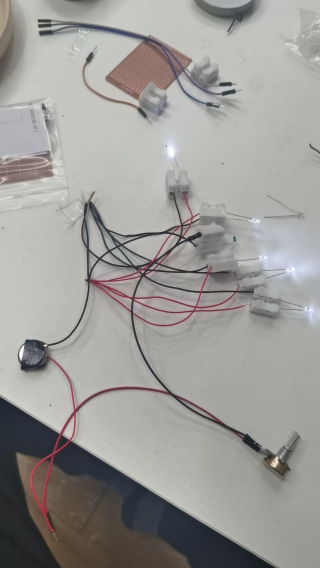
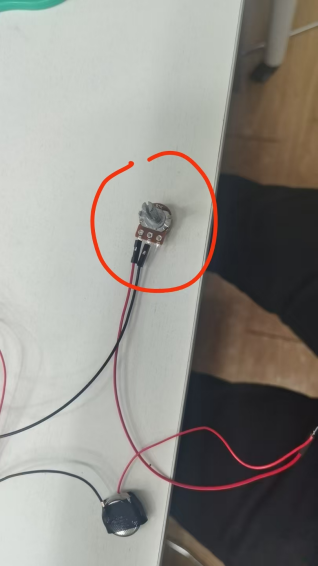
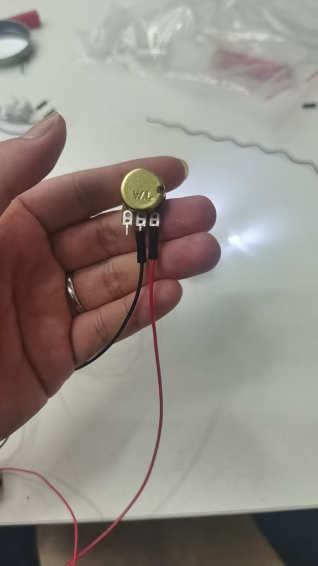
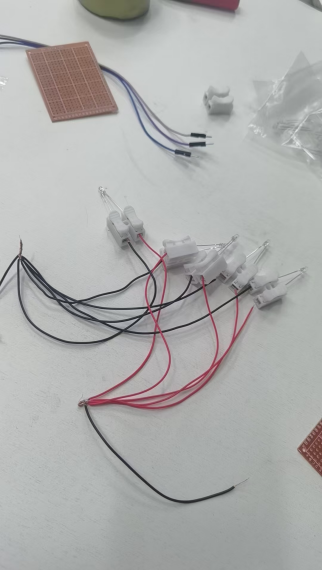
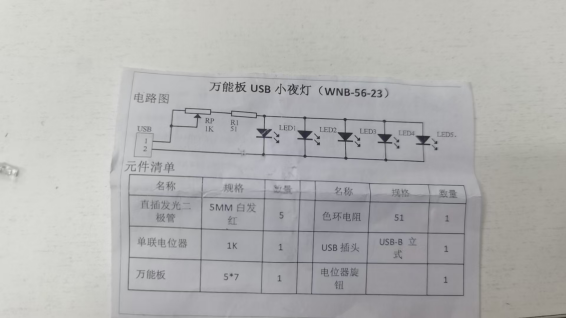
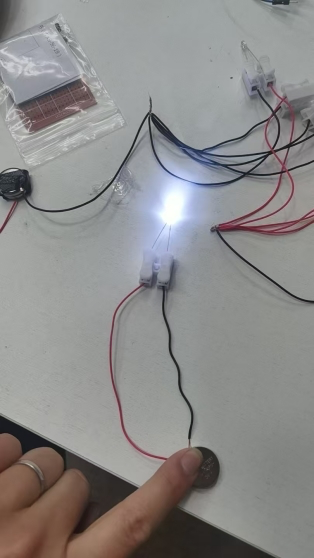
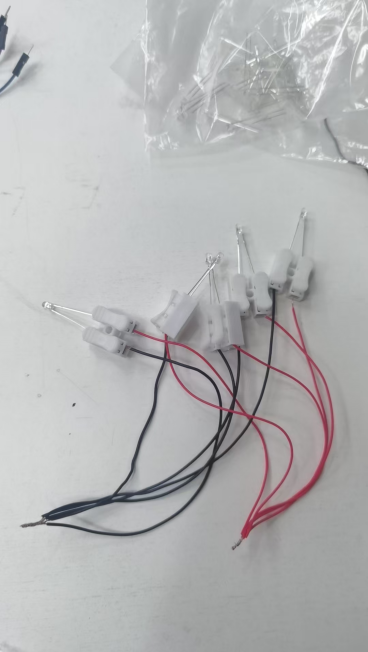
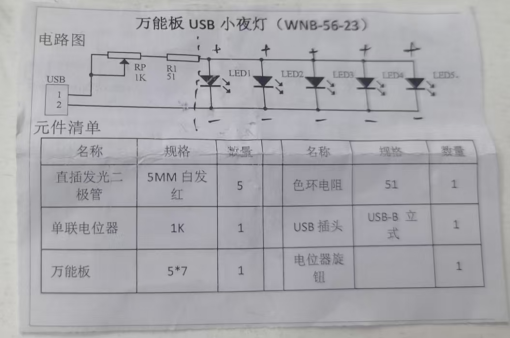
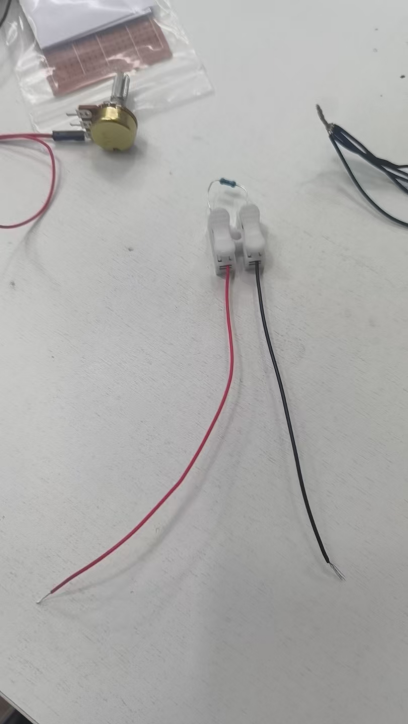
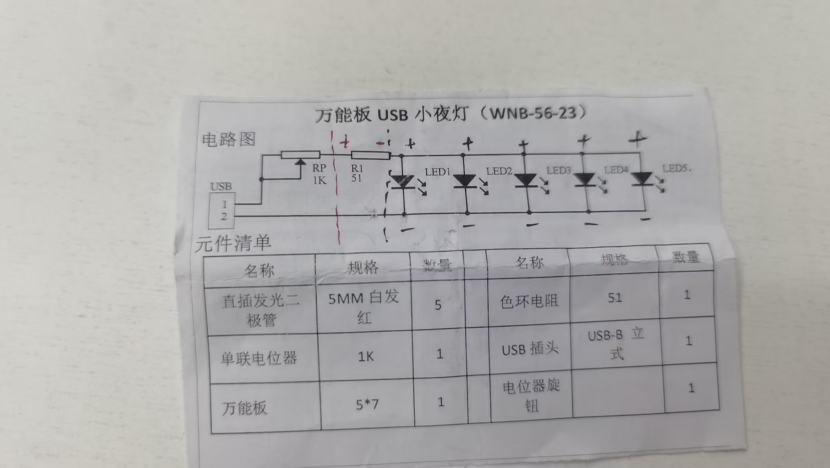
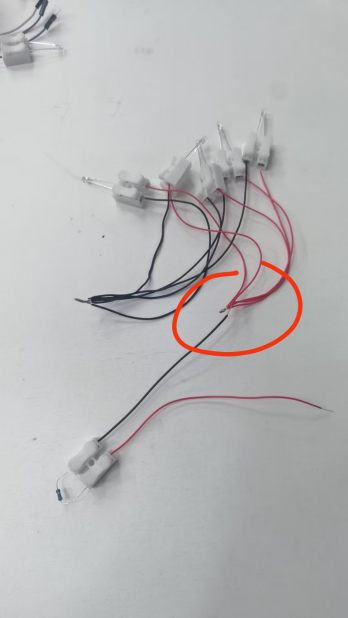
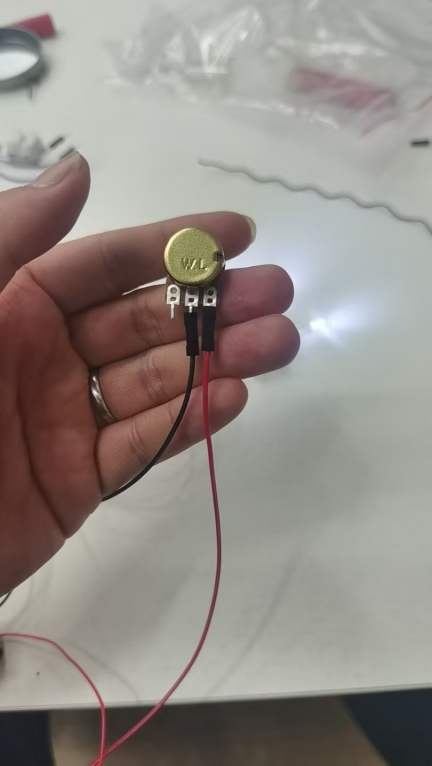
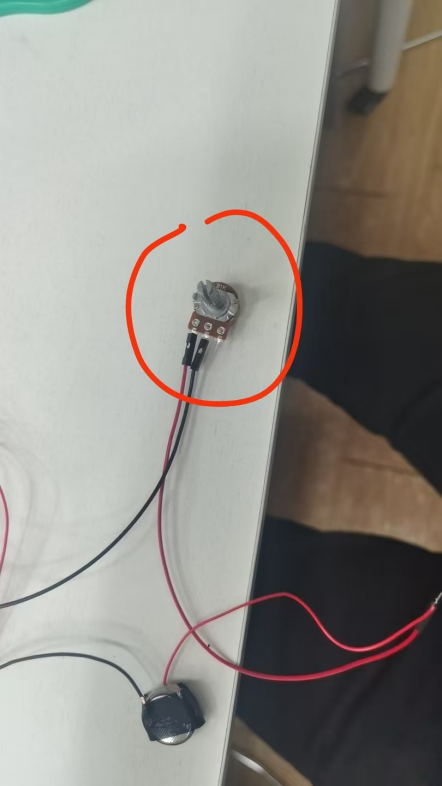
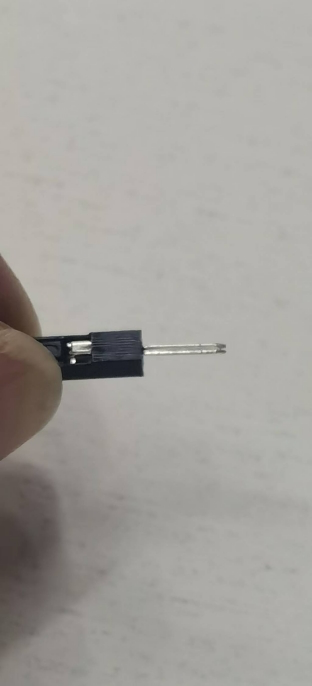
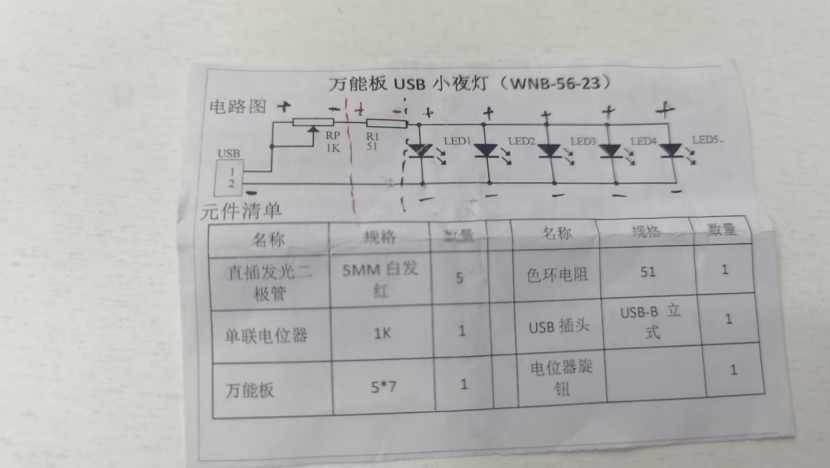
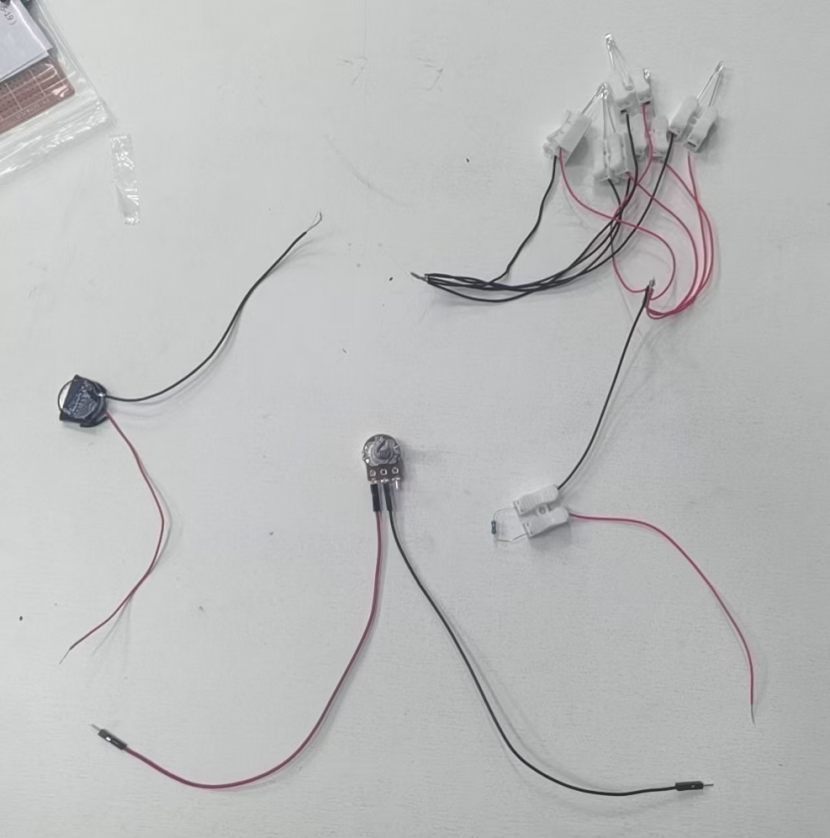
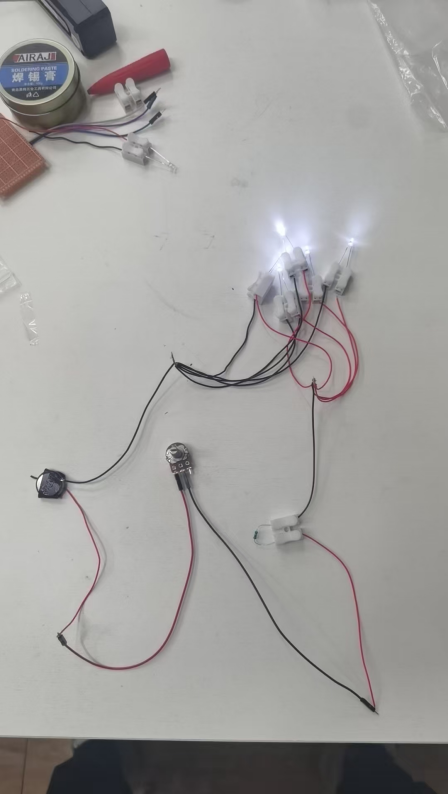
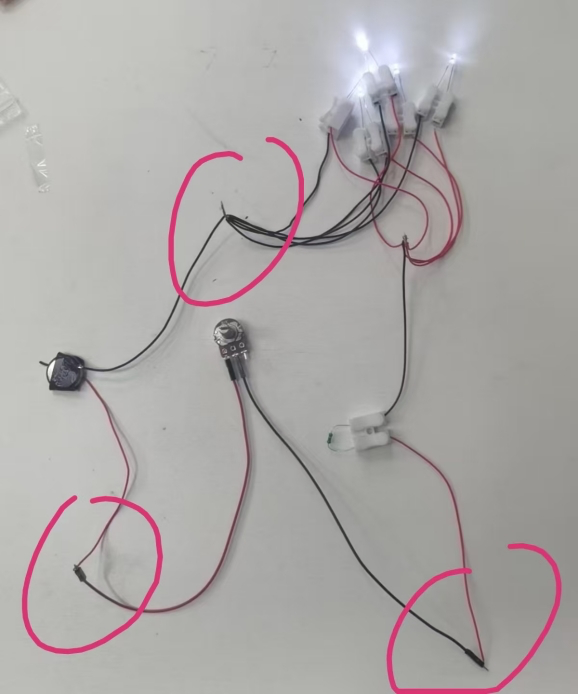
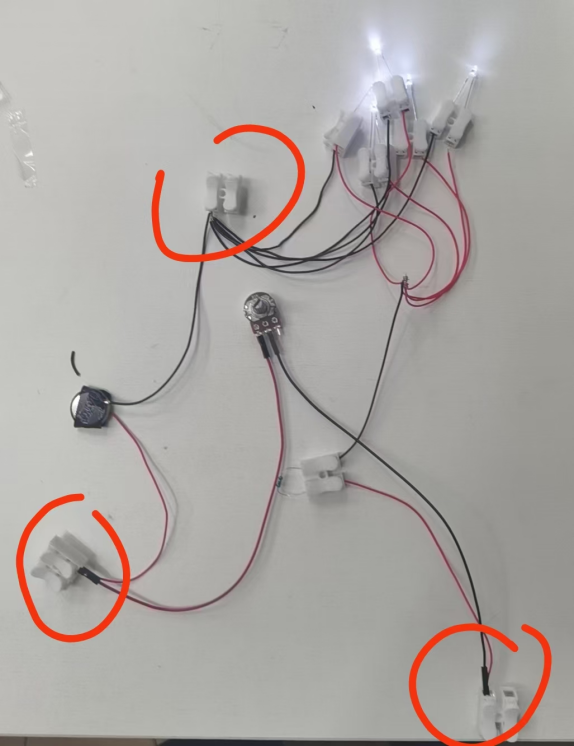
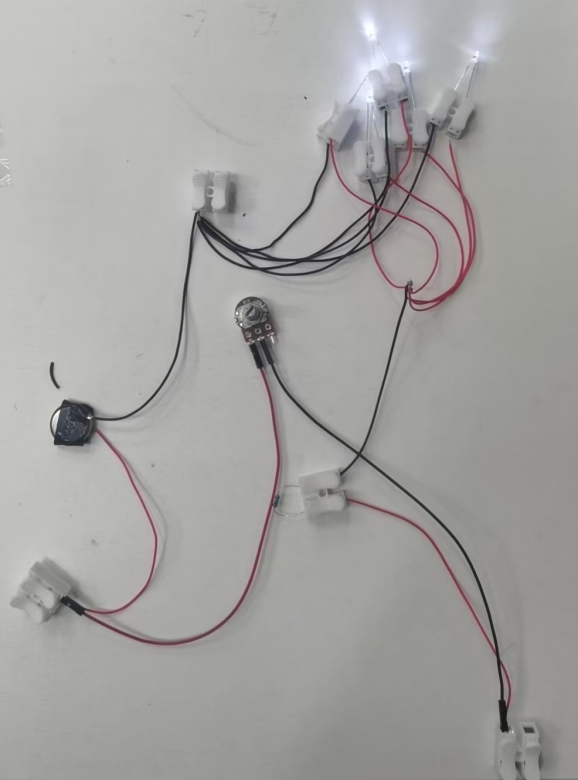
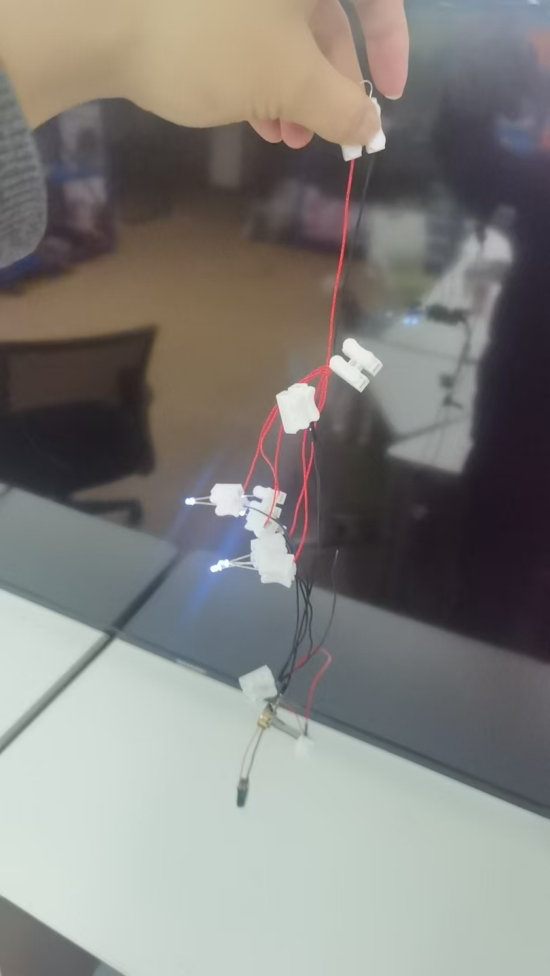
# 电路相关 **Repository Path**: xzmx/circuit-related ## Basic Information - **Project Name**: 电路相关 - **Description**: No description available - **Primary Language**: Unknown - **License**: Not specified - **Default Branch**: master - **Homepage**: None - **GVP Project**: No ## Statistics - **Stars**: 0 - **Forks**: 0 - **Created**: 2025-05-10 - **Last Updated**: 2025-05-18 ## Categories & Tags **Categories**: Uncategorized **Tags**: None ## README ![img](https://raw.githubusercontent.com/lmq-xzmx/MyPic/img/img/wps1.png) 关键步骤: ![img](https://raw.githubusercontent.com/lmq-xzmx/MyPic/img/img/wps2.png) ![img](https://raw.githubusercontent.com/lmq-xzmx/MyPic/img/img/wps24.png) 最终效果说明: http://svwxgj6ga.hd-bkt.clouddn.com/md-self/%E5%B0%8F%E5%A4%9C%E7%81%AF-%E6%9C%80%E7%BB%88%E6%95%88%E6%9E%9C.mp4?e=1746881736&token=QNw9SOe0lQDlGLAW9ES2bOoBJvK1disdnBI96c9j:0-5uXznAGQgZxNJ_xE6Hx6SN6zE= 补充说明: http://svwxgj6ga.hd-bkt.clouddn.com/md-self/%E5%B0%8F%E5%A4%9C%E7%81%AF-%E8%A1%A5%E5%85%85%E8%AF%B4%E6%98%8E.mp4?e=1746881114&token=QNw9SOe0lQDlGLAW9ES2bOoBJvK1disdnBI96c9j:-9d-OlEGbP19JqjWmnWou5ShbrA= 下面说下接线技巧: 【接线技巧1】: ![img](https://raw.githubusercontent.com/lmq-xzmx/MyPic/img/img/wps25.png) 【电路图:】 ![img](https://raw.githubusercontent.com/lmq-xzmx/MyPic/img/img/wps26.png) 现在发这张图是电路图。然后电路图上可以看到:5个二极管是并联的。 并联的5个二极管,接法上有一个技巧:就是每一个管呢,事先接好线之后,就是一个个单元都需要用电池测一下它会不会亮。以免电路装起来后,不知道哪里是断开的。 因为二极管是有正负极的啊,所以我们要用红色的线接正极,然后蓝黑色的线接负极。以作区分。 演示如下: ![image-20250501105232808](https://raw.githubusercontent.com/lmq-xzmx/MyPic/img/img/image-20250501105232808.png) 教学时,每一个都要先验证通路。 这个电路的整体电压是5伏左右。所以实际电路中,我们用两个纽扣电池来作为电源。或者用usb插头来作为电源。 ![image-20250501105321749](/Users/xzmx/Library/Application Support/typora-user-images/image-20250501105321749.png) 因为五个二极管接法都是并联的。最终效果是这样: ![img](https://raw.githubusercontent.com/lmq-xzmx/MyPic/img/img/wps8.png) 所有红色的线拧在一起。 所有黑色的线也拧在一起。 ![img](https://raw.githubusercontent.com/lmq-xzmx/MyPic/img/img/wps9.png) 如图所示,正极在同一侧,负极在同一侧。 【接线技巧2】: 接下来接电阻,电阻是没有正负极的。但是为了方便演示和教学,我们依旧还是一根红,一根黑。(红色代表电源正极从这里进,从黑色流出。) ![img](https://raw.githubusercontent.com/lmq-xzmx/MyPic/img/img/wps10.png) ![img](https://raw.githubusercontent.com/lmq-xzmx/MyPic/img/img/wps11.png) 图中我用红笔标出。可以看到黑色,之后应该接红色的并联二极管(5个)。所以接法如下: ![img](https://raw.githubusercontent.com/lmq-xzmx/MyPic/img/img/wps12.png) 进一步可以看到负极直接接到usb的负极(或电源负极),正极接电位起,然后再接入usb正极(或电源正极。) ![image-20250501105351066](https://raw.githubusercontent.com/lmq-xzmx/MyPic/img/img/image-20250501105351066.png) 【接线技巧3】: 刚才提到的关键技巧:电位器接法。 ![img](https://raw.githubusercontent.com/lmq-xzmx/MyPic/img/img/wps14.png) 直接正极接入电源 ![img](https://raw.githubusercontent.com/lmq-xzmx/MyPic/img/img/wps15.png) 其中电位器是用杜邦公母线,接入。 杜邦线的头是有齿的,其中一个面,插的较为紧。 如果不用杜邦线,只要能固定住,就可以。(电位器上有小孔,绑上去也行) ![image-20250501105418148](https://raw.githubusercontent.com/lmq-xzmx/MyPic/img/img/image-20250501105418148.png) 公母都有齿。 【接线技巧4】: 最后完成电路: ![img](https://raw.githubusercontent.com/lmq-xzmx/MyPic/img/img/wps17.png) 可以看到电阻器的正极端接入电位器的负极。 电位器的正极接入电源负极正极。 电源负极接入二极管负极。 ![img](https://raw.githubusercontent.com/lmq-xzmx/MyPic/img/img/wps18.png) 把它们接上即可完成电路。 ![img](https://raw.githubusercontent.com/lmq-xzmx/MyPic/img/img/wps19.png) 可以看到此时灯亮了; 如果旋转电位器,等可以调节亮度; 如果希望接线牢靠,也可以用接线端子,来接。 ![image-20250501105452372](https://raw.githubusercontent.com/lmq-xzmx/MyPic/img/img/image-20250501105452372.png) ![img](https://raw.githubusercontent.com/lmq-xzmx/MyPic/img/img/wps21.png) 【最终效果图】: ![img](https://raw.githubusercontent.com/lmq-xzmx/MyPic/img/img/wps22.png) ![image-20250501105510555](https://raw.githubusercontent.com/lmq-xzmx/MyPic/img/img/image-20250501105510555.png) 这样接线还是比较牢固的,拿起来也不会断开电路。 最后补一句:电池要两粒(6v),忘记刚才视频有没说了。USB是5v。大于5v就可以。 教程完毕。