# yub
**Repository Path**: yindream/yub
## Basic Information
- **Project Name**: yub
- **Description**: yub.js - A command-line for the web
https://dohliam.github.io/yub/
- **Primary Language**: Unknown
- **License**: MIT
- **Default Branch**: master
- **Homepage**: None
- **GVP Project**: No
## Statistics
- **Stars**: 0
- **Forks**: 0
- **Created**: 2021-03-20
- **Last Updated**: 2021-10-01
## Categories & Tags
**Categories**: Uncategorized
**Tags**: None
## README
# yub.js
Yub.js is an extensible client-side web command-line that comes with [loads of useful search engines](https://dohliam.github.io/yub/?s%20google) and shortcuts, reusable commands, and lots of other hidden goodies like [stopwatches](https://dohliam.github.io/yub/?stopwatch) and [inline YouTube videos](https://dohliam.github.io/yub/?watch%20imax). It also has a flexible API so you can call yub.js commands from anywhere: for example, you can [link directly to commands](https://dohliam.github.io/yub/?echo%20Hi%20there,%20new%20yub.js%20user!
Have%20fun,%20and%20type%20'help'%20if%20you%20get%20lost%20:%29), or access them right from your browser address bar (just set up a single search shortcut pointing at the yub.js API, and get hundreds of other search shortcuts for free).
The whole thing was designed from the outset to be a single page standalone html document containing everything needed to work out of the box. It can be [installed locally](#installation) and run right from your computer without the need for a server or web hosting. Since then it has grown considerably and development has been split into separate, more manageable files. The [standalone html page version](https://dohliam.github.io/yub/) is still available, though it is now automatically generated by a ruby script, and comes in minified and source versions. Just save the page directly to your computer or drop it on your server and you're ready to go!
The list of available search engines is completely modular: you can drop in your own list of commonly visited websites by editing or replacing the mods.js file (json). Making your own new commands is easy -- just use the [`create`](https://dohliam.github.io/yub/?man%20create) command (with the name of the new command as an [optional argument](https://dohliam.github.io/yub/?create%20yourcommand)). Feel free to add your own new functions or extend existing ones by editing `functions.js`. Oh, and regular expressions are [supported everywhere by default](https://dohliam.github.io/yub/?s%20^gn).
* [1 Cool Things To Try Out](#cool-things-to-try-out)
* [1.1 The Basics](#the-basics)
* [1.2 More Examples](#more-examples)
* [2 Search Engines](#search-engines)
* [2.1 engines.js](#enginesjs)
* [2.2 mods.js](#modsjs)
* [2.3 Customization](#customization)
* [3 Skins](#skins)
* [4 Installation](#installation)
* [5 API](#api)
* [6 Embedding](#embedding)
* [7 Upcoming Features](#upcoming-features)
* [8 History](#history)
* [9 Development](#development)
* [10 It Might Not Be For You](#it-might-not-be-for-you)
* [11 Similar Projects](#similar-projects)
* [12 Acknowledgements](#acknowledgements)
* [13 License](#license)
## Cool Things To Try Out
The best way to understand how yub.js works is to jump in and start trying commands. So before getting into boring things like history or internals, let's take a look at some of the cool commands you can try out right away.
### The Basics
* get a list of all available search shortcuts by typing [`list`](https://dohliam.github.io/yub/?list) or [`ls`](https://dohliam.github.io/yub/?ls)
* enter any full URL to go directly to the site, e.g.: `http://commandlinefu.com/` or `ftp://ftp.mozilla.org/`
* add `!` in front of any bare URL to go directly to the site, e.g.: !smh.com.au to go to the _Sydney Morning Herald_
* use `g [searchterm]` for a plain vanilla Google Search. Or you might prefer to use `y`, `b`, `ix`, or `sp` instead
* help is available by typing [`help`](https://dohliam.github.io/yub/?help) or [`man`](https://dohliam.github.io/yub/?man) (optionally including the command you want help with as an argument, e.g. [`help shuffle`](https://dohliam.github.io/yub/?help%20shuffle))
### More Examples
* [`calc 857*2^3`](https://dohliam.github.io/yub/?calc%20857*2%5E3): solve simple mathematical formulas
* [`calc (25+2)==(28-1)`](https://dohliam.github.io/yub/?calc%20%2825+2%29==%2828-1%29): test equivalence
* [`calc ~32.56`](https://dohliam.github.io/yub/?calc%20~32.56): round numbers
* [`rand 550`](https://dohliam.github.io/yub/?rand%20550): return a random number between 0-550
* [`rand site`](https://dohliam.github.io/yub/?rand%20site): go to random website
* [`rand img`](https://dohliam.github.io/yub/?rand%20img): show a random image
* [`rand git`](https://dohliam.github.io/yub/?rand%20git): visit a random GitHub project
* [`watch ninja cat`](https://dohliam.github.io/yub/?watch%20ninja%20cat): watch an embedded playlist of YouTube video results for the search term "ninja cat"
* [`link flint tigers`](https://dohliam.github.io/yub/?link%20flint%20tigers): get a permalink to the command _flint tigers_ (which searches flickr for pictures of tigers sorted by "interestingness")
* [`fspell sometext`](https://dohliam.github.io/yub/?fspell%20sometext): write out _sometext_ with flickr images
* [`ascii sometext`](https://dohliam.github.io/yub/?ascii%20sometext): write out _sometext in ascii art
* [`where gn`](https://dohliam.github.io/yub/?where%20gn): show the keyword and default search addresses for the command _gn_
* [`> am Alice in Wonderland`](https://dohliam.github.io/yub/?%3E%20am%20Alice%20in%20Wonderland): go directly to the first Google search result for the term "Alice in Wonderland" on Amazon.com
* [`> wpde Turing complete`](https://dohliam.github.io/yub/?%3E%20wpde%20Turing%20complete): read the article on "Turing completeness" in the _German_ Wikipedia
* [`cat engadget.com`](https://dohliam.github.io/yub/?cat%20engadget.com): displays a text-only version of the webpage at engadget.com
* [`pop bbc gn yn bn`](https://dohliam.github.io/yub/?pop%20gn%20yn%20bn%20bbc): pop up individual tabs with BBC News , Google News, Yahoo News, and Bing News, all in one command
* [`pop gim yim bim -t horses`](https://dohliam.github.io/yub/?pop%20gim%20yim%20bim%20-t%20horses): pop up new tabs showing results of an image search for horses on Google, Yahoo, and Bing
_Note: to use the `pop` command you will probably need to set up an exception in your browser's pop-up blocker for yub.js_
## Search Engines
### engines.js
Default search engines are stored in the engines.js file. This contains a wide variety of general-purpose web shortcuts, search engines, news sources and other interesting stuff that demonstrates the basic features of yub.js and should give you an idea of what kinds of shortcuts might be useful for your own needs.
Things you can expect to find in engines.js are: major search engines (Google, Yahoo, Bing... etc) and their various associated products (images, video, maps, news, weather, machine translation), [Wikipedia](https://dohliam.github.io/yub/?wp) and its various Wikimedia sister sites ([Wiktionary](https://dohliam.github.io/yub/?wt), [Wikiquote](https://dohliam.github.io/yub/?wq), [Wikinews](https://dohliam.github.io/yub/?wn)... etc), a selection of major news organizations ([BBC](https://dohliam.github.io/yub/?bbc), [Deutsche Welle](https://dohliam.github.io/yub/?dw), [France 24](https://dohliam.github.io/yub/?fr24en)... etc), major webmail providers (Gmail, Yahoo, Hotmail... etc), documentation for several popular scripting languages ([Bash](https://dohliam.github.io/yub/?sh), [JS](https://dohliam.github.io/yub/?js), [PHP](https://dohliam.github.io/yub/?php), [Python](https://dohliam.github.io/yub/?py), [Ruby](https://dohliam.github.io/yub/?rb)), and a bunch of other useful sites and tools ([Down For Everyone Or Just Me?](https://dohliam.github.io/yub/?isup), [Whois](https://dohliam.github.io/yub/?whois), [What Is My Ip?](https://dohliam.github.io/yub/?ip)... etc). A more detailed guide can be found in the wiki.
A nice benefit of using yub.js shortcuts is that https is used by default whenever possible (i.e. everywhere that it is supported).
### mods.js
All custom links and shortcuts go in mods.js for convenience. This file is entirely optional, so you can drop things in and out of it as you please. _You do not need the mods.js file to use yub.js_.
The gigantic mods.js file found in the repository is purely an example for the purposes of demonstrating various features of yub.js, such as [unicode regex searches](https://dohliam.github.io/yub/?s%20[А-я]), as well as various local search sites and other interesting stuff that you can cherry-pick for your own uses. At 106 Kb / 870+ entries (as of this writing) it also demonstrates that even with a huge list of custom shortcuts, yub.js runs along smoothly without any noticeable decrease in speed.
Some examples of things that have been dumped indiscriminately in the sample mods.js file:
* International and local versions of the default websites in engines.js
* For example, _all_ (as of this writing) international Google sites (including [Google British Indian Ocean Territory](https://dohliam.github.io/yub/?gio) and [Google Pitcairn Islands](https://dohliam.github.io/yub/?gpn)...)
* Multilingual versions of most major international news aggregators and news websites (e.g. BBC, CNN, AFP, Deutsche Welle, Google News, etc)
* _Āll_ international eBay and Amazon sites (e.g. `ebin` for eBay India, or `amuk` for Amazon U.K.)
* Links to each of the language dictionaries at WordReference.com
* Note that each language pair has two separate links -- one for each direction. So, use `enes` for the English-Spanish dicitonary, and `esen` for Spanish-English; `enko` and `koen` for Korean, `enfr` and `fren` for French, etc.
* A large (but not complete) selection of Wikimedia editions -- almost 30 major language versions of Wikipedia, Wikinews, Wikiquotes, Wiktionary, etc
* Complete multilingual collection of Global Voices links
* Complete multilingual collection of WikiHow links
* Most of the major Baidu, Sina, Sogou, Kvasir, and Yandex sites (search, images, maps, etc)
### Customization
One thing to note is that some really interesting sites have been left out of engines.js and even mods.js in order to keep the default shortcuts as _generally_ useful as possible. But never fear, you can still add them to your mods.js file! Here are some things you might consider adding to customize mods.js:
* Local classifieds: Both Cragslist and Kjiji have fairly straightforward search systems, but they don't offer sitewide search -- you have to choose your location first. Since it wouldn't make sense to prepackage any particular location (or _shudder_ all of them), just create a `cl` or `kj` command for your desired location and drop it in mods.js
* Currency conversion: Create a shortcut to xe.com (or another site) with the following parameters:
* `http://www.xe.com/ucc/convert.cgi?Amount=%s&From=[CURRENCY1]&To=[CURRENCY2]` (replace `[CURRENCY1]` and `[CURRENCY2]` with the three-letter codes for the currencies of your choice)
* Local library catalogue: Create a shortcut to show search results from your local public or school library
* Blog search: Create a shortcut for search results on a blog you read often, or your personal website
* Local newspapers: The wiki will eventually host links to mods.js files for regional newspapers from around the world (so you'll be able to pick up a mods.js file for South African or Thai or Portuguese newspapers), but in the meantime create your own shortcuts to the local and international newspapers you read most frequently -- most websites have their own search function, but if not you can always link to a Google result for the specific site
* If your favourite radio station has an embeddable stream, you can add a link to it in functions.js and have it pop out under the command-line while you do other stuff
## Skins
Theming support is available in the form of custom css files loaded through the `skin` command. Skins are basically just css files (located in the `/css` folder), and can be loaded by entering the command `skin` and the name of the skin (there is no need to add the `.css` extension).
To return to the default skin, just type `skin default`. To remove all css, use `skin nocss`. Skins currently don't persist across yub sessions (this would require setting a cookie, which we've managed to avoid so far), but you can change the link/bookmark to your yub.js instance to something like `https://dohliam.github.io/yub/?skin%20terminal` to always start yub.js with a particular skin loaded.
To make a new skin, just copy one of the existing skin files to a new file e.g. `mynewskin.css` and customize to your heart's content! (And don't forget to add your custom skins to the [skins gallery](https://github.com/dohliam/yub/wiki/skins_gallery) in the wiki so others can enjoy them!)
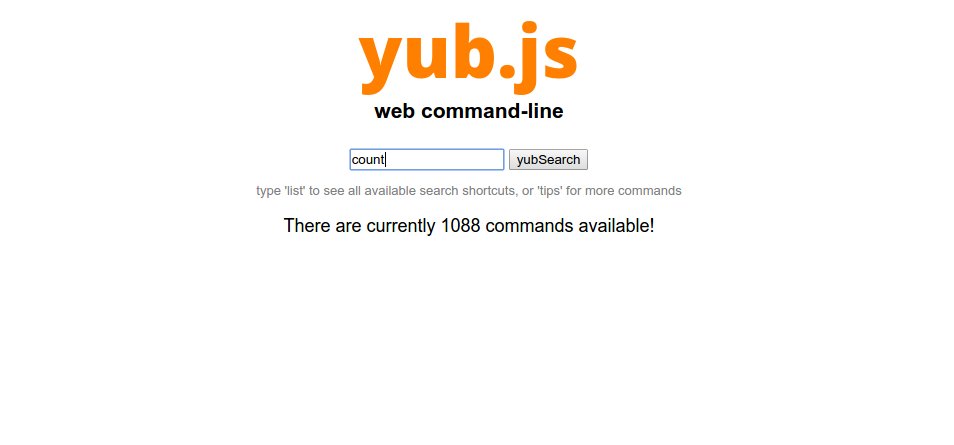
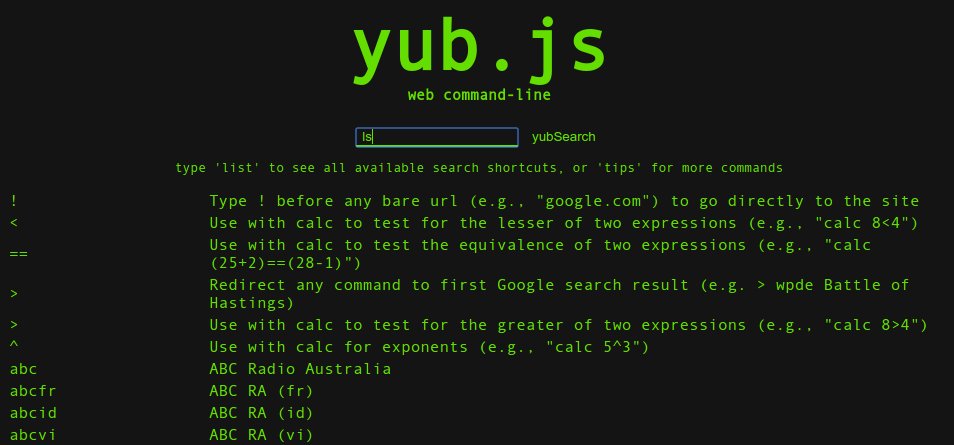
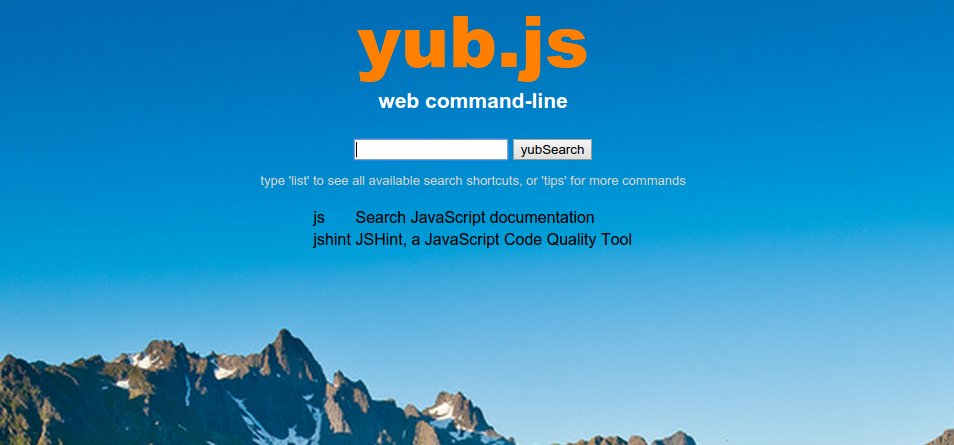
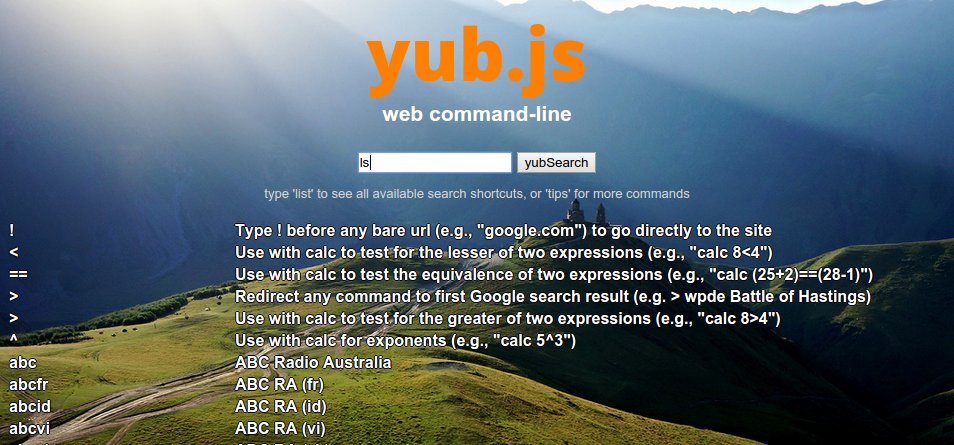
Here are some screenshots of the skins that come with yub.js:
_default_:
_terminal_:
_mountainlake_:
_rays_:
_skyline_:

_nocss_:
## Installation
Of course you don't need to install yub.js in order to begin using it. For one-off searches you can easily use the latest version of yub.js hosted [here on GitHub](https://dohliam.github.io/yub/). Everything is done entirely on the client side, so none of your queries are sent over the network.
You can even use [the API](#api) to make the GitHub version the default search for your browser. However, if you use the API any commands you enter _will_ be visible (for example, in the GitHub server logs), so you might prefer to set up a local version of yub.js and run it entirely offline (or on your own site).
There is a detailed guide in the wiki on [how to make yub.js your default search engine](https://github.com/dohliam/yub/wiki/default_search). You can find step-by-step instructions on how to set up yub.js for [Chrome/Chromium](https://github.com/dohliam/yub/wiki/default_search#chrome) and [Firefox](https://github.com/dohliam/yub/wiki/default_search#firefox) (if you use a different browser and are able to install yub.js, please consider adding the steps you took to the guide).
One thing to consider when installing yub.js whether you'd like to [set it up as a keyword search or use it as your default search engine](https://github.com/dohliam/yub/wiki/default_search#default-search-vs-keyword-search). The benefit of setting it up as your default is that it basically makes your browser's URL bar itself into a web command-line.
## API
One of the most useful features of yub.js is its easy-to-use API, which works just as well on a laptop as it does on a server. Just point a link, bookmark, or keyword search at your yub.js URL and add `?` plus your commands or search terms to go directly to the result.
Example 1:
* yub.js URL: `http://example.com/yub`
* command: weather tokyo
* _full URL for this command_: `http://example.com/yub?weather tokyo`
Example 2:
* yub.js URL: file:///home/username/yub/index.html
* command: rand site
* _full URL for this command_: `file:///home/user/yub/index.html?rand site`
## Embedding
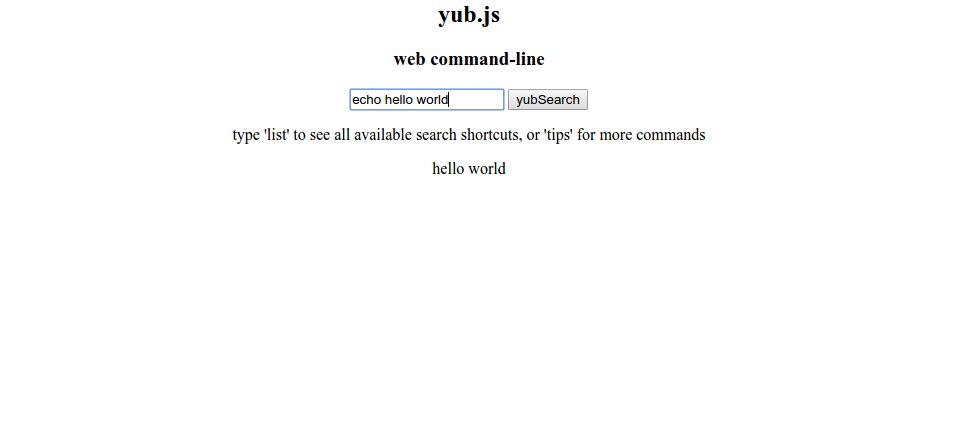
You can embed yub.js on any webpage and get a functional web command-line that looks like this:

Just copy the following code and include it anywhere on the page:
```