# Mojave-gtk-theme
**Repository Path**: zdl_work/Mojave-gtk-theme
## Basic Information
- **Project Name**: Mojave-gtk-theme
- **Description**: No description available
- **Primary Language**: Unknown
- **License**: GPL-3.0
- **Default Branch**: master
- **Homepage**: None
- **GVP Project**: No
## Statistics
- **Stars**: 0
- **Forks**: 0
- **Created**: 2022-01-23
- **Last Updated**: 2022-01-23
## Categories & Tags
**Categories**: Uncategorized
**Tags**: None
## README
 Mojave Gtk Theme
======
Mojave is a Mac OSX like theme for GTK 3, GTK 2 and Gnome-Shell which supports GTK 3 and GTK 2 based desktop environments like Gnome, Pantheon, XFCE, Mate, etc.
## Requirements
### GTK2 Murrine engine requirements.
- gtk-murrine-engine `Fedora/RedHat`
- gtk2-engines-murrine `Ubuntu/Mint/Debian`
- gtk-engine-murrine `Arch/Manjaro`
### GTK2 pixbuf engine requirements.
- gtk2-engines `Fedora/RedHat`
- gtk2-engines-pixbuf `Ubuntu/Mint/Debian`
- gtk-engines `Arch/Manjaro`
### Installed Dependency requirements.
- sassc
- optipng
- inkscape
- libglib2.0-dev-bin `ubuntu 20.04`
- libglib2.0-dev `ubuntu 18.04` `debian 10.03` `linux mint 19`
- libxml2-utils `ubuntu 18.04` `debian 10.03` `linux mint 19`
- glib2-devel `Fedora` `Redhat`
## Installation
### From source
After depends all installed you can Run
```bash
./install.sh
```
#### Install tips
Usage: `./install.sh` **[OPTIONS...]**
| OPTIONS: | |
|:--------------------|:-------------|
|-d, --dest | Specify theme destination directory (Default: $HOME/.themes)|
|-n, --name | Specify theme name (Default: Mojave)|
|-c, --color | Specify theme color variant(s) **[light/dark]** (Default: All variants)|
|-o, --opacity | Specify theme opacity variant(s) **[standard/solid]** (Default: All variants)|
|-a, --alt | Specify titlebutton variant(s) **[standard/alt]** (Default: All variants)|
|-s, --small | Specify titlebutton size variant(s) **[standard/small]** (Default: standard variants)|
|-t, --theme | Specify primary theme color variant(s) **[default/blue/purple/pink/red/orange/yellow/green/grey/all]** (Default: MacOS blue)|
|-i, --icon | activities icon variant(s) **[standard/normal/gnome/ubuntu/arch/manjaro/fedora/debian/void]** (Default: standard variant)|
|-g, --gdm | Install GDM theme, you should run this with sudo!|
|-r, --revert | revert GDM theme, you should run this with sudo!|
|-h, --help | Show this help|
### On Snapcraft
Mojave Gtk Theme
======
Mojave is a Mac OSX like theme for GTK 3, GTK 2 and Gnome-Shell which supports GTK 3 and GTK 2 based desktop environments like Gnome, Pantheon, XFCE, Mate, etc.
## Requirements
### GTK2 Murrine engine requirements.
- gtk-murrine-engine `Fedora/RedHat`
- gtk2-engines-murrine `Ubuntu/Mint/Debian`
- gtk-engine-murrine `Arch/Manjaro`
### GTK2 pixbuf engine requirements.
- gtk2-engines `Fedora/RedHat`
- gtk2-engines-pixbuf `Ubuntu/Mint/Debian`
- gtk-engines `Arch/Manjaro`
### Installed Dependency requirements.
- sassc
- optipng
- inkscape
- libglib2.0-dev-bin `ubuntu 20.04`
- libglib2.0-dev `ubuntu 18.04` `debian 10.03` `linux mint 19`
- libxml2-utils `ubuntu 18.04` `debian 10.03` `linux mint 19`
- glib2-devel `Fedora` `Redhat`
## Installation
### From source
After depends all installed you can Run
```bash
./install.sh
```
#### Install tips
Usage: `./install.sh` **[OPTIONS...]**
| OPTIONS: | |
|:--------------------|:-------------|
|-d, --dest | Specify theme destination directory (Default: $HOME/.themes)|
|-n, --name | Specify theme name (Default: Mojave)|
|-c, --color | Specify theme color variant(s) **[light/dark]** (Default: All variants)|
|-o, --opacity | Specify theme opacity variant(s) **[standard/solid]** (Default: All variants)|
|-a, --alt | Specify titlebutton variant(s) **[standard/alt]** (Default: All variants)|
|-s, --small | Specify titlebutton size variant(s) **[standard/small]** (Default: standard variants)|
|-t, --theme | Specify primary theme color variant(s) **[default/blue/purple/pink/red/orange/yellow/green/grey/all]** (Default: MacOS blue)|
|-i, --icon | activities icon variant(s) **[standard/normal/gnome/ubuntu/arch/manjaro/fedora/debian/void]** (Default: standard variant)|
|-g, --gdm | Install GDM theme, you should run this with sudo!|
|-r, --revert | revert GDM theme, you should run this with sudo!|
|-h, --help | Show this help|
### On Snapcraft
 You can install the theme from the Snap Store оr by running:
```
sudo snap install mojave-themes
```
To connect the theme to an app run:
```
sudo snap connect [other snap]:gtk-3-themes mojave-themes:gtk-3-themes
```
To connect the theme to all apps which have available plugs to gtk-common-themes you can run:
``` for i in $(snap connections | grep gtk-common-themes:gtk-3-themes | awk '{print $2}'); do sudo snap connect $i mojave-themes:gtk-3-themes; done
```
#### AUR for ArchLinux/Manjaro
Search `mojave-gtk-theme-git` : https://aur.archlinux.org/packages/mojave-gtk-theme-git/
yay -S mojave-gtk-theme-git
### Kde theme
[McMojave-kde](https://github.com/vinceliuice/McMojave-kde)
### Icon theme
[McMojave-circle](https://github.com/vinceliuice/McMojave-circle)
### Wallpaper
[Mojave default wallpapers](https://github.com/vinceliuice/Mojave-gtk-theme/blob/images/macOS_Mojave_Wallpapers.tar.xz)
## Fix entries issues of dark version on Firefox
Use "light theme" for webs on Firefox.
1. Go to `about:config`,
2. create a pref called `widget.content.gtk-theme-override` of type String,
3. and give it a value of `Mojave-light`. This will fix it.
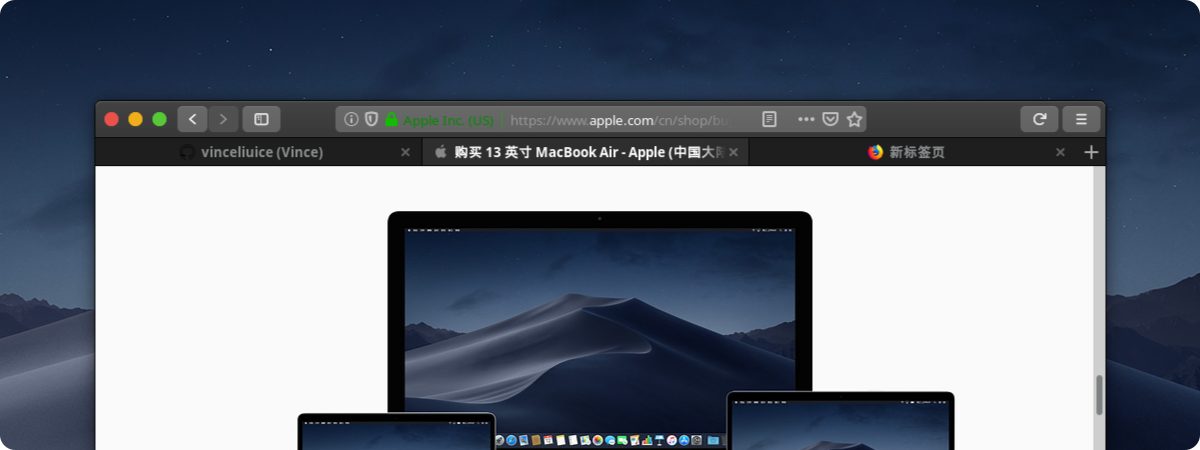
### Firefox theme
[Intall Firefox theme](src/other/firefox)
#### Preview

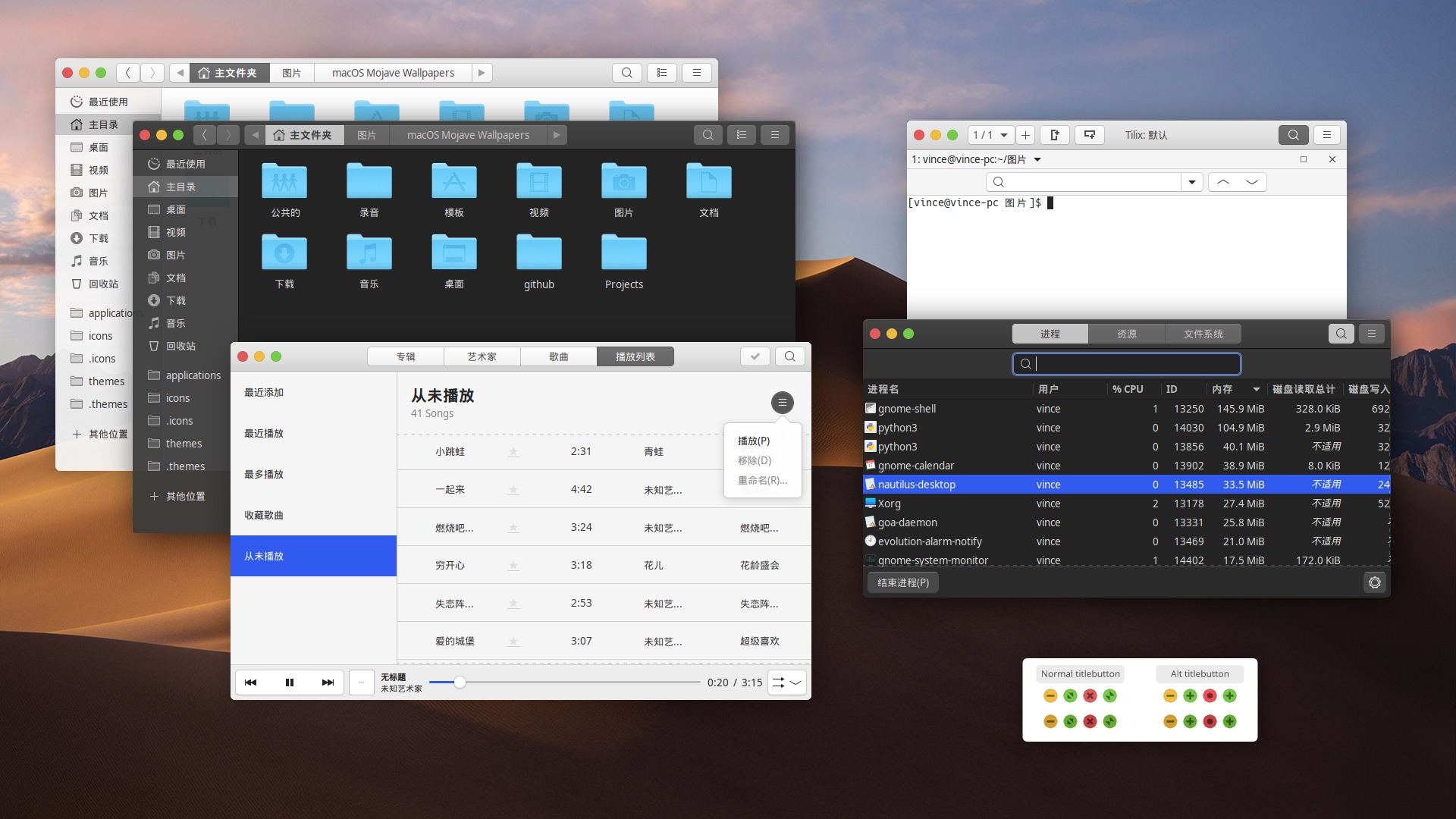
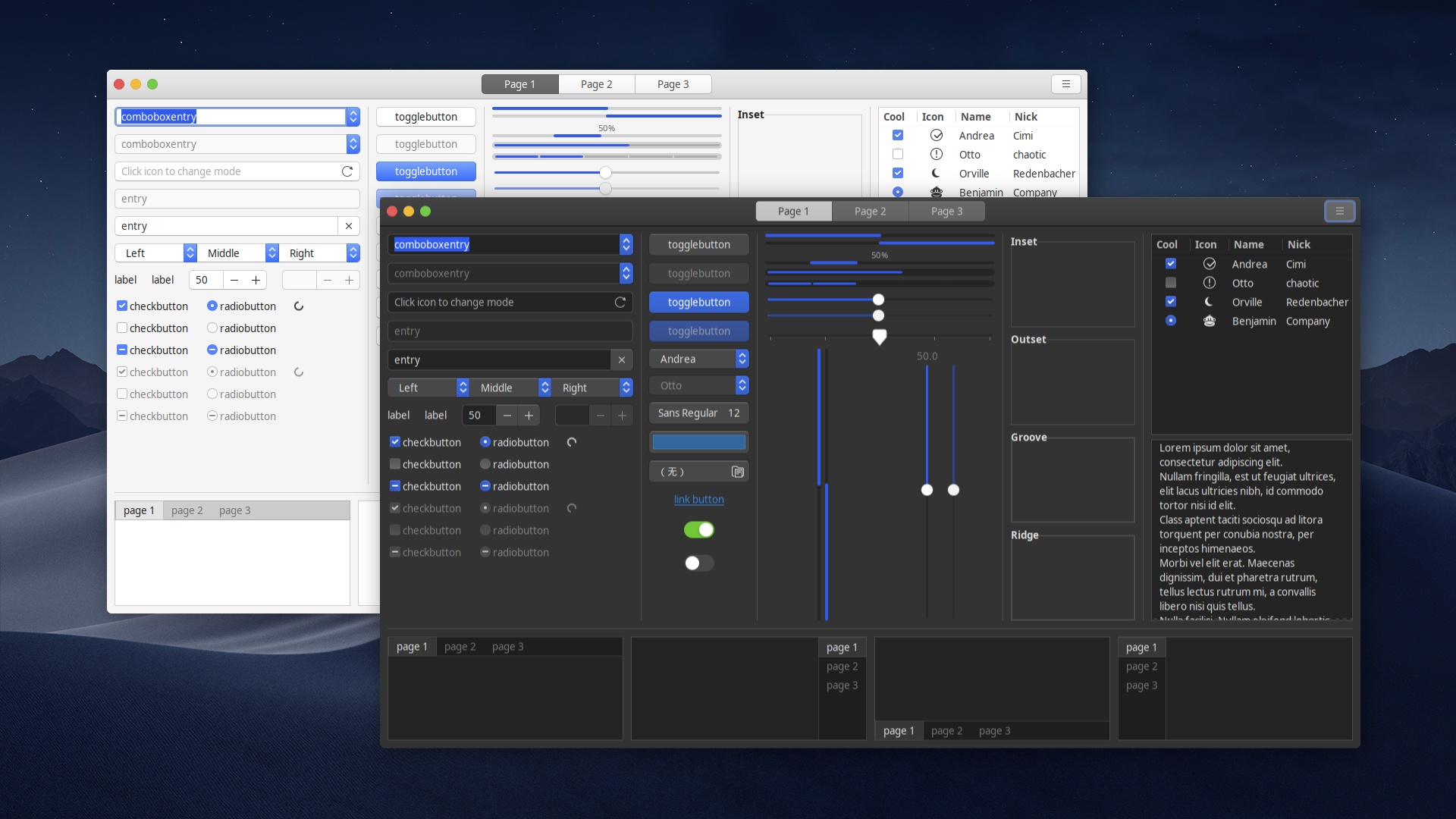
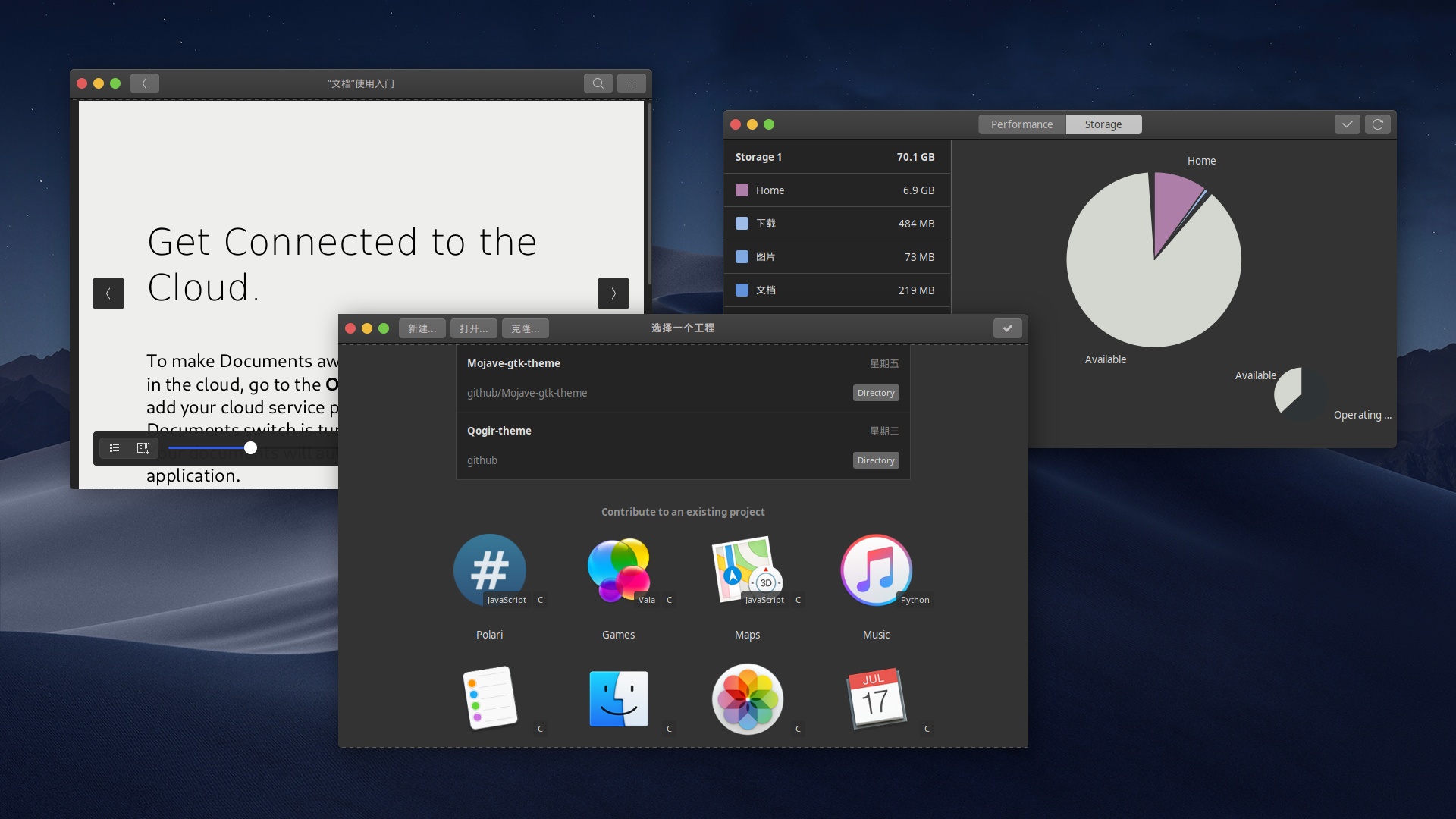
## Screenshots
#### Mojave
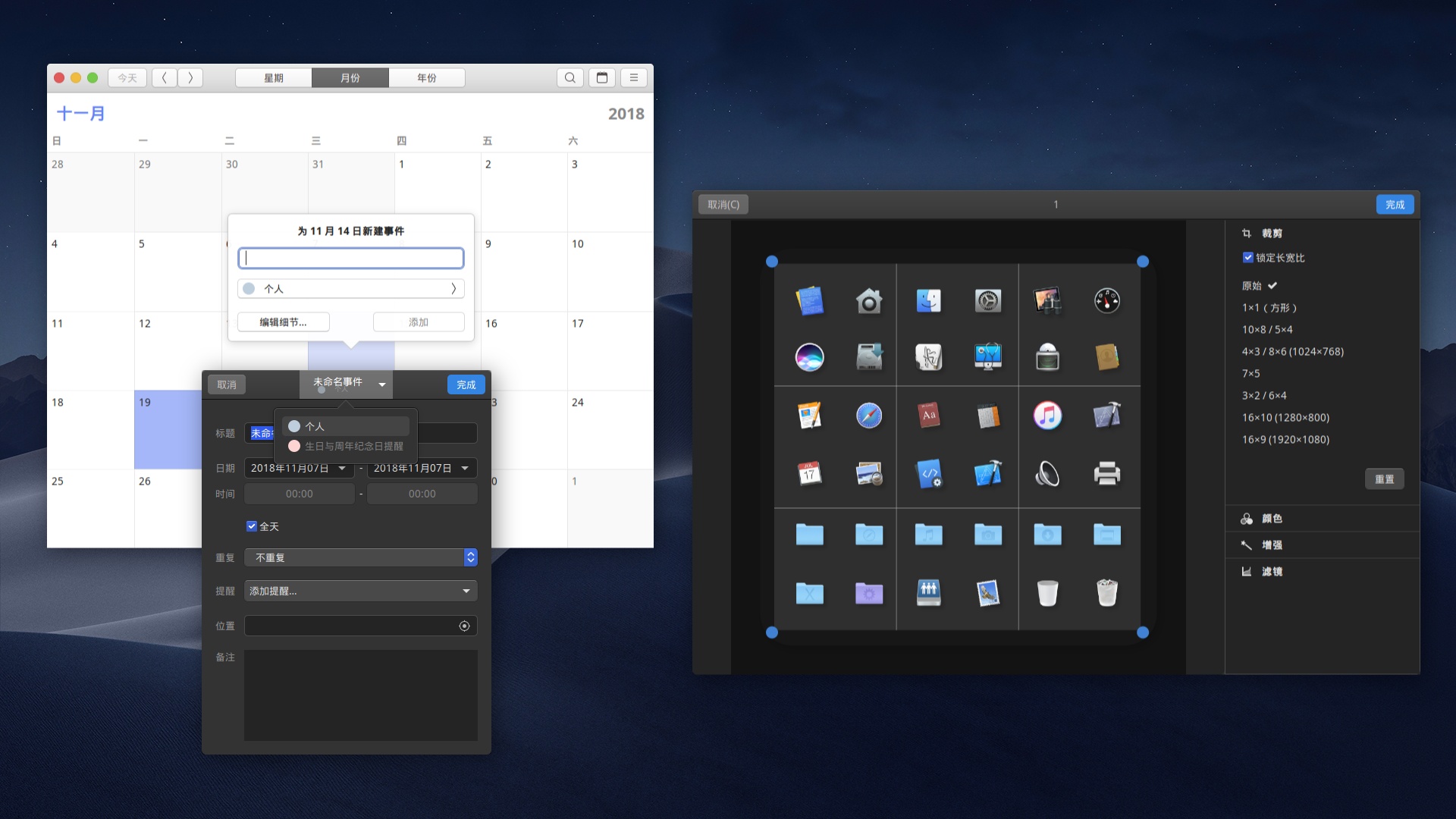
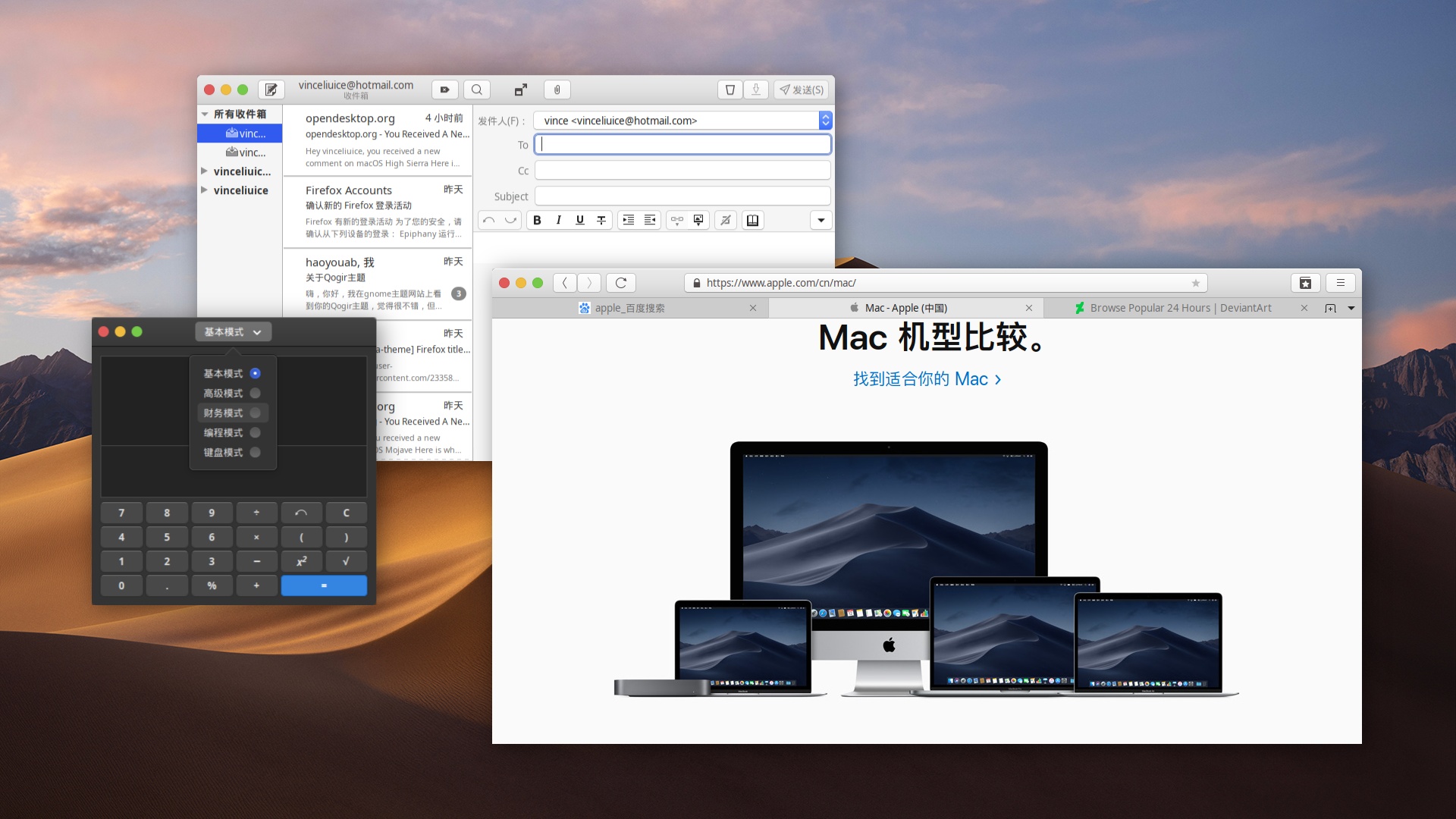
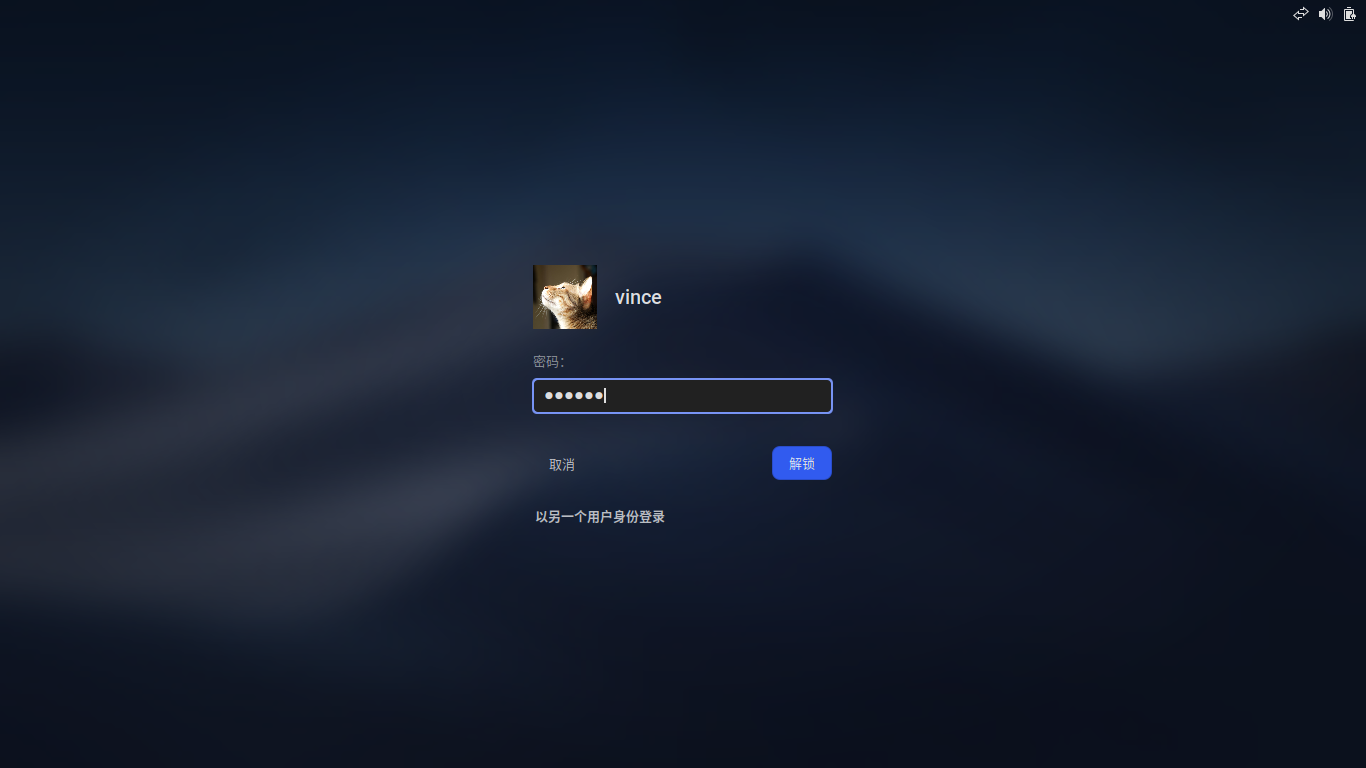
You can install the theme from the Snap Store оr by running:
```
sudo snap install mojave-themes
```
To connect the theme to an app run:
```
sudo snap connect [other snap]:gtk-3-themes mojave-themes:gtk-3-themes
```
To connect the theme to all apps which have available plugs to gtk-common-themes you can run:
``` for i in $(snap connections | grep gtk-common-themes:gtk-3-themes | awk '{print $2}'); do sudo snap connect $i mojave-themes:gtk-3-themes; done
```
#### AUR for ArchLinux/Manjaro
Search `mojave-gtk-theme-git` : https://aur.archlinux.org/packages/mojave-gtk-theme-git/
yay -S mojave-gtk-theme-git
### Kde theme
[McMojave-kde](https://github.com/vinceliuice/McMojave-kde)
### Icon theme
[McMojave-circle](https://github.com/vinceliuice/McMojave-circle)
### Wallpaper
[Mojave default wallpapers](https://github.com/vinceliuice/Mojave-gtk-theme/blob/images/macOS_Mojave_Wallpapers.tar.xz)
## Fix entries issues of dark version on Firefox
Use "light theme" for webs on Firefox.
1. Go to `about:config`,
2. create a pref called `widget.content.gtk-theme-override` of type String,
3. and give it a value of `Mojave-light`. This will fix it.
### Firefox theme
[Intall Firefox theme](src/other/firefox)
#### Preview


## Screenshots
#### Mojave





