# chat-vue
**Repository Path**: zhouwd/chat-vue
## Basic Information
- **Project Name**: chat-vue
- **Description**: No description available
- **Primary Language**: Unknown
- **License**: MIT
- **Default Branch**: main
- **Homepage**: None
- **GVP Project**: No
## Statistics
- **Stars**: 0
- **Forks**: 0
- **Created**: 2026-07-01
- **Last Updated**: 2026-07-01
## Categories & Tags
**Categories**: Uncategorized
**Tags**: None
## README
# Vue AI Chatbot Template
[](https://ui.nuxt.com)
[](https://nitro.build)
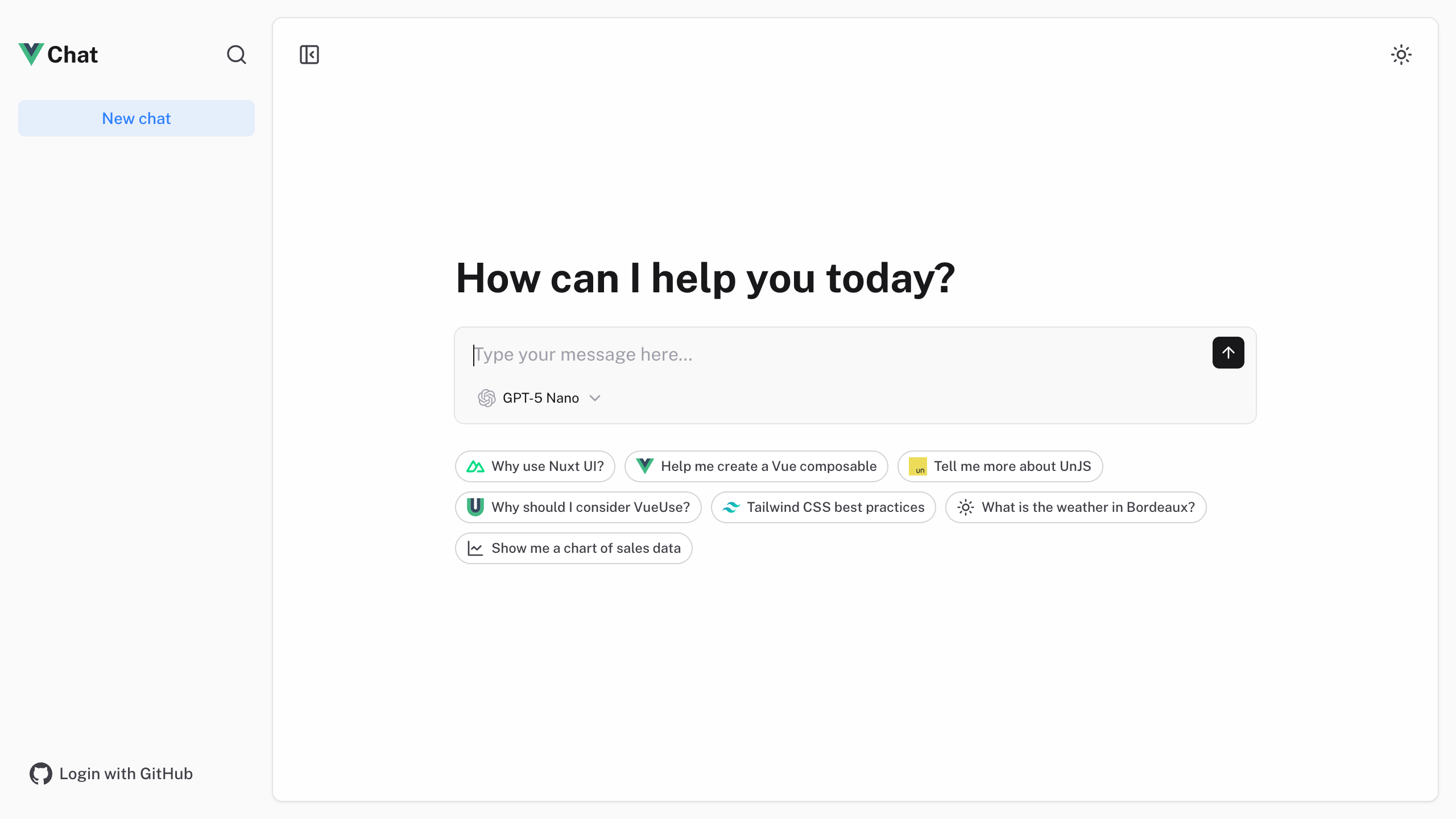
Full-featured AI Chatbot Vue application with authentication, chat history, collapsible sidebar, keyboard shortcuts, light & dark mode, command palette and more. Built using [Nuxt UI](https://ui.nuxt.com) components and integrated with [AI SDK](https://ai-sdk.dev) for a complete chat experience.
- [Live demo](https://chat-vue-template.nuxt.dev/)
- [Documentation](https://ui.nuxt.com/docs/getting-started/installation/vue)
> The chat template for Nuxt is on https://github.com/nuxt-ui-templates/chat.
## Features
- ⚡️ **Streaming AI messages** powered by the [AI SDK](https://ai-sdk.dev) with thinking/reasoning support
- 🤖 **Multiple model support** — Claude Haiku 4.5, Gemini 3 Flash and GPT-5 Nano via [Vercel AI Gateway](https://vercel.com/docs/ai-gateway)
- 🔍 **Web search** with built-in provider tools (Anthropic, OpenAI)
- 📊 **Charts and weather** tool calling with rich UI rendering
- 🔐 **Authentication** via GitHub OAuth using [Nitro](https://nitro.build) server routes and httpOnly cookies
- 💾 **Chat history persistence** using SQLite database ([Turso](https://turso.tech) in production) and [Drizzle ORM](https://orm.drizzle.team)
- ✨ **Markdown rendering** with streaming code highlighting via [Comark](https://comark.dev)
## Quick Start
```bash
npm create nuxt@latest -- --no-modules -t ui-vue/chat
```
## Deploy your own
[](https://vercel.com/new/clone?repository-url=https%3A%2F%2Fgithub.com%2Fnuxt-ui-templates%2Fchat-vue&repository-name=chat-vue&env=GITHUB_OAUTH_CLIENT_ID%2CGITHUB_OAUTH_CLIENT_SECRET%2CSESSION_SECRET&stores=%5B%7B%22type%22%3A%22integration%22%2C%22integrationSlug%22%3A%22tursocloud%22%2C%22productSlug%22%3A%22database%22%2C%22protocol%22%3A%22storage%22%7D%5D&demo-title=Vue+Chat+Template&demo-description=An+AI+chatbot+template+with+GitHub+authentication+and+persistent+chat+history+powered+by+Vercel+AI+SDK.&demo-url=https%3A%2F%2Fchat-vue-template.nuxt.dev&demo-image=https%3A%2F%2Fui.nuxt.com%2Fassets%2Ftemplates%2Fvue%2Fchat-dark.png)
## Setup
Make sure to install the dependencies:
```bash
pnpm install
```
Run database migrations:
```bash
pnpm db:migrate
```
> [!NOTE]
> In production, configure your database connection. On Vercel, add the [Turso integration](https://vercel.com/integrations/turso) to automatically provision `TURSO_DATABASE_URL` and `TURSO_AUTH_TOKEN`.
### AI Integration
This template uses the [Vercel AI SDK](https://ai-sdk.dev/) for streaming AI responses with support for multiple providers through [Vercel AI Gateway](https://vercel.com/docs/ai-gateway). When deployed on Vercel, the AI Gateway is configured automatically.
For local development, set your API key in `.env`:
```bash
AI_GATEWAY_API_KEY=
```
> [!TIP]
> With [Vercel AI Gateway](https://vercel.com/docs/ai-gateway), you don't need individual API keys for OpenAI, Anthropic, etc. It provides a unified API to access hundreds of models through a single endpoint with automatic load balancing, fallbacks, and spend monitoring.
### Authentication (Optional)
This template uses [Nitro](https://nitro.build) server routes with httpOnly cookies for authentication with GitHub OAuth.
To enable authentication, [create a GitHub OAuth application](https://github.com/settings/applications/new) and set:
```bash
GITHUB_OAUTH_CLIENT_ID=
GITHUB_OAUTH_CLIENT_SECRET=
SESSION_SECRET=
```
## Development Server
Start the development server on `http://localhost:3000`:
```bash
pnpm dev
```
## Production
Build the application for production:
```bash
pnpm build
```
Locally preview production build:
```bash
pnpm preview
```
Check out the [deployment documentation](https://nitro.build/deploy) for more information.
## Renovate integration
Install [Renovate GitHub app](https://github.com/apps/renovate/installations/select_target) on your repository and you are good to go.