# MaxKB
**Repository Path**: zuoann/MaxKB
## Basic Information
- **Project Name**: MaxKB
- **Description**: 🔥 MaxKB is an open-source platform for building enterprise-grade agents. MaxKB 是强大易用的企业级智能体平台。
- **Primary Language**: Python
- **License**: GPL-3.0
- **Default Branch**: v2
- **Homepage**: None
- **GVP Project**: No
## Statistics
- **Stars**: 0
- **Forks**: 485
- **Created**: 2026-06-12
- **Last Updated**: 2026-07-22
## Categories & Tags
**Categories**: Uncategorized
**Tags**: None
## README
MaxKB = Max Knowledge Brain, it is an open-source platform for building enterprise-grade agents. MaxKB integrates Retrieval-Augmented Generation (RAG) pipelines, supports robust workflows, and provides advanced MCP tool-use capabilities. MaxKB is widely applied in scenarios such as intelligent customer service, corporate internal knowledge bases, academic research, and education.
- 增加了算力管理、API-key
- **RAG Pipeline**: Supports direct uploading of documents / automatic crawling of online documents, with features for automatic text splitting, vectorization. This effectively reduces hallucinations in large models, providing a superior smart Q&A interaction experience.
- **Agentic Workflow**: Equipped with a powerful workflow engine, function library and MCP tool-use, enabling the orchestration of AI processes to meet the needs of complex business scenarios.
- **Seamless Integration**: Facilitates zero-coding rapid integration into third-party business systems, quickly equipping existing systems with intelligent Q&A capabilities to enhance user satisfaction.
- **Model-Agnostic**: Supports various large models, including private models (such as DeepSeek, Llama, Qwen, etc.) and public models (like OpenAI, Claude, Gemini, MiniMax, etc.).
- **Multi Modal**: Native support for input and output text, image, audio and video.
## Quick start
Execute the script below to start a MaxKB container using Docker:
```bash
docker run -d --name=maxkb --restart=always -p 8080:8080 -v ~/.maxkb:/opt/maxkb 1panel/maxkb
```
Access MaxKB web interface at `http://your_server_ip:8080` with default admin credentials:
- username: admin
- password: MaxKB@123..
中国用户如遇到 Docker 镜像 Pull 失败问题,请参照该 [离线安装文档](https://maxkb.cn/docs/v2/installation/offline_installtion/) 进行安装。
## Screenshots
## Technical stack
- Frontend:[Vue.js](https://vuejs.org/)
- Backend:[Python / Django](https://www.djangoproject.com/)
- LLM Framework:[LangChain](https://www.langchain.com/)
- Database:[PostgreSQL + pgvector](https://www.postgresql.org/)
## Star History
[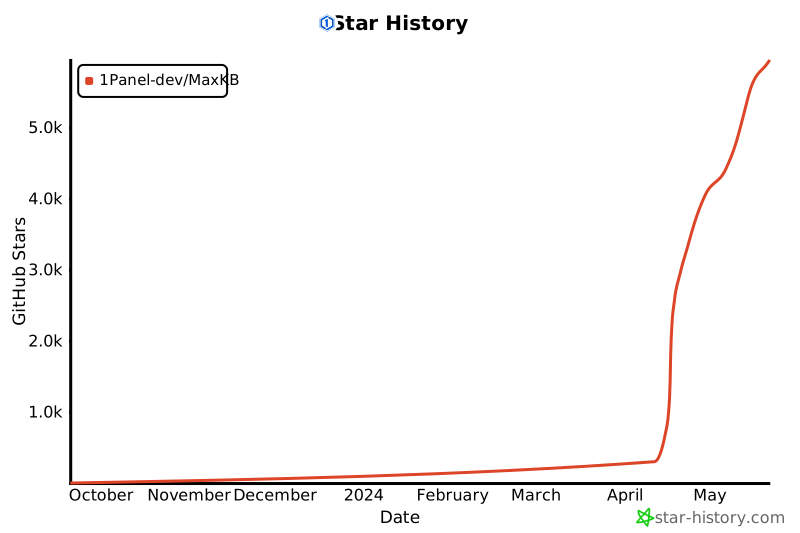](https://star-history.com/#1Panel-dev/MaxKB&Date)
## License
Licensed under The GNU General Public License version 3 (GPLv3) (the "License"); you may not use this file except in compliance with the License. You may obtain a copy of the License at
Unless required by applicable law or agreed to in writing, software distributed under the License is distributed on an "AS IS" BASIS, WITHOUT WARRANTIES OR CONDITIONS OF ANY KIND, either express or implied. See the License for the specific language governing permissions and limitations under the License.