


代码拉取完成,页面将自动刷新
To configure this module, you need to:
Go to Settings > Technical > Date ranges > Date Range Types where you can create types of date ranges.
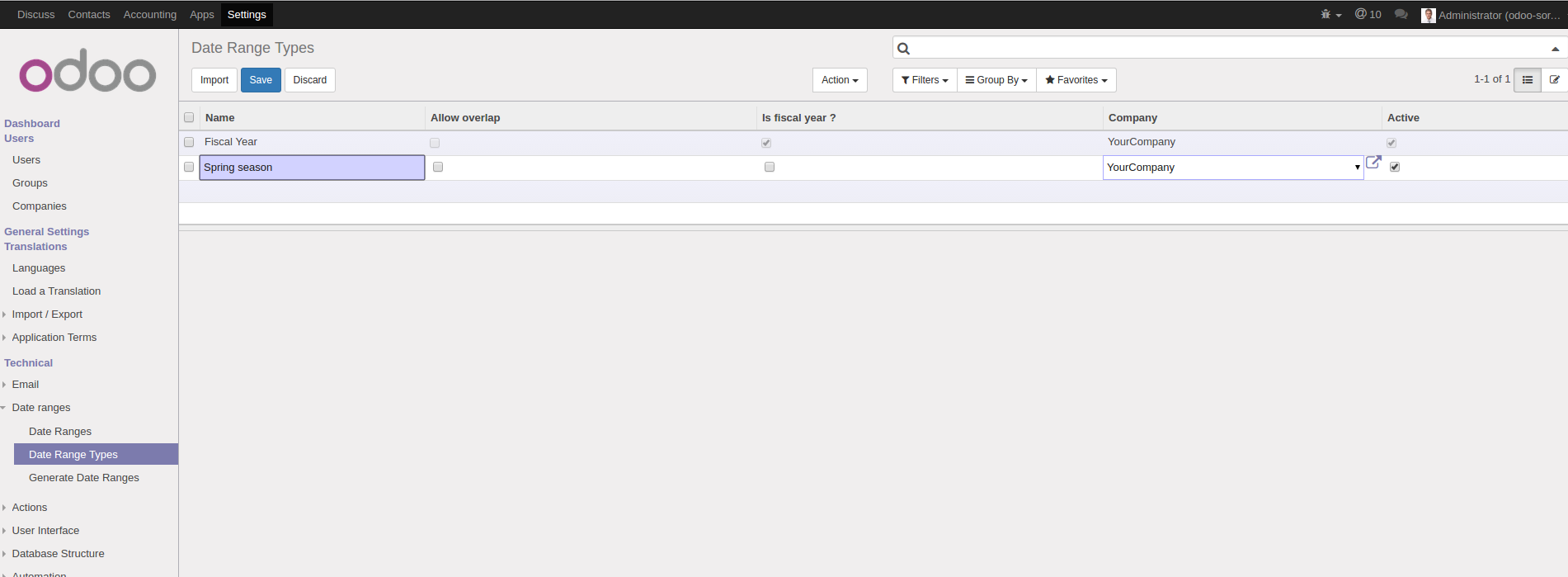
Go to Settings > Technical > Date ranges > Date Ranges where you can create date ranges.
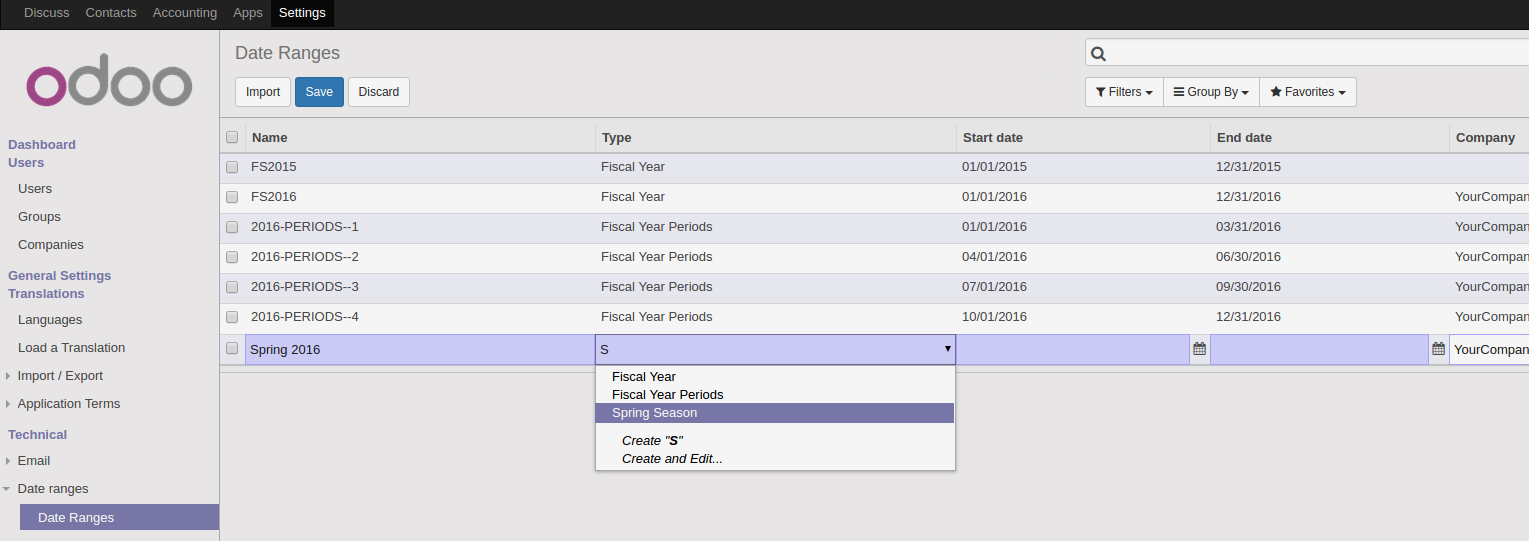
It's also possible to launch a wizard from the 'Generate Date Ranges' menu.
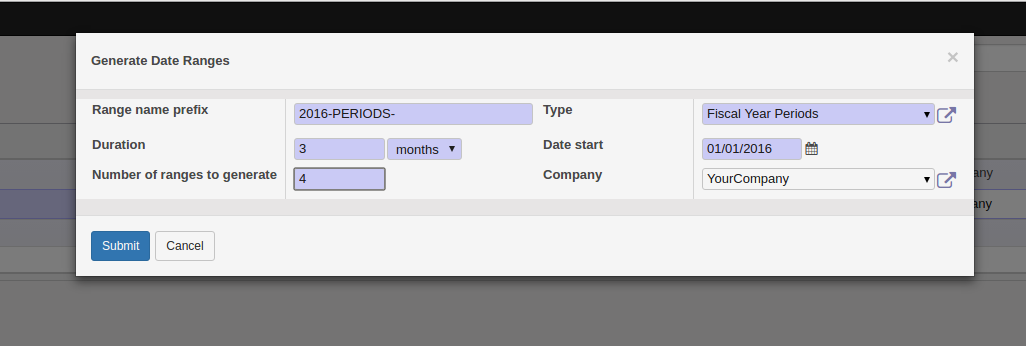
The wizard is useful to generate recurring periods.

Your date ranges are now available in the search filter for any date or datetime fields
Date range types are proposed as a filter operator
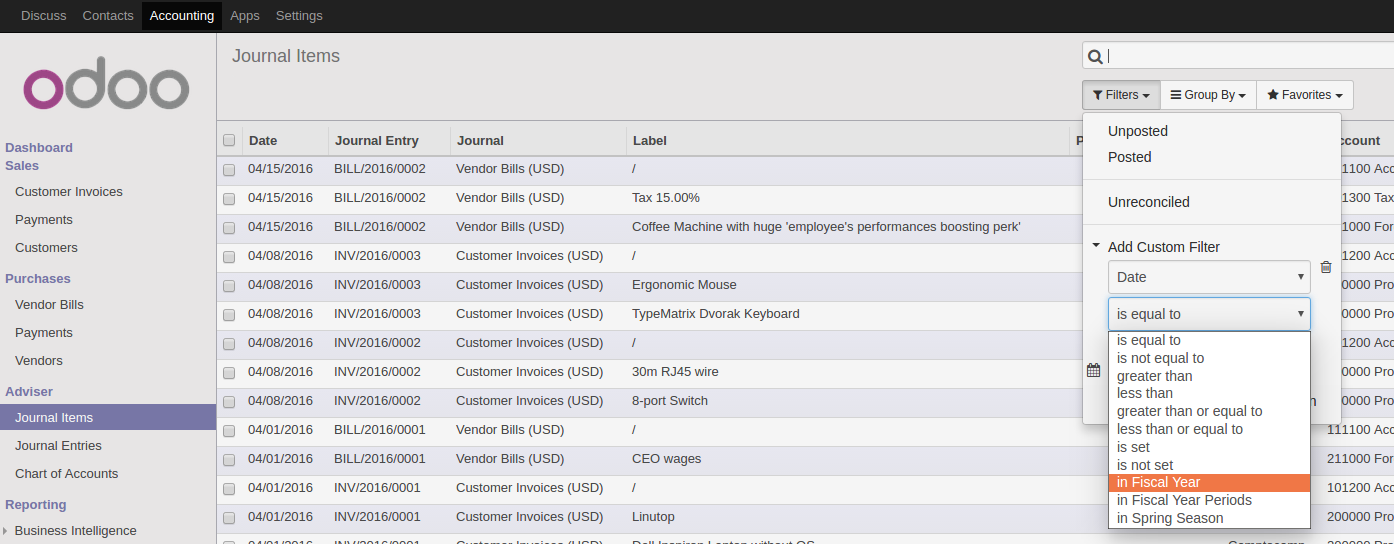
Once a type is selected, date ranges of this type are porposed as a filter value
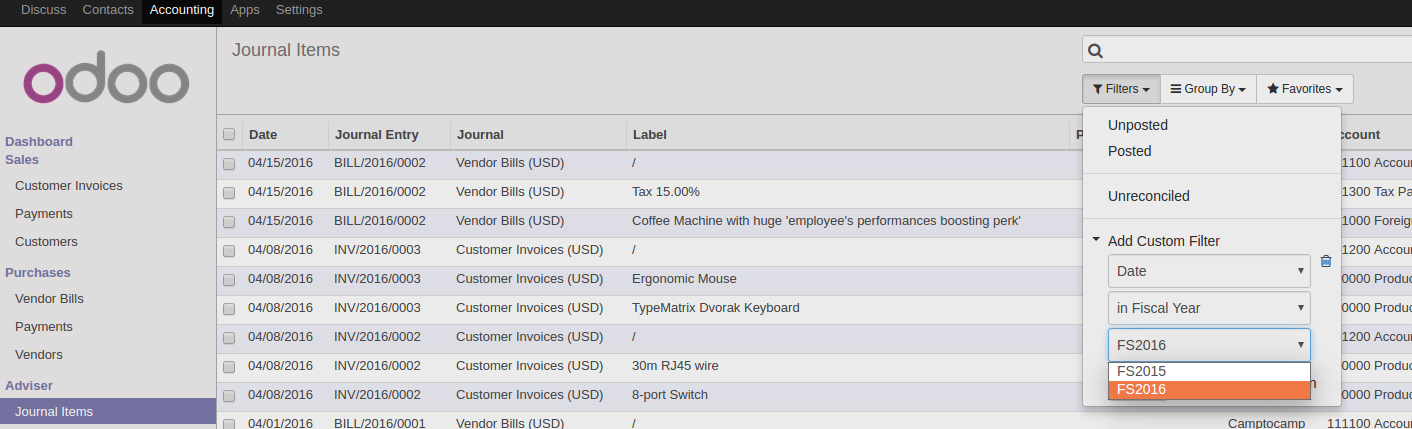
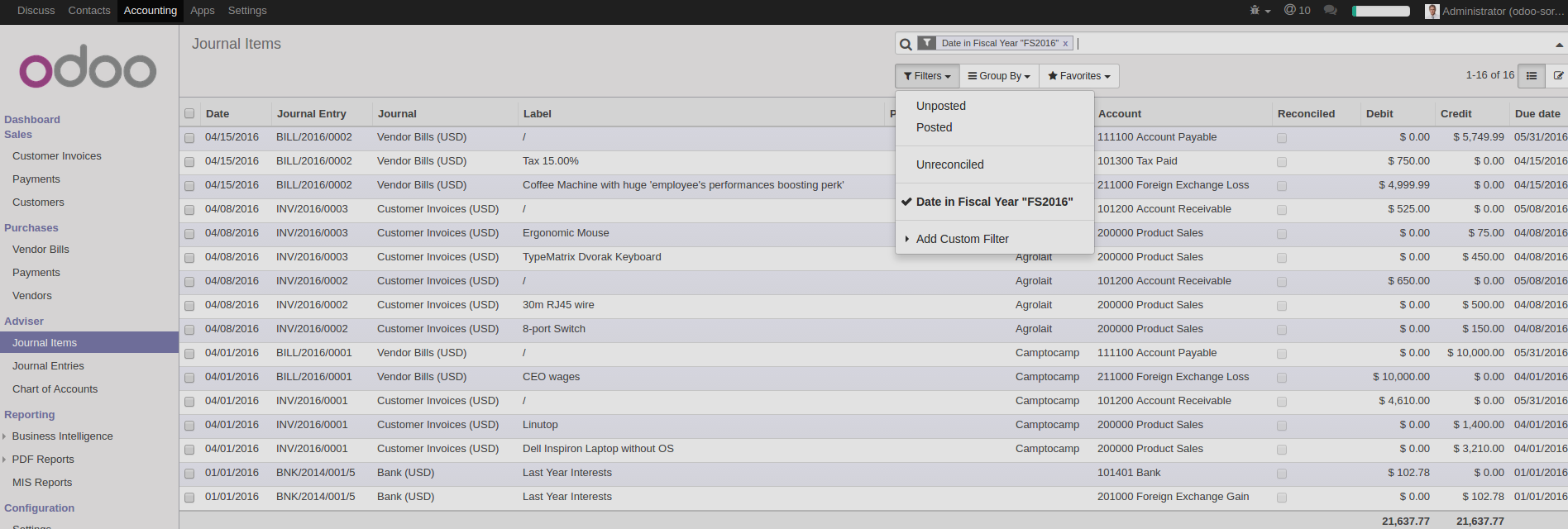
And the dates specified into the date range are used to filter your result.
此处可能存在不合适展示的内容,页面不予展示。您可通过相关编辑功能自查并修改。
如您确认内容无涉及 不当用语 / 纯广告导流 / 暴力 / 低俗色情 / 侵权 / 盗版 / 虚假 / 无价值内容或违法国家有关法律法规的内容,可点击提交进行申诉,我们将尽快为您处理。
 马建仓 AI 助手







